


Issues rendering Chinese characters in .CHM output in RH 2020
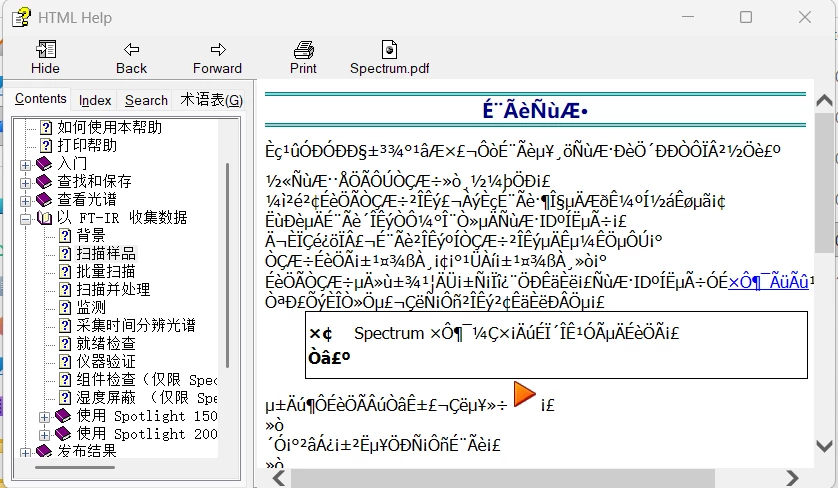
I have recently upgraded a series of RH projects which use a Microsoft HTML Help (.CHM) output from the classic UI 2019 version to RH 2020.8.34. These have gone generally very smoothly, including a project translated into Japanese which renders perfectly if I first change to PC’s display language to Japanese. However, a project in Simplified Chinese is failing to generate the output correctly - although the TOC displays properly, the text in the topics is completely failing to render as Chinese characters (see image), even when I change the display language before generating.
I’ve tried creating a fresh .CHM output but the result is the same. However, if I use the Frameless output option, the characters render perfectly. In the past I have had issues with the TOC (which is addressed in other questions in the forum) but never with the bulk of the content.
The projects have a long history with multiple authors contributing over the years, so the formatting/fonts used may not be entirely consistent throughout, but the same is also true of the Japanese version which has given no problems.
I appreciate that the .CHM output is not widely used these days but if anyone has seen this issue before and can suggest a fix, I would be very grateful as it will save me from having to try anad maintain an old laptop to run classic RH to generate this one output!
 AdChoices