
Participant
July 20, 2020
Question

Issues with the review feature

  • July 20, 2020
  • 3 replies
  • 386 views

I am using the Review feature. I can select and send my topics to review.


But when I want to access them from the link, nothing is displayed (cf screenshot). I sent them to my colleague and she has the same issue.
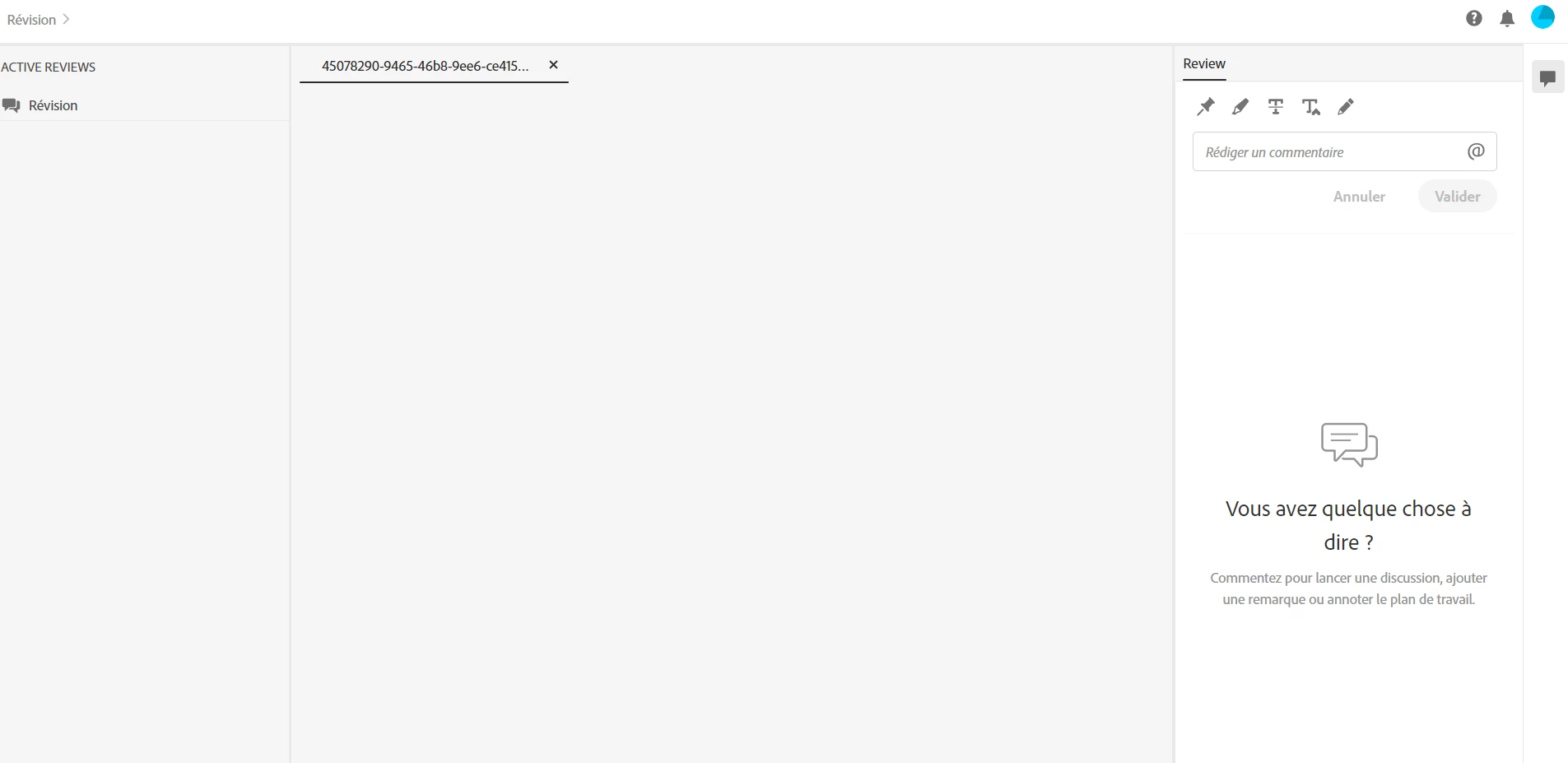
Can someone help me?


Thanks


    This topic has been closed for replies.

    3 replies

    Peter Grainge
    Community Expert
    Community Expert
    July 21, 2020

    In your screenshot the twistie (arrow head - greater than symbol) is below the + sign.


    Use the menu (bottom right) to mark the Best Answer or Highlight particularly useful replies. Found the answer elsewhere? Share it here.
    JulieVP1Author
    Participant
    July 23, 2020

    Yes I have the arrow when I select the topics to review.


    I do not have this arrow when I sent the link to review (screenshot below). Impossible to display the selected topics.


    Adobe Employee
    July 23, 2020

    When you click on Application which is in Active Review, does the arrow come up.


    thanks

    Amitoj Singh


    Peter Grainge
    Community Expert
    Community Expert
    July 20, 2020

    The whole process is described in The RoboHelp Tour on my site. Look in 2020 section.


    Use the menu (bottom right) to mark the Best Answer or Highlight particularly useful replies. Found the answer elsewhere? Share it here.
    Inspiring
    July 20, 2020

    It seems like there is no topic in your shared review file.

    I just tried this new feature by myself and it worked fine (Trial version on macOS - love it! Purchasing for sure!!):


    1. Set up a new review package (in the RoboHelp UI, click the Review tab, then click the "+" in the "Active Reviews" panel) and name it
      [by the looks of it you surely did that step and named that package "Révision"]
    2. That package opens a list of all your topics in that project;
      pick at minimum one of the topics by ticking the checkbox (will be blue with a white tick mark after ticking)
    3. Click the "Share" button
      --> RoboHelp packs the package 
      [Did that works out fine on your test? It takes a while, even if there's just the Default topic with 2 lines of text in it!]
    4. When RoboHelp is ready packing your topics into the Review package a pop-up dialog lets you share a link with others by mail, and you can choose whether it's only working with those specific mail address (private review) or that would be a link that can be sent to third parties and would still be working (public review).
      [Which kind did you use for your test?]
      --> The receiver(s) can open that interface you're showing in that screenshot out of an "Open" button in a mail 
    5. If there's an minimum one topic in that package, there should be an arrow heading left (looking like a "greater than" character) at the end of the line where the package name (in your case "Révision") appears. 
    6. Click on that arrow
      --> The package opens and the list of topics included there will show up
    7. Double-click on (one of) the topic titles in the left panel to open it
      --> The topic content shows up in the center, and on the right there comes up a panel with the commenting tools (and the list of comments already written, if any)
    JulieVP1Author
    Participant
    July 21, 2020

    I probably did something wrong!!


    Set up a new review package (in the RoboHelp UI, click the Review tab, then click the "+" in the "Active Reviews" panel) and name it
    [by the looks of it you surely did that step and named that package "Révision"]

    _ _ Yes exactly. It is my package "Révision"


    I did the second and the third step : Click the "Share" button
    --> RoboHelp packs the package 
    [Did that works out fine on your test? It takes a while, even if there's just the Default topic with 2 lines of text in it!]

    _ _ Yes It worked perfectly fine


    4. [Which kind did you use for your test?]

    _ _ I selected the private review


    I sent the package with 3 topics but I did not have the arrow heading left. When I click the "Revision" package, there is a blank page. 

    I do not know what I am missing!


    Thanks for your help