
Inspiring
December 8, 2015
Question

JPG & GIF Images Not Displaying

  • December 8, 2015
  • 2 replies
  • 500 views

I am running RH 2015 and created this project. About a week ago, an issue came up where WebHelp links to GIF & JPG images no longer worked. PNG images are able to display. I deleted the CPD and re-compiled. The fix worked for a couple of days and now is having the issue again. The only thing I have done differently was to install RH11 to help a colleague on another project. I did not remove RH 2015 before this. When I went to open the XPJ of the RH 2015 project, I received a message where the project was created in a later version. I was surprised (since I clicked on the XPJ) that the program wouldn't launch RH 2015. I then removed RH 11 from my computer and the project opened fine.

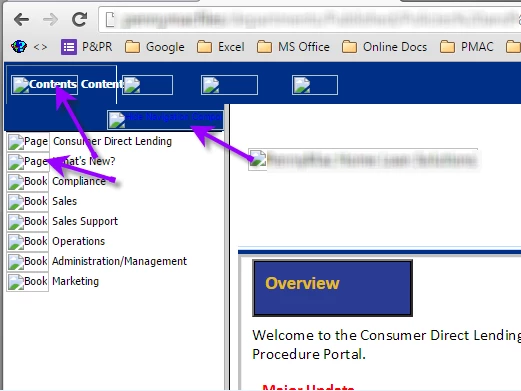
I'm going to try removing RH 2015 from my system and re-installing. In the meantime, here's a screenshot of the issue. Any insight would be appreciated. Client is using both IE and Chrome to view the WebHelp (this has been going on for the past year) without issue. -- Thanks.  Anet
This topic has been closed for replies.

2 replies

agambinaAuthor
Inspiring
December 10, 2015

Update on this issue ... created a new WebHelp from clean install of RH 2015. RH 11 is no longer on my system. CPD is deleted prior to compiling. Same image display issue is happening. Content is published to a server by client's IT Department and WebHelp displays for a period of time without issue and then the GIFs and JPGs no longer render. This same client uses other vendors who author in RH 11; no issue there. This is not a new situation as I've been contracted with the client for 2 years. This issue is about a week old. We are continuing to test additional scenarios (different skin) to try and isolate. I've taken one of the RH 11 projects and upgraded to RH 2015 and testing has begun on that. I'm unable to replicate the problem on my system. Any insight is appreciated.

Jeff_Coatsworth
Community Expert
Community Expert
December 10, 2015

Published to a webserver or LAN server? What browser versions are being used to test it? Have you tried using one of the sample projects to see if it duplicates the issue? (you are all patched up in RH2015, right? There’s been 2 patches so far)

agambinaAuthor
Inspiring
December 10, 2015

I found out that my client is publishing to a Webserver. They are using the latest version of Chrome and IE companywide. We found that the image issue is now inconsistent -- even within the same topic. I'm running this version of RH:

I click Updates...from within my project and it shows:

This looks like an earlier version from what I have (as I just re-installed RH 2015 two days ago). So I'm not sure how to answer your question on whether I'm patched up. We're now seeing inconsistency in GIFs and JPGs. The image failures appear to be happening across the board--irrelevant of what type of image format is being used or where the image file is actually located. In other words, it doesn't matter where the image file is stored in the original XPJ or where the image is used in WebHelp output. Could this issue possibly be related to this thread?

https://forums.adobe.com/message/7754159#7754159

Jeff_Coatsworth
Community Expert
Community Expert
December 8, 2015

You can have both flavours on your machine – however, what Windows thinks is the correct version to use to open your xpj file is entirely dependent upon the order you installed them. When you plopped RH11 in after RH2015, Windows would have associated the xpj file type with RH11. That’s why you got the message. When running multiple versions, it’s always safer to fire up the project you want to use & then open the desired project in the correct version.

Captiv8r
Legend
December 8, 2015

Jeff is spot on.

Seems there are a great many folks that misunderstand the Windows file association.

Always ALLways ALLWAYS operate by opening the application first, THEN open the project you are interested in!

Cheers... Rick