
Participant
February 10, 2011
Question

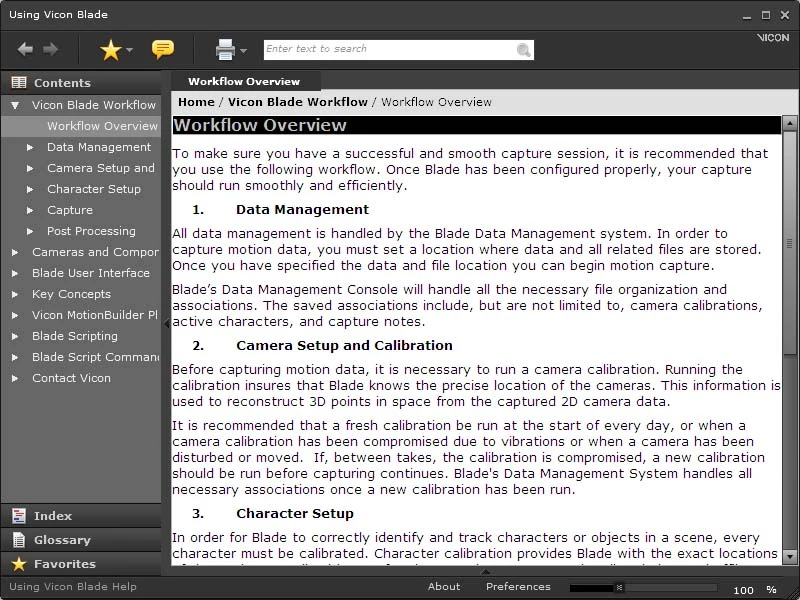
Left margin in Adobe Air help
  • February 10, 2011
  • 1 reply
  • 465 views

I can't seem to move the left margin of this Air help system.  It stays very close to the left edge of the frame.  I've tried to fix the master page but that doesn't seem to help.  The only thing that works is if I change the left margin manually on the topic, which would take forever to do in the very large help system.  Any suggestions?  Thanks for your help.

    This topic is closed to new replies. Start a new post to keep the conversation going.

    1 reply

    Peter Grainge
    Community Expert
    Community Expert
    February 10, 2011

    I have moved this post to the AIR Help forum where it belongs.

    Create a copy of your CSS and edit it in Notepad or suchlike. Add a left and right margin to the body tag. About 3px should do it.

    When you generate, select that CSS. I apply the same name adding _AIR. mystyles_AIR.css for example.


    See www.grainge.org for RoboHelp and Authoring tips

    @petergrainge

    Use the menu (bottom right) to mark the Best Answer or Highlight particularly useful replies. Found the answer elsewhere? Share it here.