

Link Area Not Centered over Previous Button
I'm using RH 2017 on Windows 10 (build 13.02.334)
The charcoal_gray layout at least (and therefore our layout based off of charcoal_gray) has a problem with the link box for the Previous button not overlaying the button properly when you size down the window. If the Window is maximized, the link box is directly over the button as expected. But if you size the window down for something matching smaller screen devices (but not phone size), where the buttons change to the larger prev / next buttons, you can't click directly on the Previous button. (For me, this is if my browser width is between 970 pixels - 1290 pixels.)
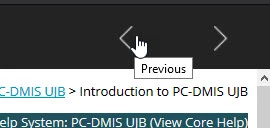
The actual link is offset to the right of the button image, here in charcoal_gray:
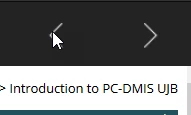
If I move my pointer over the button image, there's no link:
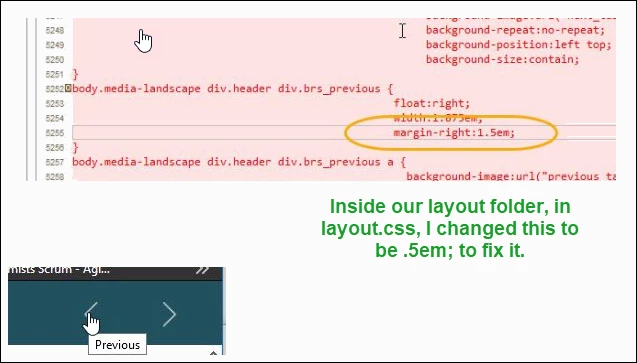
Is this something I can fix manually? I'm guessing there's some kind of scripting issue where it's not detecting the button location properly.
I filed this bug: https://tracker.adobe.com/#/view/RH-4682




 AdChoices