
Inspiring
March 20, 2017
Answered

Linking Word docs - Style differences

  • March 20, 2017
  • 1 reply
  • 3024 views

I've been continuing my war with linking Word docs into my RoboHelp project. This has me baffled.

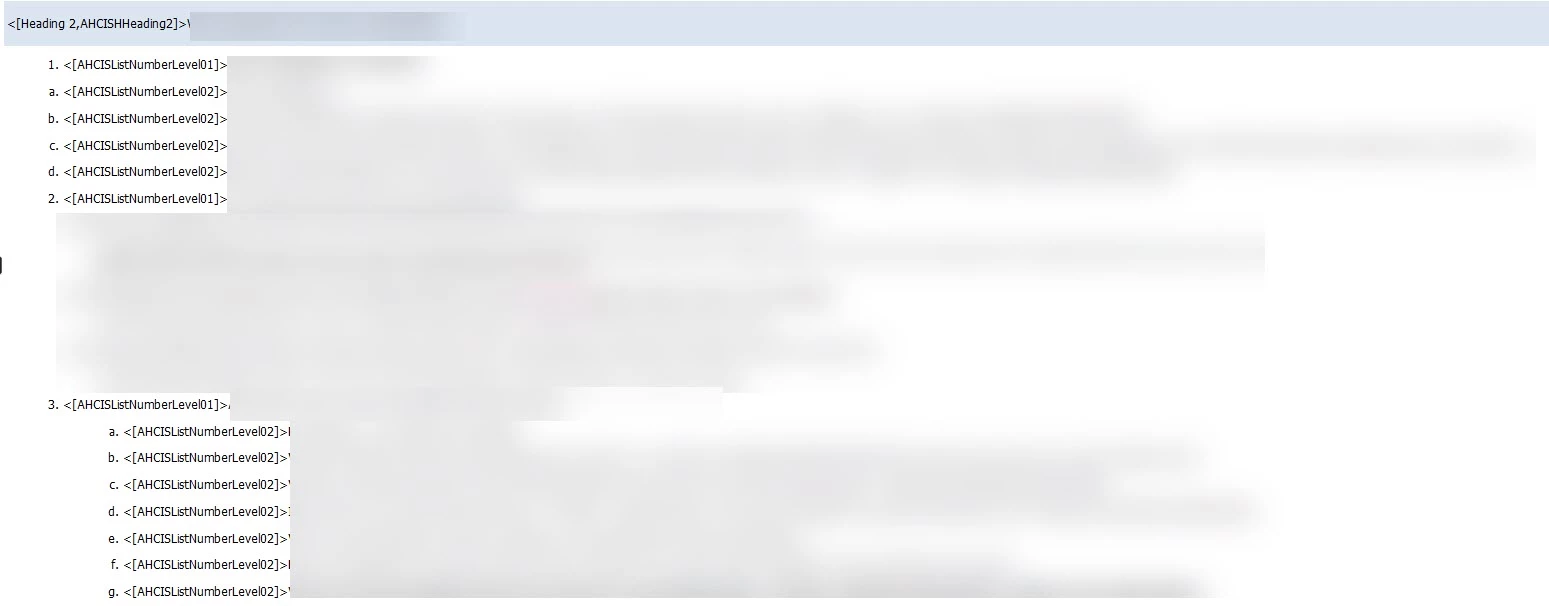
First, I ran a Word macro that puts the name of the style assigned to the paragraph in brackets. <[AHCISListNumberLevel01]> means Word style AHCISListNumberLevel01 is assigned to the paragraph, and <[AHCISListNumberLevel02]> means Word style AHCISListNumberLevel02 is assigned to the paragraph. What I can't wrap my head around is when I look at my HTML5 output, step 1 shows the <[AHCISListNumberLevel02]> style as left-aligned with the number 1 (which is wrong) but under step 3, <[AHCISListNumberLevel02]> is indented (which is correct). What am I missing?
Eternal gratitude awaits anyone that can solve this riddle!

Paul Hanson
This topic has been closed for replies.
Correct answer prhmusic2

I was using the List Number 2, List Number 3, List Number 4, and List Number 5 styles from the Import902Import Tests.doc file.

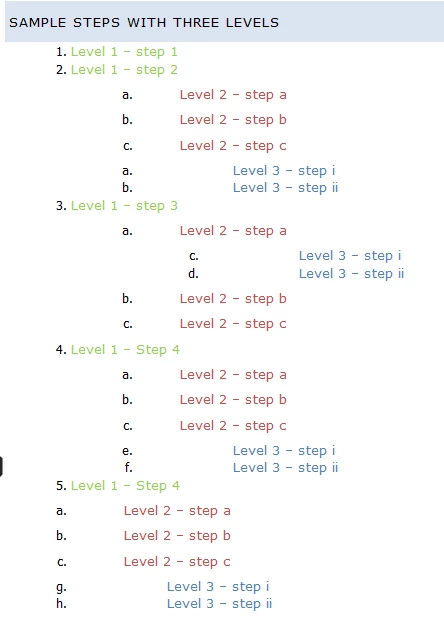
I am continuing to work with with Adobe Tech Support. The test project they sent to me works fine on their side, but this is what I see:

The investigation continues ...


As a follow-up, if I select a list that has multi-levels in my linked Word documents and apply a pre-defined list in Word, I am able to generate my HTML5 output and see what I expected. Thank you to all who offered suggestions – much appreciated!

Ultimately, I will have ~100 Word docs linked to this project so it was very important to get this to work correctly.

Paul

1 reply

Jeff_Coatsworth
Community Expert
Community Expert
March 20, 2017

Before going to HTML5, how does it look in the resulting RH project? Do the styles map properly at that point? If they don't, then outputting to HTML5 isn't going to tell you much.

prhmusic2Author
Inspiring
March 20, 2017

This is a Word doc that is linked to RoboHelp and it looks correct in Word:

Jeff_Coatsworth
Community Expert
Community Expert
March 20, 2017

Ok, now what does it look like in the resulting RH topic?