


Sleant
Inspiring
September 15, 2022
Question

Make Search Box Appear by Default in Oceanic Skin

  • September 15, 2022
  • 2 replies
  • 169 views

Using RH 2020.834, in frameless design, Oceanic skin - how do I make the search box active/appear in the center by default like this without clicking the manifying glass to activate it? I want it search box on/expanded at all times. Thank you so much.
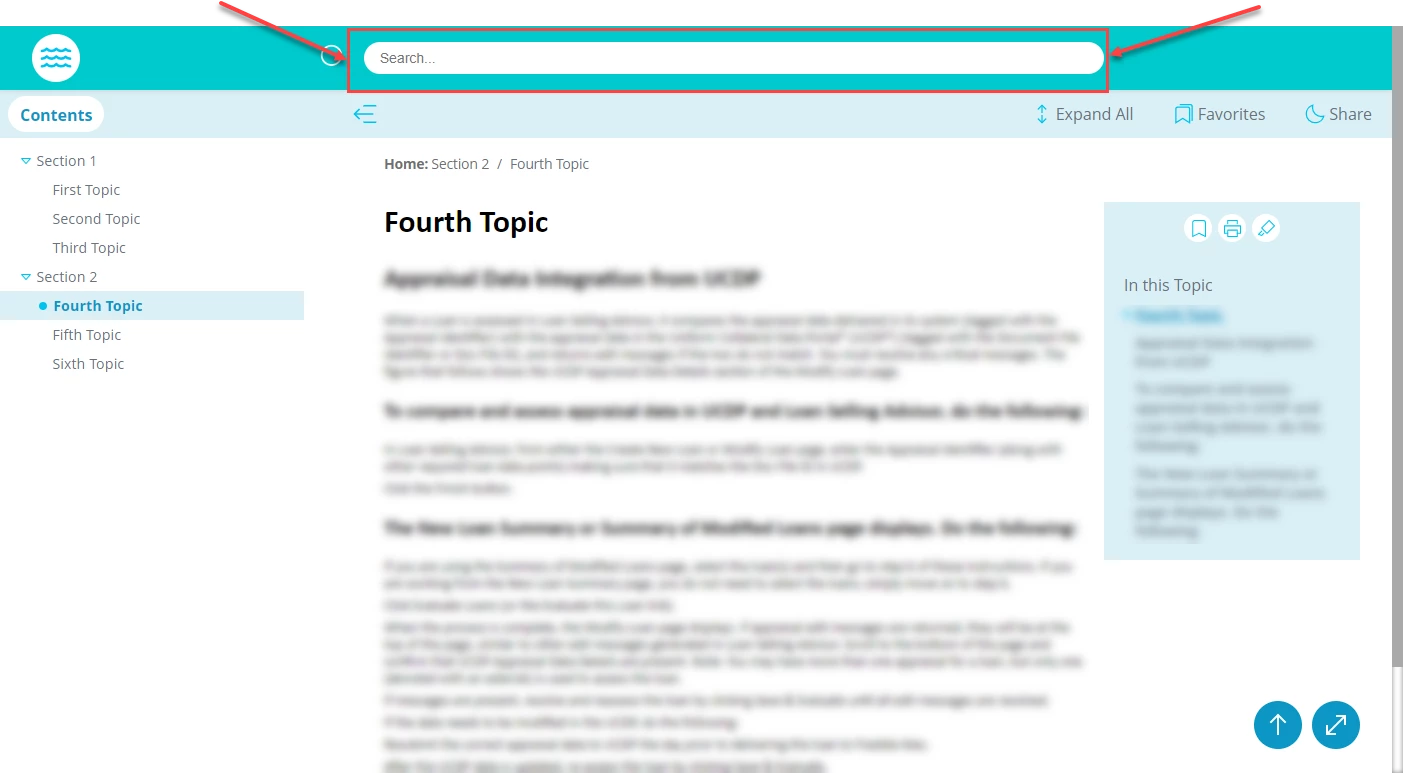
    This topic has been closed for replies.

    2 replies

    Peter Grainge
    Community Expert
    Community Expert
    September 16, 2022

    You could try requesting a feature change.


    Please follow this link to report bugs or request new features. https://tracker.adobe.com. Post the link to your bug report / feature request in this thread and others can vote for it. The more people who do so, the higher it gets prioritised.

    ________________________________________________________

    My site www.grainge.org includes many free Authoring and RoboHelp resources that may be of help.


    Use the menu (bottom right) to mark the Best Answer or Highlight particularly useful replies. Found the answer elsewhere? Share it here.
    Peter Grainge
    Community Expert
    Community Expert
    September 16, 2022

    The box appears when you click the magnifying glass. I am guessing that is triggered by an "onclick" event in a javascript file. Good luck finding it! Sorry but I don't know.


    Maybe one of your developers could examine the files in the output and find it?

    ________________________________________________________

    My site www.grainge.org includes many free Authoring and RoboHelp resources that may be of help.


    Use the menu (bottom right) to mark the Best Answer or Highlight particularly useful replies. Found the answer elsewhere? Share it here.
    Sleant
    SleantAuthor
    Inspiring
    September 16, 2022

    Yes, Peter. I'm reaching out to my go-to Developer now. Will report back. Thank you.