


Inspiring
March 3, 2021
Question

Master Page causing issues (RH 2019, new UI, frameless)

  • March 3, 2021
  • 4 replies
  • 108 views

Hi, Everyone.


I've created a master page that is causing issues. When I apply it to an output preset, at least three problems result when I serve the help system on SharePoint:


  1. My end-user experiences an unresponsive "Expand All" button. (NOTE:  I do not experience this issue via my computer.)
  2. My end-user is unable to open drop-down text. (NOTE:  I am able to open the drop-downs via my own computer.)
  3. The end-user sees a table-cell border dividing the two-cell table that I've built into the master page. They're not supposed to see any borders. (NOTE:  I do not see the border via my computer.)


Also noteworthy: when I generate output with "None" selected in the Master Page area, the issues do not appear.


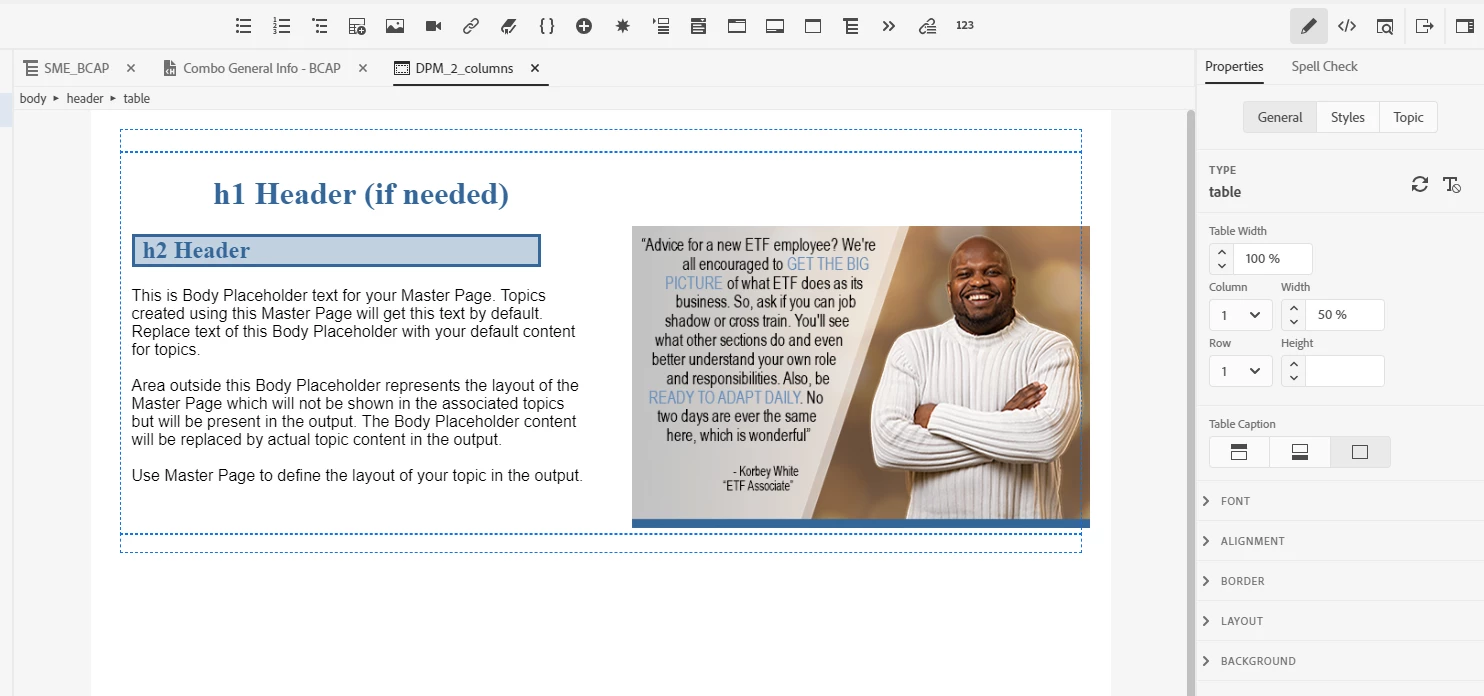
Here's a screenshot of the master page in question (below).


Any advice for me? Thank you!
 

    This topic has been closed for replies.

    4 replies

    Inspiring
    March 5, 2021

    Makes sense. I will figure out how to test this and report back.


    Thank you, Peter.

    Peter Grainge
    Community Expert
    Community Expert
    March 4, 2021

    I suspect the whole problem is Sharepoint related. Would you be able to get one user to open the help other than via Sharepoint? Maybe put the output on a thumbdrive and get them to open it from that.


    If it is Sharepoint related, I can't help you but hopefully someone else can. If not see https://helpx.adobe.com/contact/enterprise-support.other.html#robohelp for your support contact options.

    ________________________________________________________
    See www.grainge.org for free Authoring and RoboHelp Information

    Use the menu (bottom right) to mark the Best Answer or Highlight particularly useful replies. Found the answer elsewhere? Share it here.
    Inspiring
    March 4, 2021

    Hi, Peter.


    1. One end user or all end users?  All end users
    2. Where do they access the help from?  They access it via SharePoint, both on-site and remotely (VPN)
    3. What browser and have they tried others?  Chrome, no other browsers tried
    4. What does the master page contain?  It contains (see below)
    5. Is it using your normal CSS?  Yes


    The master page contains:

    • A two-cell table
    • An image, set with width and height and padding
    • Font family
    • h1 & h2 styles
    Peter Grainge
    Community Expert
    Community Expert
    March 4, 2021
    1. One end user or all end users?
    2. Where do they access the help from?
    3. What browser and have they tried others?
    4. What does the master page contain?
    5. Is it using your normal CSS?

    ________________________________________________________
    See www.grainge.org for free Authoring and RoboHelp Information

    Use the menu (bottom right) to mark the Best Answer or Highlight particularly useful replies. Found the answer elsewhere? Share it here.