
April 25, 2019
Answered

Menu icon disappears when a browser window exceeds a given length

  • April 25, 2019
  • 1 reply
  • 434 views

I'm working with RoboHelp 2017 to create a responsive HTML5 output for a customized Indigo template. When I view the output in Firefox, IE, and Chrome, the hamburger menu icon disappears when the browser is maximized. Each browser has a different size threshold for the icon disappearing. How can I fix this and make the icon always visible?
This topic has been closed for replies.
Correct answer Peter Grainge

I edited your post as RoboHelp 17 has not yet been released. The correct name helps others when searching.

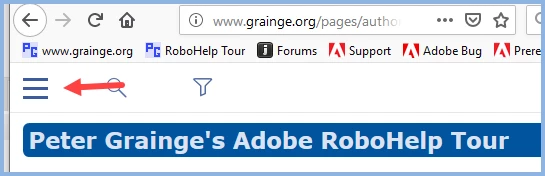
I think you are referring to this icon and that is only shown in the tablet and phone views as you don't need it in desktop view. It accesses the TOC that is available in desktop view.

If you go into skin customisation you can change the size settings in Media Queries so that the desktop mode is never seen. It's your call but that seems to be making it more difficult for the user as they have to click the hamburger icon each time they want to change the topic they are looking at.

If I have misunderstood what you are getting at, let me know.


See www.grainge.org for free RoboHelp and Authoring information.

@petergrainge

1 reply

Peter Grainge
Community Expert
Peter GraingeCommunity ExpertCorrect answer
Community Expert
April 25, 2019

I edited your post as RoboHelp 17 has not yet been released. The correct name helps others when searching.

I think you are referring to this icon and that is only shown in the tablet and phone views as you don't need it in desktop view. It accesses the TOC that is available in desktop view.

If you go into skin customisation you can change the size settings in Media Queries so that the desktop mode is never seen. It's your call but that seems to be making it more difficult for the user as they have to click the hamburger icon each time they want to change the topic they are looking at.

If I have misunderstood what you are getting at, let me know.


See www.grainge.org for free RoboHelp and Authoring information.

@petergrainge

Use the menu (bottom right) to mark the Best Answer or Highlight particularly useful replies. Found the answer elsewhere? Share it here.
April 25, 2019

Hi Peter, thanks for your response! I've included the icon I'm referring to below. I think we're talking about the same thing, however, my user base wants the icon to appear in the desktop version.

You mentioned altering the skin preferences, but wouldn't it be the layout customization instead? When I access the media query properties, I only have options to adjust the max phone and tablet width. See the screen capture below.

Peter Grainge
Community Expert
Community Expert
April 25, 2019

Skin and layout were used interchangeably in 2017.

Change that table size to a higher figure than will be on any desktop and you will always see the tablet view. That does mean that users have to click the hamburger and then choose TOC, Favourites, Index and Glossary but if that's what they want...


See www.grainge.org for free RoboHelp and Authoring information.

@petergrainge

Use the menu (bottom right) to mark the Best Answer or Highlight particularly useful replies. Found the answer elsewhere? Share it here.