
Known Participant
November 5, 2018
Question

Mini TOC Robohelp 2019

  • November 5, 2018
  • 1 reply
  • 1844 views

I've converted my RH17 project to RH19.

The mini TOC doesn't seem to work in 19. Is this something that Adobe is still working on?

  1. There doesn't seem to be an option to collapse, selecting "Show TOC in expanded form" doesn't do anything
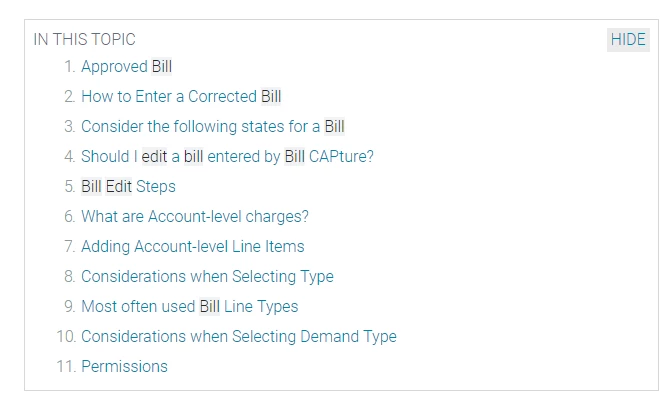
  2. Why are the entries truncated?

Is there another way I can manage the mini-toc?

I've included screenshots.
This topic has been closed for replies.

1 reply

Known Participant
November 5, 2018

Well now after applying update 2 it is worse. It is set to not display and there is no option to control this in the gui.

Known Participant
November 5, 2018

I have to delete the mini-toc and use the gui to insert a new one.

Still have the issue of the truncated lines.

Peter Grainge
Community Expert
Community Expert
November 6, 2018

I have just tested this and it appears that for some reason beyond me there is a limit of 22 characters.

Please follow this link to report bugs and request features. The more people who do so, the higher it gets prioritised.

https://tracker.adobe.com

Post the link to that bug/feature in this thread and others can vote for it.


See www.grainge.org for free RoboHelp and Authoring information.

@petergrainge

Use the menu (bottom right) to mark the Best Answer or Highlight particularly useful replies. Found the answer elsewhere? Share it here.