

ChadPink
Inspiring
July 29, 2020
Question

Missing bracket, period, or symbol after the number when editing style

  • July 29, 2020
  • 1 reply
  • 294 views

I am using RoboHelp 2019.0.14. I tried to edit the Numbered list to show bigger font, but each time I change any of the formats the bracket, period, other symbol disappears. I have also tried to increase the spacing between the number and text, but the bracket, etc. still does not show.
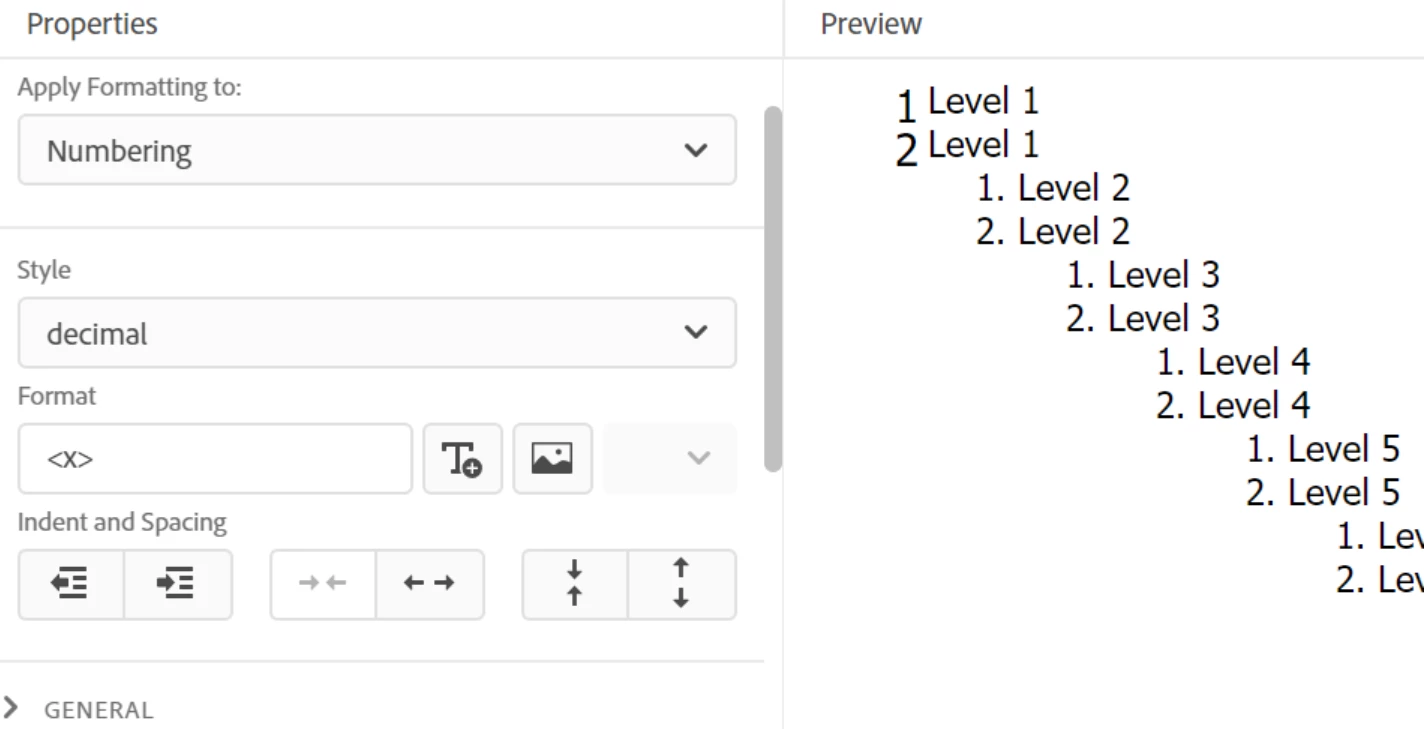
 

Does anyone know if this bug has been fixed?


    This topic has been closed for replies.

    1 reply

    Community Expert
    July 30, 2020

    Go up to Format and put the symbol you need after <x> then press tab to move out of the field. The symbol should now appear correctly. 


    I know it's not in the field originally - I just put it down to Adobe sourcery. 😛   (source. get it? 😄 😄 😄  )

    ChadPink
    ChadPinkAuthor
    Inspiring
    August 20, 2020

    I can no longer find the topic that was having this issue. I'll let you know if I see it again.


    Thanks Amebr!