
toscar182
Known Participant
May 9, 2019
Question

missing logo/image in HTML5 header

  • May 9, 2019
  • 6 replies
  • 1159 views

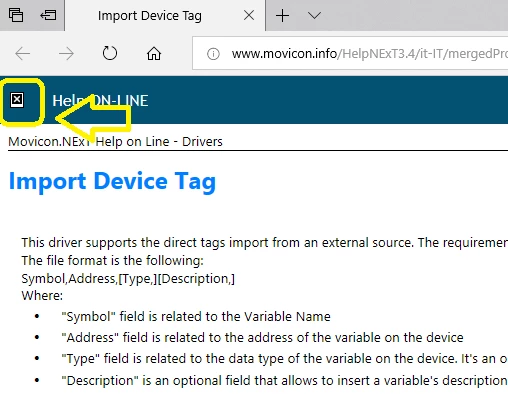
Hello everyone, today I realized that during the opening through an external link of a page, belonging to an HTML5 project published online, a box appear indicating thath missing an image or logo, which I think can be set to display the complete content of the published help (see image below)
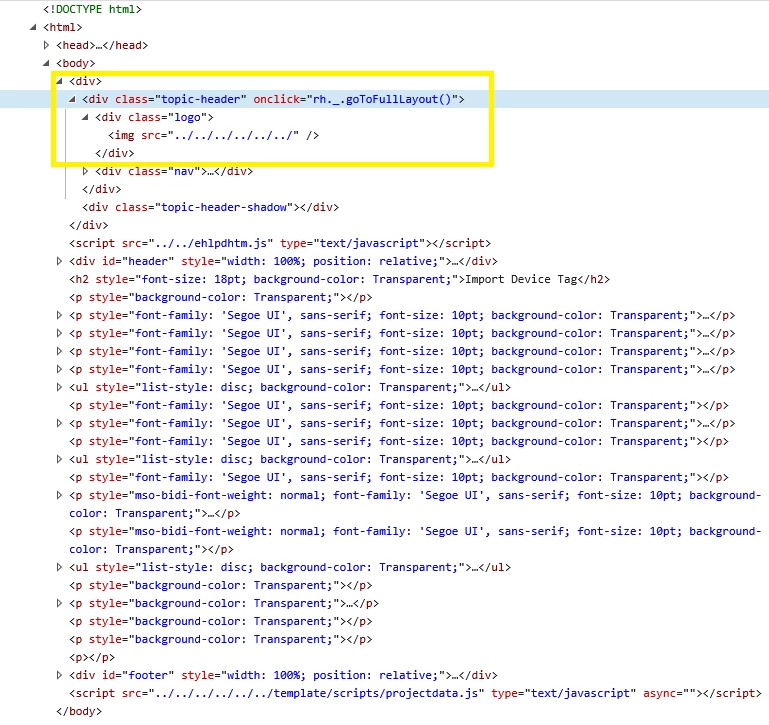
the script shows these elements:
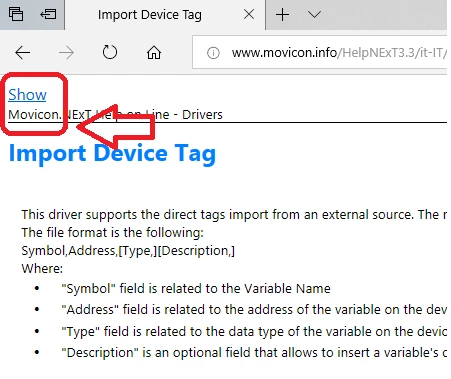
In robohelp 2015 in this position there was the writing with link "Show", in RoboHelp 2019 I think it can be configurable but I can't find the way to do it...
This topic has been closed for replies.

6 replies

LLemon160
Inspiring
November 13, 2020

The header logo. You've just confirmed that I didn't know what I was talking about 🙂 You solved my problem just by making this distinction. Thank you!

Community Expert
November 13, 2020

The favicon is configured in the output(SSL). In the output it typically only appears in the browser tab, not in the browser page. This thread is about configuring the header logo in the screen layout. Can you confirm which you are trying to configure?

LLemon160
Inspiring
November 12, 2020

I'm having a similar problem. I'm using a merged project in RH2019 Classic (software is up to date, 14.0.14) and everything works perfectly except for the favicon. The published favicon is that of the Azure Blue skin (logo.png). I see that my favicon is set up in the parent correctly, the correct layout has been selected, and the correct favicon file is delivered to its final destination (locally to my PC). My child projects are set up to use the Azure Blue skin, which is how I'm assuming the mysterious crossover is happening. On last publish, we published the parent along with some (not all) of the children. Any idea why, if the parent controls the "look" of the child projects, would anything show except the parent's favicon?

toscar182
toscar182Author
Known Participant
June 20, 2019

no one can help me with this problem ...? eventually I would also have a that showing the difference with previous versions of RH ...

Jeff_Coatsworth
Community Expert
Community Expert
June 20, 2019

Does it make any difference with the browser you use?

toscar182
toscar182Author
Known Participant
June 25, 2019

no...any difference, I also tried to use the project locally rather than loaded on the server, but the result is always the same...

I also did a demonstration video to see the difference between RH 2015 and RH 2019 when I open a topic and sent it to adobe support ...

toscar182
toscar182Author
Known Participant
May 30, 2019

I also noticed another problem, in this case more serious than the previous one, when I open a project page via an external link (excluding the start page) as well as presenting the previous problem, when I go to click on a chapter, the loading cursor remains locked, unless you perform a refresh (f5) on the selected page...

Jeff_Coatsworth
Community Expert
Community Expert
May 9, 2019

What version of RH2019 are you using to create this?

toscar182
toscar182Author
Known Participant
May 9, 2019

14.0.3.019

Community Expert
May 10, 2019

I don't have the latest version at the moment, but I believe there is/was a problem with a directly opened topic not being skinned right. Certainly in RH2019 Classic (14.0.5.001) I get the following.

Sample project opened from index.htm

Same project opened from a content topic

You can see the colours are completely different, and the project logo is missing on the left. Also the "Show" text is on the right "Click here to see this page in full context".

I'll see if I can find the thread to see if there was a post about it being fixed.