


Inspiring
July 16, 2021
Answered

Move Right TOC Button & Action and Remove Mouse Over Text

  • July 16, 2021
  • 3 replies
  • 207 views

I cannot locate this situation in the forums. I hope somoene is familiar with these elements.


Using: RoboHelp 2020
Skin: Studio


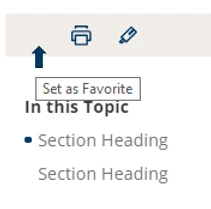
Does anyone know where I can locate the mouse over text for the right panel? See image below for a visual reference. I want to remove the test “set as Favorite”.
Also, I would like to move the highlighter button and its function to the “favorite” space, however, it is not real clear where the on-click  function adjustment can be located. I see under “buttons” in the topic page, there is a “button-X_ applied” field, but I do not see where the actual action is located in the adjustable fields. Does anyone know where to locate that or reference material I could access about these options?

    This topic has been closed for replies.
    Correct answer Peter Grainge

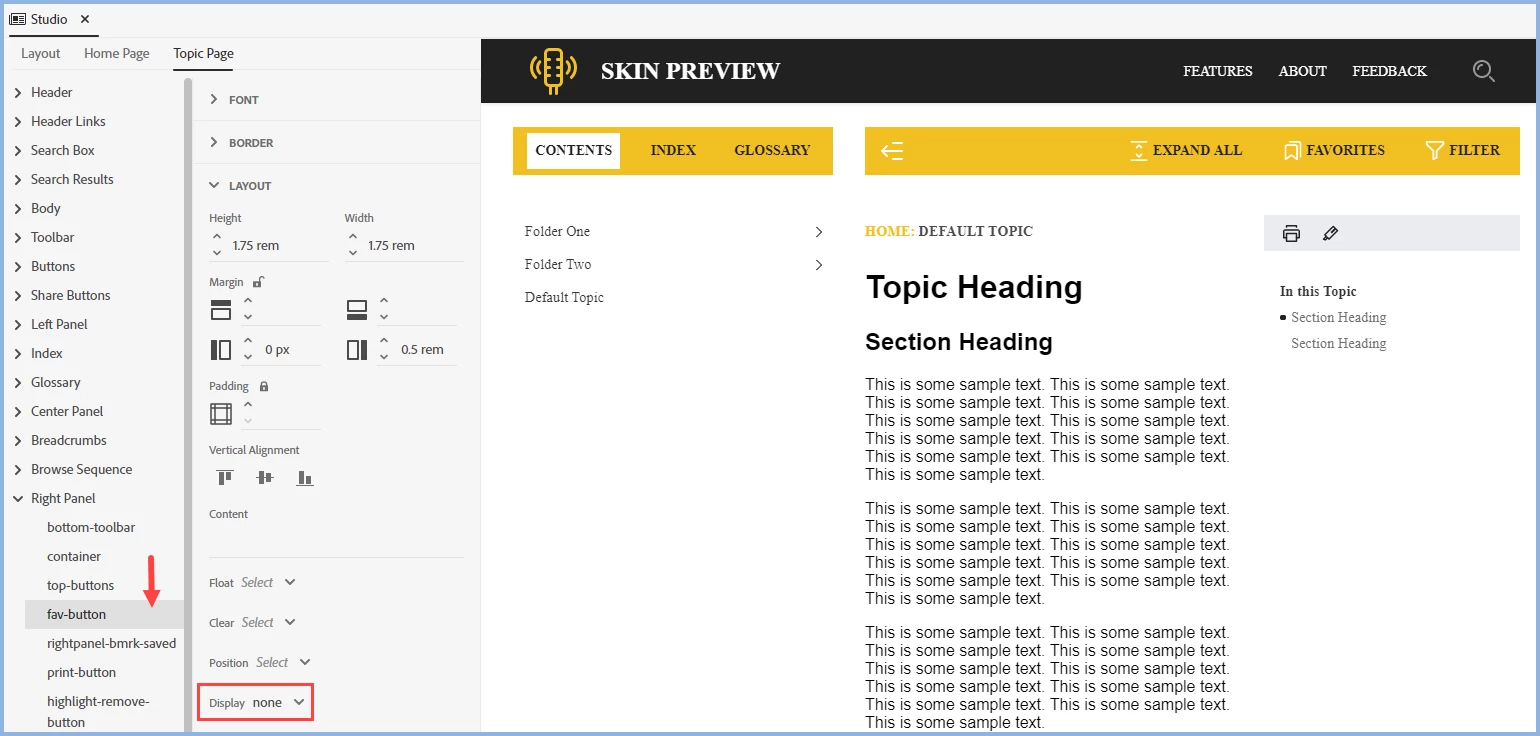
    I think you have simply deleted the image rather than setting Display to None

    Your way would still have left the functionality there. If you clicked on the space the favourite would have been set and the black icon would have appeared.

    Set Display to None and the space goes.

    It is not possible to change the position of the remaining buttons.

    ________________________________________________________
    See www.grainge.org for free Authoring and RoboHelp Information

    3 replies

    Dean5EA1Author
    Inspiring
    July 28, 2021

    I agree, it is a great feature; however, our agency tends to clear cache a lot to repair other issues. This would erase the favorties and cause more frustration to our users rather than be a benefit.

    Peter Grainge
    Community Expert
    Community Expert
    July 17, 2021

    With that said, it seems to be a feature users might want so I'm not clear why you want to disable it. Your call though.

    ________________________________________________________
    See www.grainge.org for free Authoring and RoboHelp Information

    Use the menu (bottom right) to mark the Best Answer or Highlight particularly useful replies. Found the answer elsewhere? Share it here.
    Peter Grainge
    Community Expert
    Peter GraingeCommunity ExpertCorrect answer
    Community Expert
    July 17, 2021

    I think you have simply deleted the image rather than setting Display to None

    Your way would still have left the functionality there. If you clicked on the space the favourite would have been set and the black icon would have appeared.

    Set Display to None and the space goes.

    It is not possible to change the position of the remaining buttons.

    ________________________________________________________
    See www.grainge.org for free Authoring and RoboHelp Information

    Use the menu (bottom right) to mark the Best Answer or Highlight particularly useful replies. Found the answer elsewhere? Share it here.