Known Participant
December 15, 2020
Question

Moving files makes RoboHelp 2020.3.32 hang

  • December 15, 2020
  • 3 replies
  • 275 views

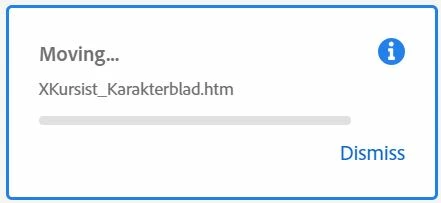
When I drag a file to a folder the process seems to never stop. RoboHelp opens a dialogue telling that the file is being moved, but the dialogue never closes and I am not able to drag another file.


The file IS actually moved, and links to pictures are corrected accordingly. 


If I try to move more than one file at a time, only the first file is moved, and the dialogue keeps showing this first file.


Is there a cure?


    This topic has been closed for replies.

    3 replies

    Peter Grainge
    Community Expert
    Community Expert
    December 16, 2020

    There was a bug that had the effect I described but I have just checked that it has been fixed.


    I haven't seen anyone else report this in Update 3 but it is a recent update. The only thing I can suggest before contacting Support is to uninstall and reinstall. After uninstalling reboot then apply Update 3 from Adobe - Support : RoboHelp Support Center : Service Releases. It is in fact a full build so you don't need to install the initial release first.


    If that fails then see https://helpx.adobe.com/contact/enterprise-support.other.html#robohelp for your support contact options.


    I am assuming you have tried rebooting the machine and that the same occurs in other projects.

    ________________________________________________________
    See www.grainge.org for free Authoring and RoboHelp Information

    Use the menu (bottom right) to mark the Best Answer or Highlight particularly useful replies. Found the answer elsewhere? Share it here.
    Known Participant
    December 15, 2020

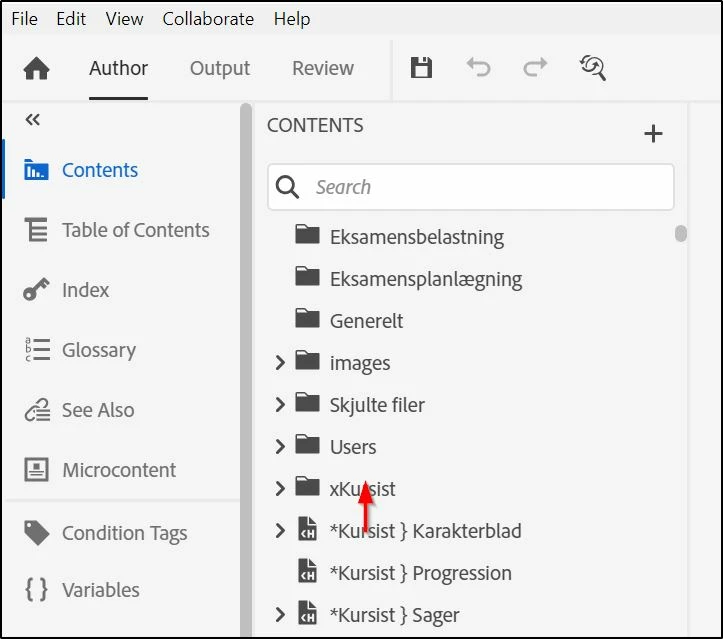
    The red arrow shows exactly how little I move the cursor. No risk of touching the edge of the panel.


    If I click 'Dismiss' the dialogue disappears, but the cursor still shows the 'busy'-symbol, and I can't choose another file - but I can close RoboHelp by File>>Exit.


    Peter Grainge
    Community Expert
    Community Expert
    December 15, 2020

    When you drag avoid letting the cursor move right or left outside the Contents panel. 

    ________________________________________________________
    See www.grainge.org for free Authoring and RoboHelp Information

    Use the menu (bottom right) to mark the Best Answer or Highlight particularly useful replies. Found the answer elsewhere? Share it here.