


Known Participant
January 26, 2023
Question

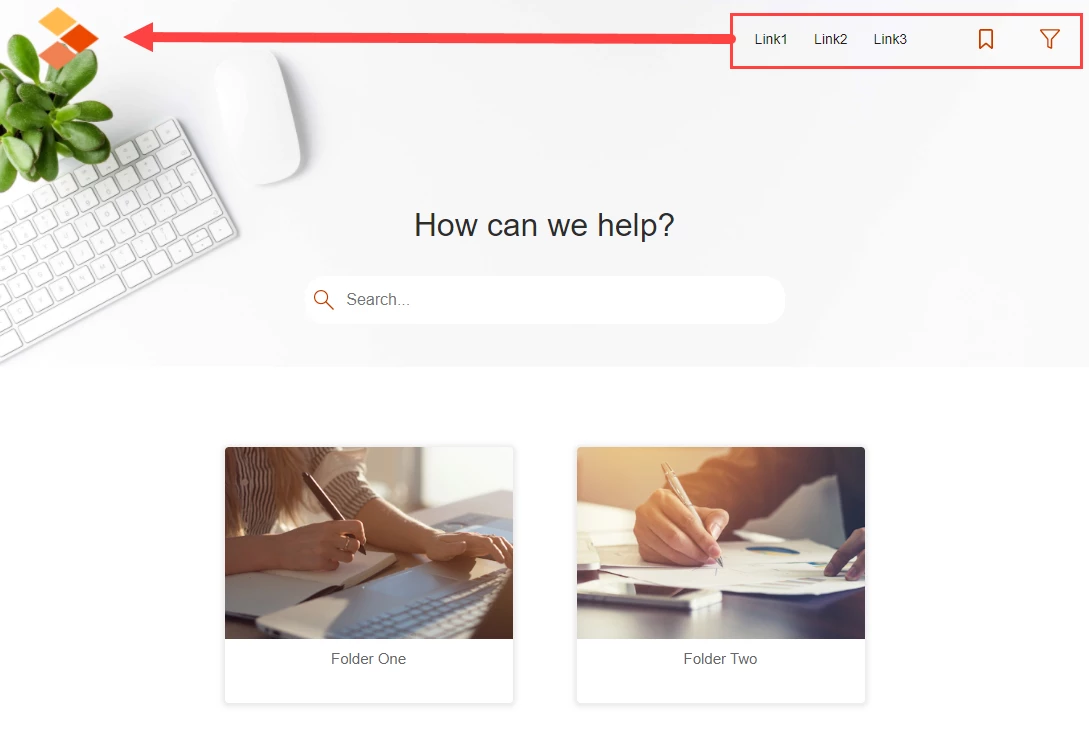
Moving Orange Skin Header Links and Buttons to the Left

  • January 26, 2023
  • 4 replies
  • 197 views

Good morning. Is it possible to move the Header links and buttons to the left, next to the logo, instead of aligning to the right of the screen? I have played with many of the settings but can't seem to get it right.?
    This topic has been closed for replies.

    4 replies

    Peter Grainge
    Community Expert
    Community Expert
    January 27, 2023

    I found this works for one item. The other items should be similar. Note the red square at the top has move across.


    ________________________________________________________

    My site www.grainge.org includes many free Authoring and RoboHelp resources that may be of help.


    Use menu (bottom right) to mark as Best Answer or to Highlight particularly useful replies. Found the answer elsewhere? Share it here.
    Known Participant
    March 3, 2023

    Its odd, when selecting fixed, I don't see the options to set the exact positioning, I am on version 2020.8.34

    Peter Grainge
    Community Expert
    Community Expert
    January 26, 2023

    I will look when I can but that might not be too soon.

    ________________________________________________________

    My site www.grainge.org includes many free Authoring and RoboHelp resources that may be of help.


    Use menu (bottom right) to mark as Best Answer or to Highlight particularly useful replies. Found the answer elsewhere? Share it here.
    Known Participant
    January 26, 2023

    Thanks Peter. I am using version 2020.8.34 - It is the RH-LAYOUT-HEADERMENU-container in dev tools.
    In the Skin, I go to Header Links, Container, which highlights the container the menu items are in but I just can't seem to get it to move to the left. 

    Peter Grainge
    Community Expert
    Community Expert
    January 26, 2023

    The way to find the correct setting is;_

    1. Generate an output and open it in a browser.
    2. Right click on the item you want to move.
    3. Select Inspect or Developer Mode according to your browser.
    4. That will open a panel showing the name of what you have clicked on.
    5. Find that setting in skin/template editor (you haven't included your version) and see what the options are there.


    I think that will help.

    ________________________________________________________

    My site www.grainge.org includes many free Authoring and RoboHelp resources that may be of help.


    Use menu (bottom right) to mark as Best Answer or to Highlight particularly useful replies. Found the answer elsewhere? Share it here.