Mp4/Mpeg videos not playing in Robohelp 9 preview
I have RH 9.02 installed on Windows 7 32bit. I'm able to embed captivate files without any problems. However, mp4 and mpeg files that I've inserted in preview won't play. They play perfectly fine outside of RH. When I try to play the mp4 file, it recognizes it as an audio file rather than a movie but still doesn't produce a sound nor an image.
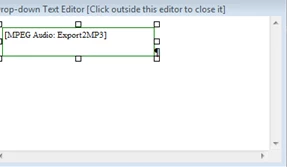
One time, I got it to start playing but then it just stopped all of a sudden. It shows the quicktime logo so I thought there was a problem with quicktime. I updated quicktime but that still didn't help. I then converted the mp4 file to mpeg and it did recognize it as a movie but it only shows a black screen. Here's the code for mp4 file:
<p><a class="dropspot" href="javascript:TextPopup(this)" id="a2">test</a></p>
<div class="droptext" id="POPUP444337617" style="display: none;">
<p><object data="../Export2MP3.mp4" classid="CLSID:02bf25d5-8c17-4b23-bc80-d3488abddc6b"
codebase="http://www.apple.com/qtactivex/qtplugin.cab"
type="video/quicktime" style="border: none;" width="203"
height="38">
<param name="src" value="../Export2MP3.mp4" />
<param name="autoplay" value="false" />
<param name="autostart" value="false" />
<param name="ShowControls" value="1" />
<param name="controller" value="true" />
</object></p>
Here's the code for the mpeg file:
<p><a class="dropspot" href="javascript:TextPopup(this)" id="a2">test</a></p>
<div class="droptext" id="POPUP444337617" style="display: none;">
<p><object data="../0001.mpg" classid="CLSID:22d6f312-b0f6-11d0-94ab-0080c74c7e95"
codebase="http://activex.microsoft.com/activex/controls/mplayer/en/nsmp2inf.cab#Version=6,4,7,1112"
type="application/x-oleobject" style="border: none;" width="640"
height="568">
<param name="filename" value="../0001.mpg" />
<param name="autoplay" value="false" />
<param name="autostart" value="false" />
<param name="ShowControls" value="1" />
<param name="controller" value="true" />
<param name="WindowlessVideo" value="0" />
</object></p>
Here's how it looks in the preview:
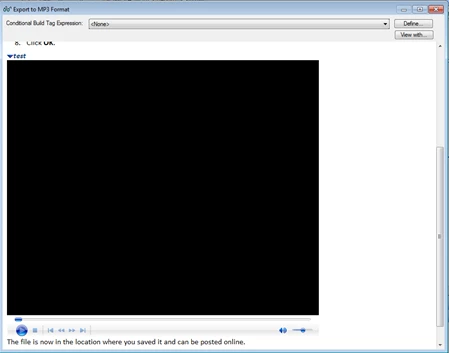
Can anyone tell me why I can't play this demo in the preview? The same thing happens even if I insert the file directly on the topic page.
Judy
 AdChoices