



Joe Bodego
Inspiring
February 9, 2021
Question

My own Images and Logos

  • February 9, 2021
  • 5 replies
  • 1489 views

Hello all, I have a question, as per the attached, when i output to "Frameless" its a beautiful thing, I've learned how to edit the skin but I would like to change the generic icons to photos or my own icon. How can this be done, trust me, I have been googling..
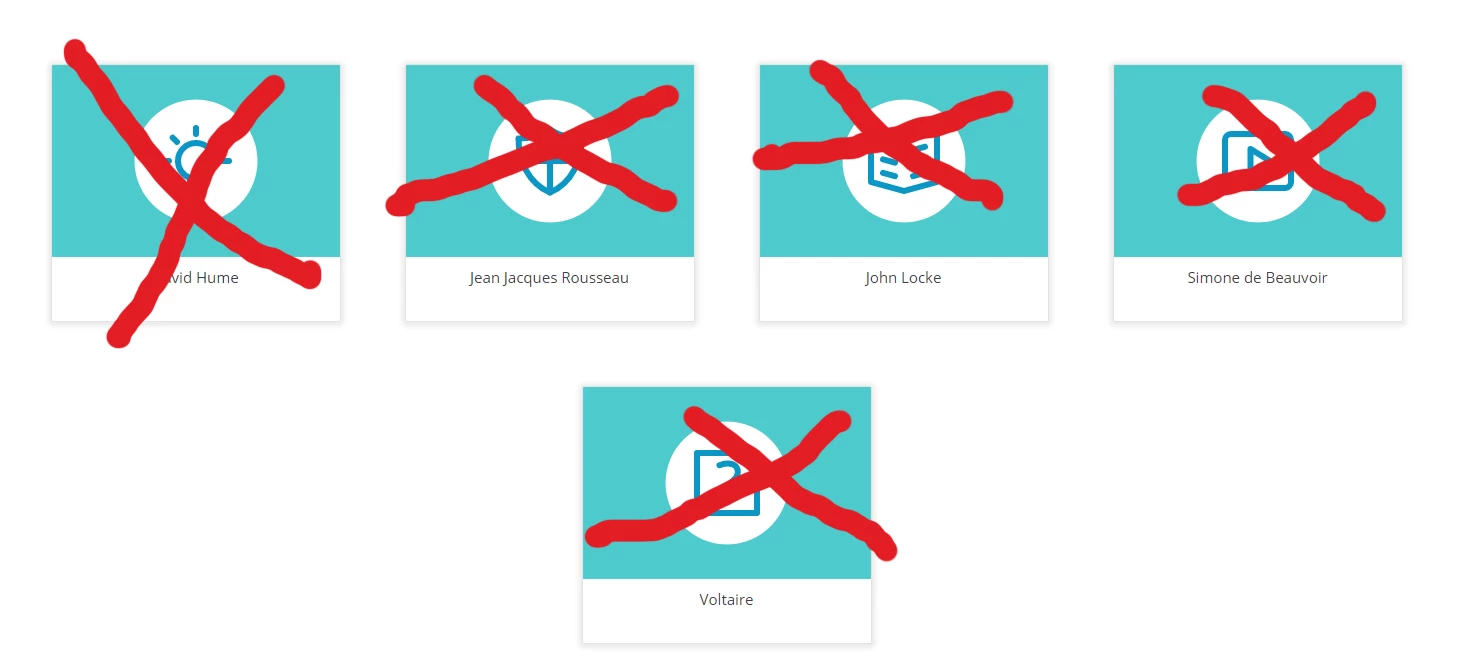
 

[image added by moderator - please use image icon in web interface instead of attachments]

    This topic has been closed for replies.

    5 replies

    Peter Grainge
    Community Expert
    Community Expert
    February 11, 2021

    Please use the photo icon to insert images within the post. Some supporters will not open attachments for security reasons and if you do download, you are then not seeing the image inline with the text. Then thanks to a quirk of this forum you have to close the thread and reopen it before you can reply. Crazy but that's the way it is.


    In the image posted earlier there was no focus on the specific items, just the group name. Therefore I couldn't be sure you had clicked on them.

    ________________________________________________________
    See www.grainge.org for free Authoring and RoboHelp Information

    Use the menu (bottom right) to mark the Best Answer or Highlight particularly useful replies. Found the answer elsewhere? Share it here.
    Peter Grainge
    Community Expert
    Community Expert
    February 10, 2021

    You don't seem to be clicking where I pointed you.

    ________________________________________________________
    See www.grainge.org for free Authoring and RoboHelp Information

    Use the menu (bottom right) to mark the Best Answer or Highlight particularly useful replies. Found the answer elsewhere? Share it here.
    Joe Bodego
    Inspiring
    February 10, 2021

    I did what you said, 

    Jeff_Coatsworth
    Community Expert
    Community Expert
    February 10, 2021

    Are you all patched up? Check Help > Updates to check and report back with your point version of RH2019. You may also want to try the RH2020 version as that's the latest.

    Joe Bodego
    Inspiring
    February 10, 2021

    I would do that Jeff, thanks.. working from home is a B%$#h

    Peter Grainge
    Community Expert
    Community Expert
    February 10, 2021

    Using 2019 it's also important to state Classic or UI. In this case it has to be the new UI as Oceanic is a frameless output and they only come with the new UI.


    What you have to do is open the skin in the skin editor by double clicking it. Also then click the Skin option on the left to hide that panel and give you more room.


    Then you look at the labels to see if they give a clue. If stuck you just keep clicking and note the area that is bordered red.


    In this case it is in the TOC Tiles options. You will need to play around a bit with sizing.

    ________________________________________________________
    See www.grainge.org for free Authoring and RoboHelp Information

    Use the menu (bottom right) to mark the Best Answer or Highlight particularly useful replies. Found the answer elsewhere? Share it here.
    Joe Bodego
    Inspiring
    February 10, 2021

    Thats seems to be the issue, I don't have the "image box" but you should be able to set it so it uses the photo of the topic. So disappointed in this.


    [image added by moderator - please use image icon in web interface instead of attachments]

    Peter Grainge
    Community Expert
    Community Expert
    February 10, 2021

    @Joe Bodego It really is important that you always start a thread with your version. Different versions, different answers.


    Most things are in the skin editor and there is information about that in my RoboHelp Tour.


    Otherwise there are many buttons and images so you need to tell us which ones you are having problems with and in which skin. You have attached an image rather than include it in the post using the photo icon. Some supporters will not open attachments for security reasons and if you do download, you are then not seeing the image inline with the text. Then thanks to a quirk of this forum you have to close the thread and reopen it before you can reply. Crazy but that's the way it is.


    I have looked and see it is the home page icons but which skin and which version?

    ________________________________________________________
    See www.grainge.org for free Authoring and RoboHelp Information

    Use the menu (bottom right) to mark the Best Answer or Highlight particularly useful replies. Found the answer elsewhere? Share it here.
    Joe Bodego
    Inspiring
    February 10, 2021

    Sorry but I am using 2019, and the Oceanic theme, I would like to replace the buttons with the photos of the actual philosophers and not those ugly icons that are part of the theme. Or use an Icon of my choice.