April 12, 2016
Question

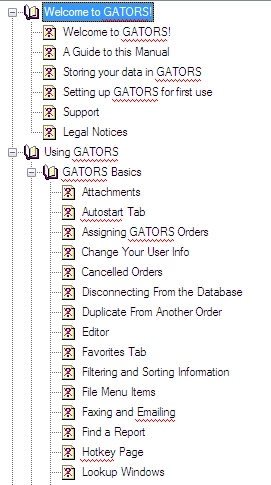
Need a solution to restore files in Broken Links folder

  • April 12, 2016
  • 1 reply
  • 645 views

Hi,

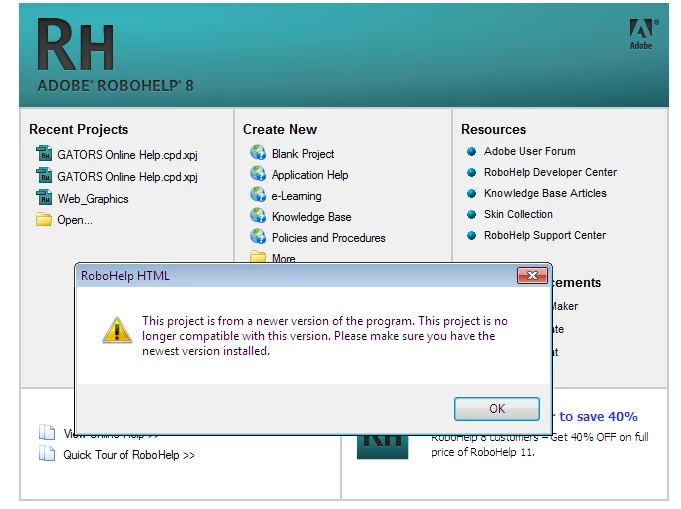
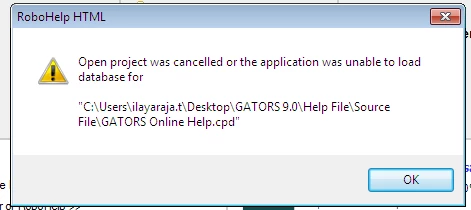
I use RoboHelp 8.0.0.203. When i opened my project (.cpd) the TOC is full of Broken Links. Then in opened .xpj file. The following error messages were displayed. I have posted the screen shots for your assistance. Kindly help me out of this.

Thanks in Advance.
    This topic has been closed for replies.

    1 reply

    Peter Grainge
    Community Expert
    Community Expert
    April 12, 2016

    Is it just the TOC or are the topics also missing from Project Manager?

    You say you are on 8.0.0.203 but I'm guessing the project has been opened on a machine with 8.0.2, hence the "newer version" message. That version had a problem that caused files to disappear. See Using RoboHelp 8 Item 19.

    If you are producing Webhelp, you really need to upgrade as that format will have issues with many browsers.


    See www.grainge.org for RoboHelp and Authoring tips

    @petergrainge

    Use the menu (bottom right) to mark the Best Answer or Highlight particularly useful replies. Found the answer elsewhere? Share it here.
    April 13, 2016

    Hi Peter,

    Yes. The topics are also missing from the project Manager. What is the best solution to get back my files. Please Suggest.

    Regards,

    Ilayaraja. T

    Peter Grainge
    Community Expert
    Community Expert
    April 13, 2016

    Follow the link in my previous reply. You will find information on how to restore your project.


    See www.grainge.org for RoboHelp and Authoring tips

    @petergrainge

    Use the menu (bottom right) to mark the Best Answer or Highlight particularly useful replies. Found the answer elsewhere? Share it here.