
Participant
Feb 13, 2013 5:05 AM UTC
Answered

Need help to change the default WebHelp output page

Hi All,

I am using RoboHelp 10 and trying to generate a WebHelp output. I am unable to change the default landing page. I checked all the relevant discussions in this forum but I still have the issue.

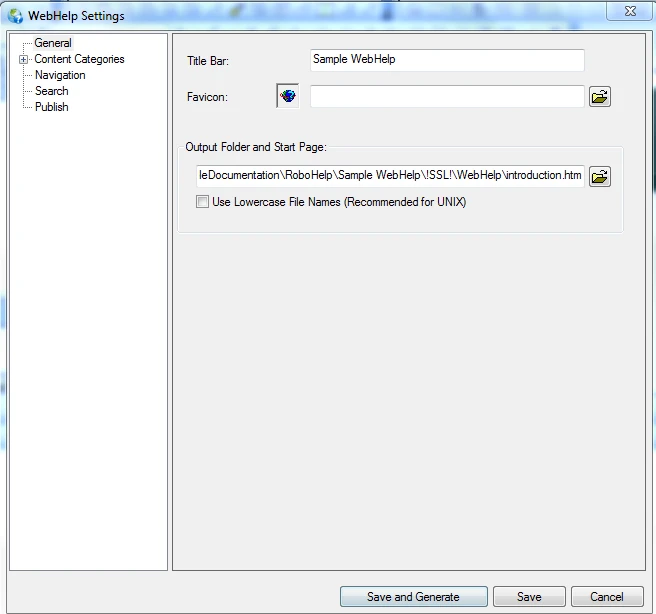
I want to my default landing page as "introduction" in the webhelp output. So, I point the "introduction.htm" in the WebHelp settings under the "Output Folder and Start Page" as shown in the below figure and "save and generate".
The generated output is still taking me to a different topic as shown in the below figure.
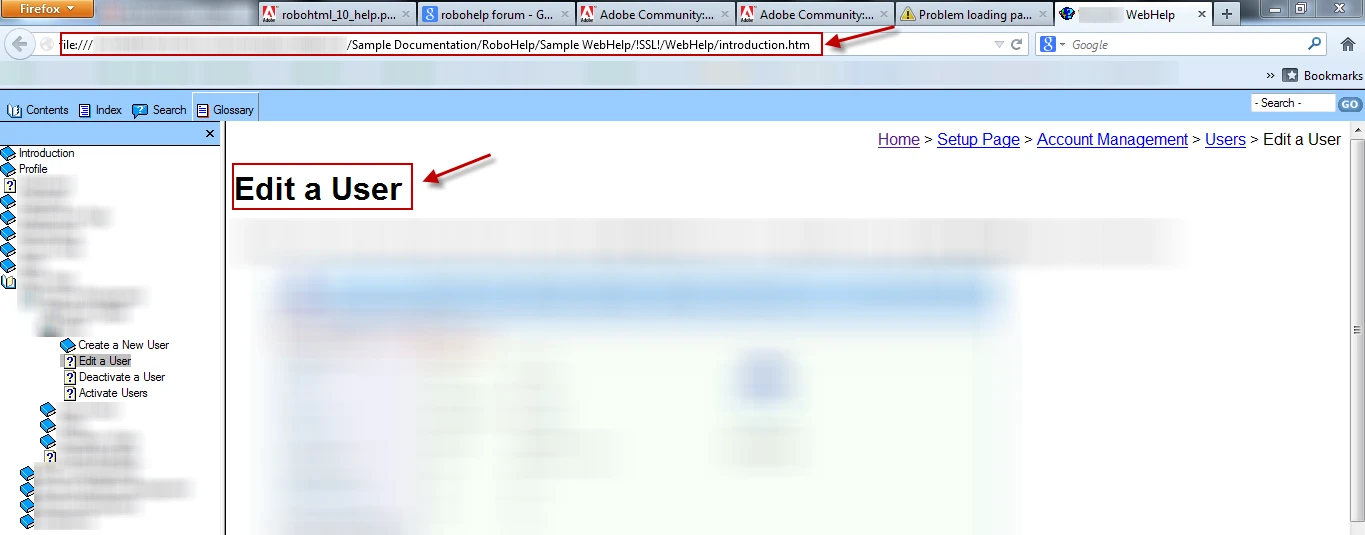
The URL in the address shows correctly but the topic doesn't change. I need someone to help me fix this problem.

Thanks!

This topic is closed to new replies. Start a new post to keep the conversation going.
Willam van Weelden
Willam van WeeldenCorrect answer
Inspiring
Feb 13, 2013 9:55 AM UTC

Hi,

The name you specify is the start file of the output, not the topic that is loaded: the file used to launch the help.

Go to content categories, choose the category and select the 'Default Topic'.

Greet,

Willam

1 reply

Willam van Weelden
Willam van WeeldenCorrect answer
Inspiring
Feb 13, 2013 9:55 AM UTC

Hi,

The name you specify is the start file of the output, not the topic that is loaded: the file used to launch the help.

Go to content categories, choose the category and select the 'Default Topic'.

Greet,

Willam

Translate