
Question
Need help with Table formatting in RoboHelp 2019 v.10
I inserted a new table into a topic. The table contains one column with step-by-step instructions. I'm having the following challenges with the table:
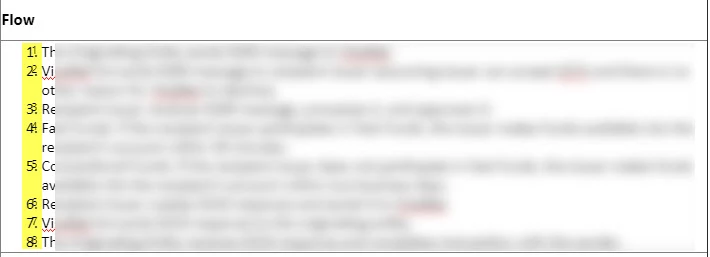
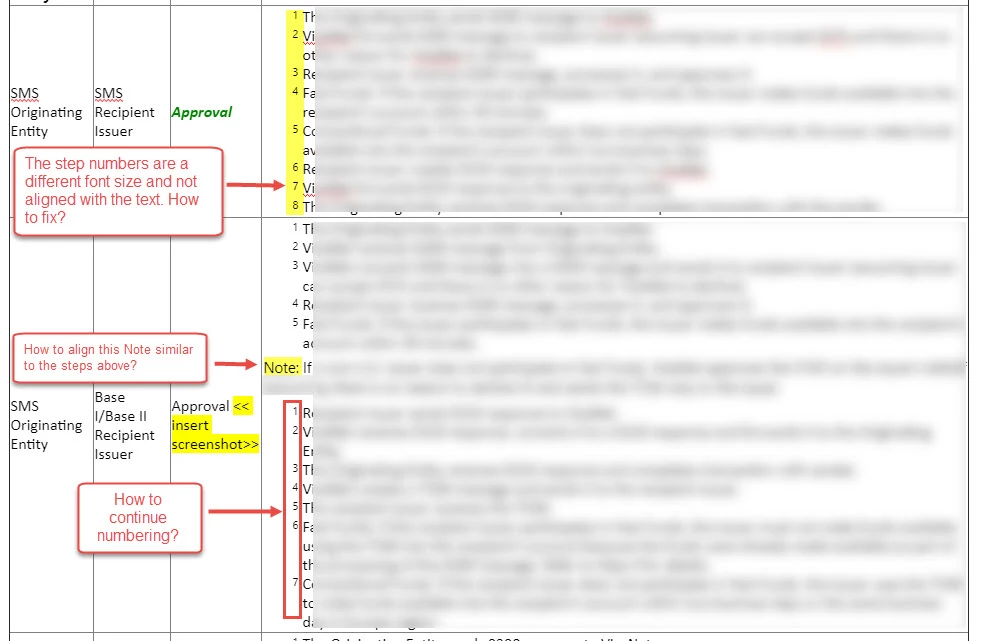
- After I copy-paste the text and use Numbered style list in the toolbar, the numbers appears double (see screen #1). I then click Ctrl-Z and it corrects itself (screen #2); however the numbers don't appear in the correct font.
- The numbers are not aligned with the steps (screen #2).
- When there's a Note in between the steps, I remove the numbering from it but I'm not able to align it with the numbered steps above the Note (screen #2).
- The numbered steps below the Note restart numbering when it should continue numbering (screen #2).
I need help fixing these. I have many more tables to insert into different topics.
Thank You!


 AdChoices