Participant
January 7, 2011
Question

Need Urgent Help!! Loosing Books when importing Framemaker TOC in RoboHelp

  • January 7, 2011
  • 3 replies
  • 2271 views

Hello Everyone!

I am stuck in a very serious and unusual situation! Here is what exactly I am doing and facing subsequently :

  1. I create a new book in Adobe Framemaker (.book), then add some files in it (.fm files).
  2. I add Table of Contents and update the book.
  3. The .fm file for table of contents is generated which looks something like (Image01)
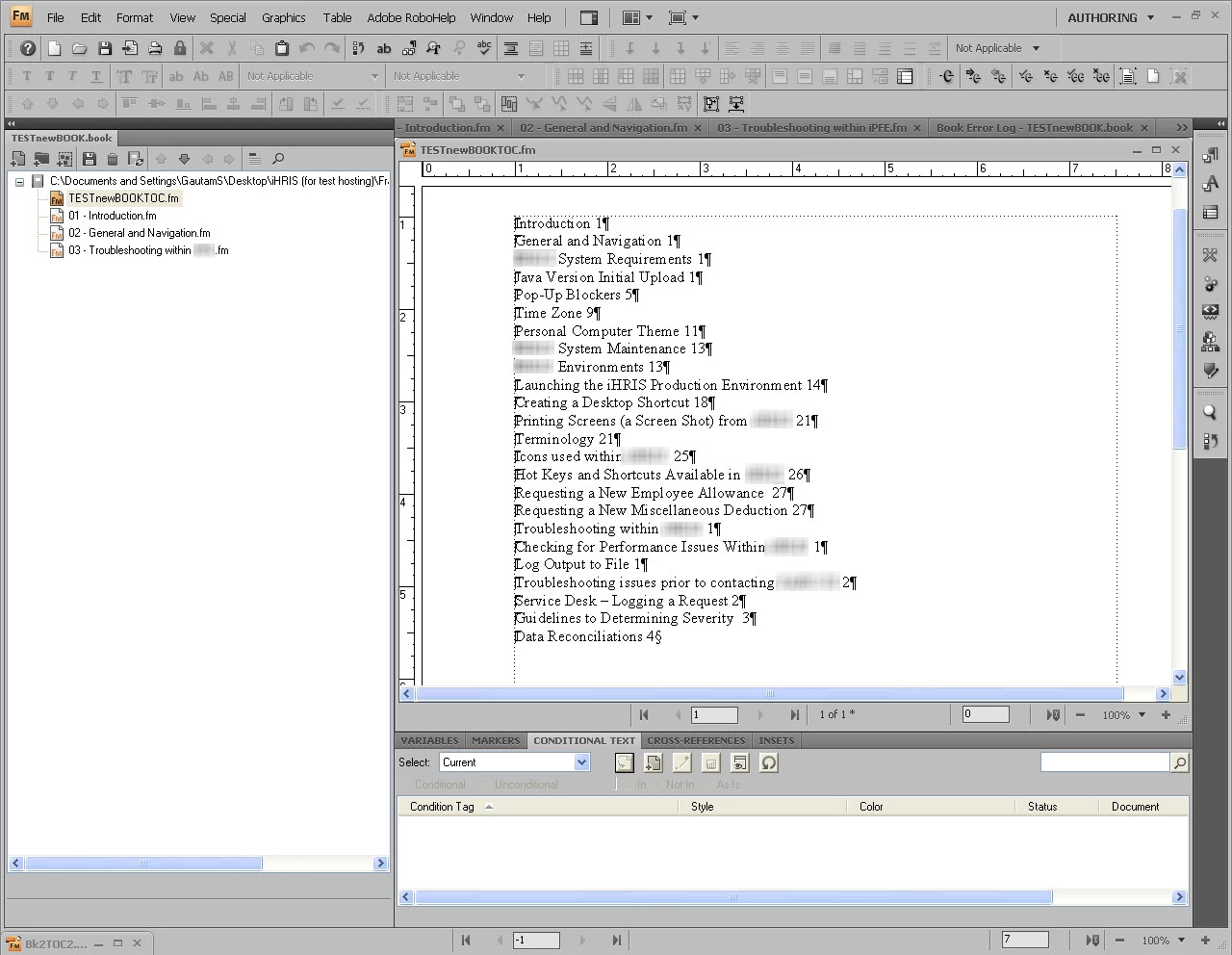
  4. I update the book and then switch to RoboHelp
  5. In Robohelp, i LINK .book file and then right click on the .book Update->Generate
  6. I see some things generated with symbols (Image02)
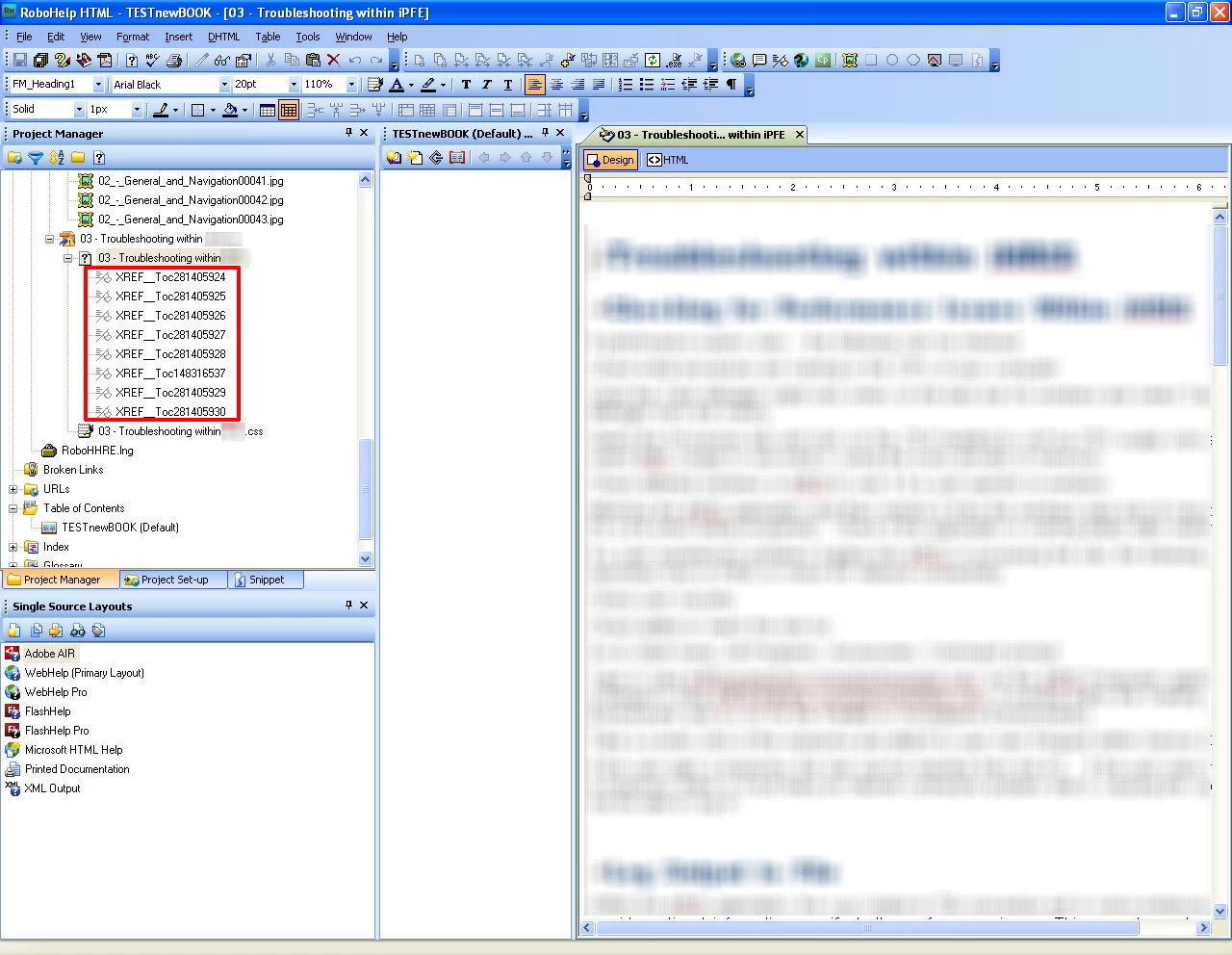
  1. I right click on the book file ->Properties ->Content Settings click on Convert Framemaker table of Contents, then open the TOC file (generated by framemaker). In the "Create New Associated TOC" I type in the name for the table of contents
  2. I then again right click on the .book file Update -> Update
  3. The TOC's are finally generated (Image03)
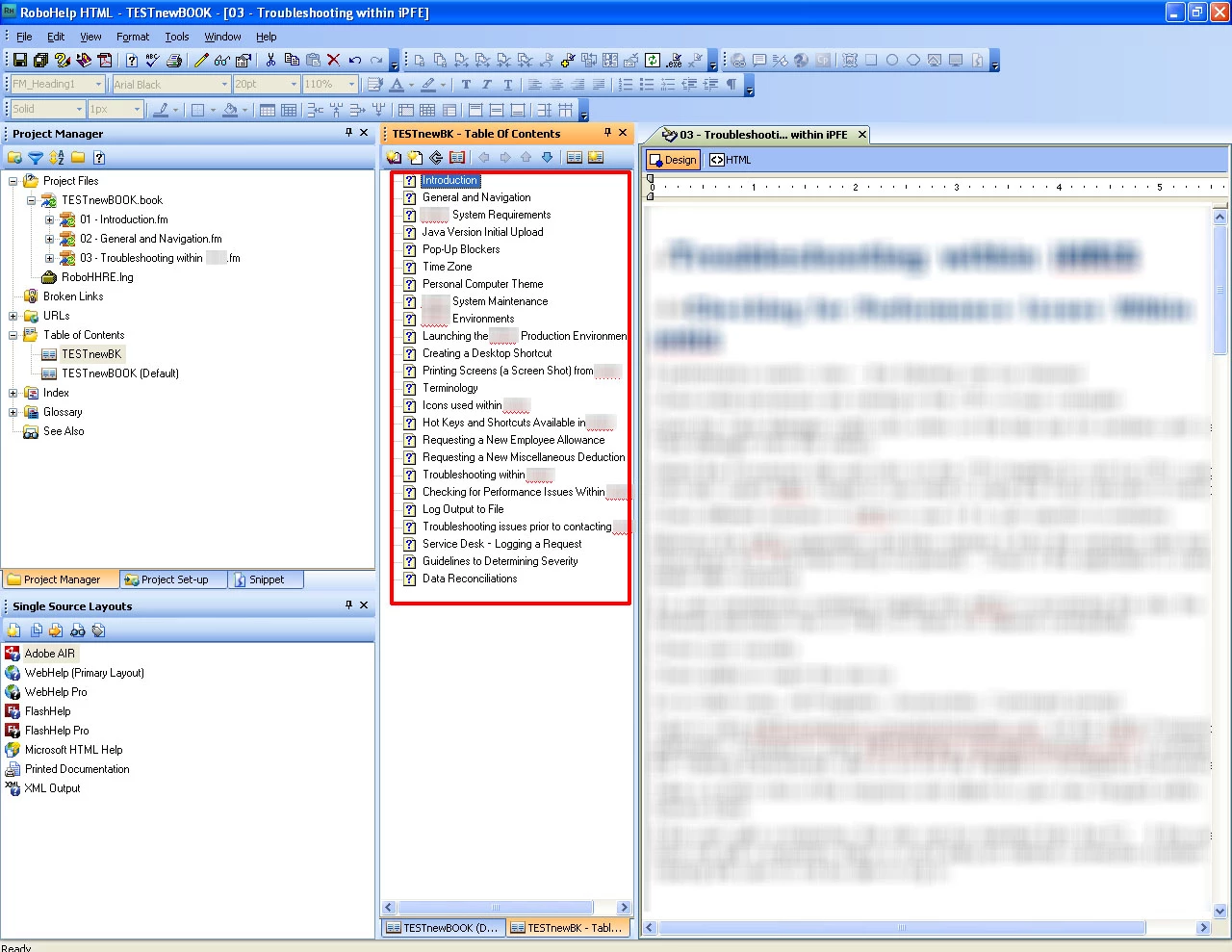
NOW COMES THE MOST BUGGING PART

10. I create some books in the listed TOC's (Image04)
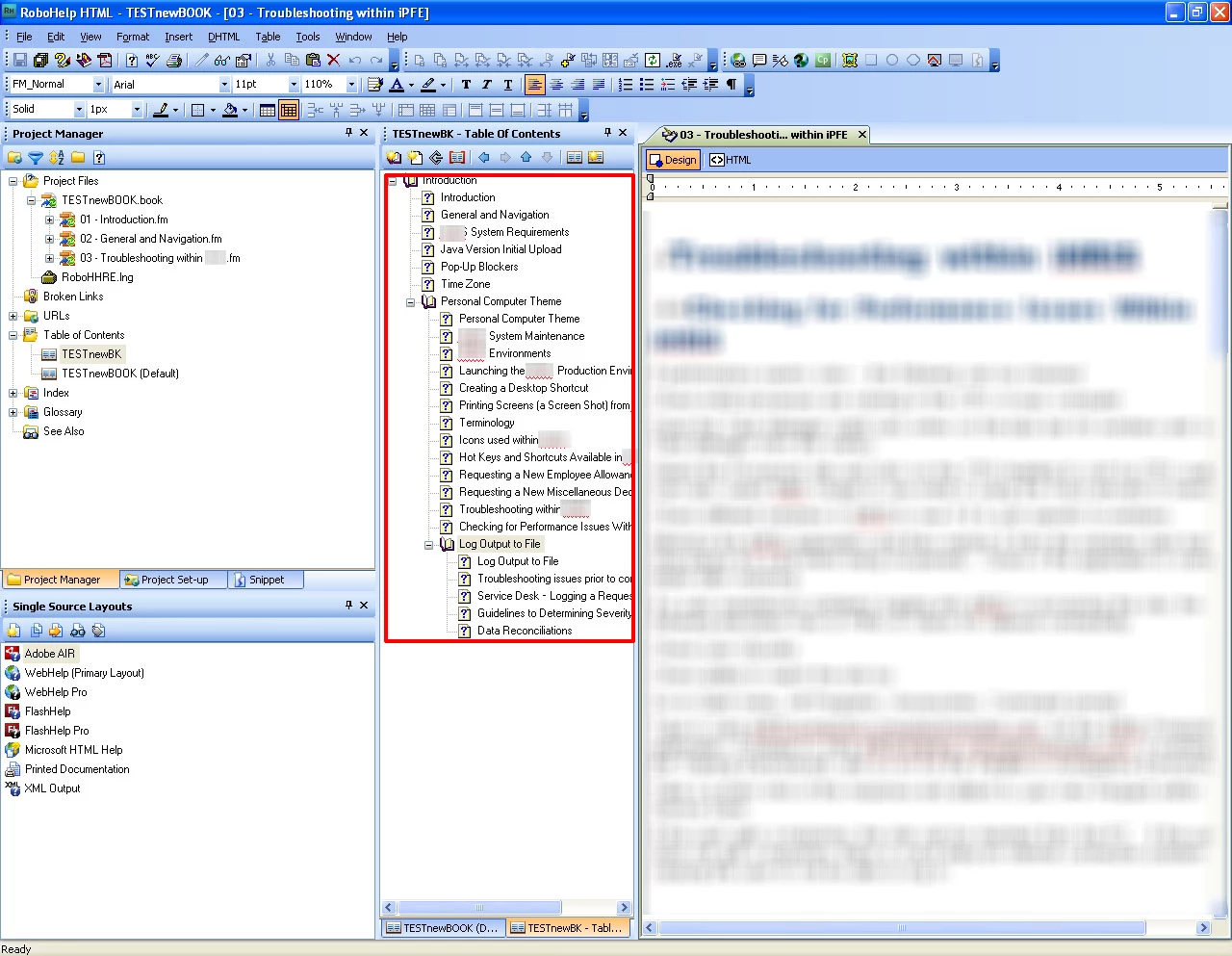
11. I then once again right click on the book and hit "update" (Image05)
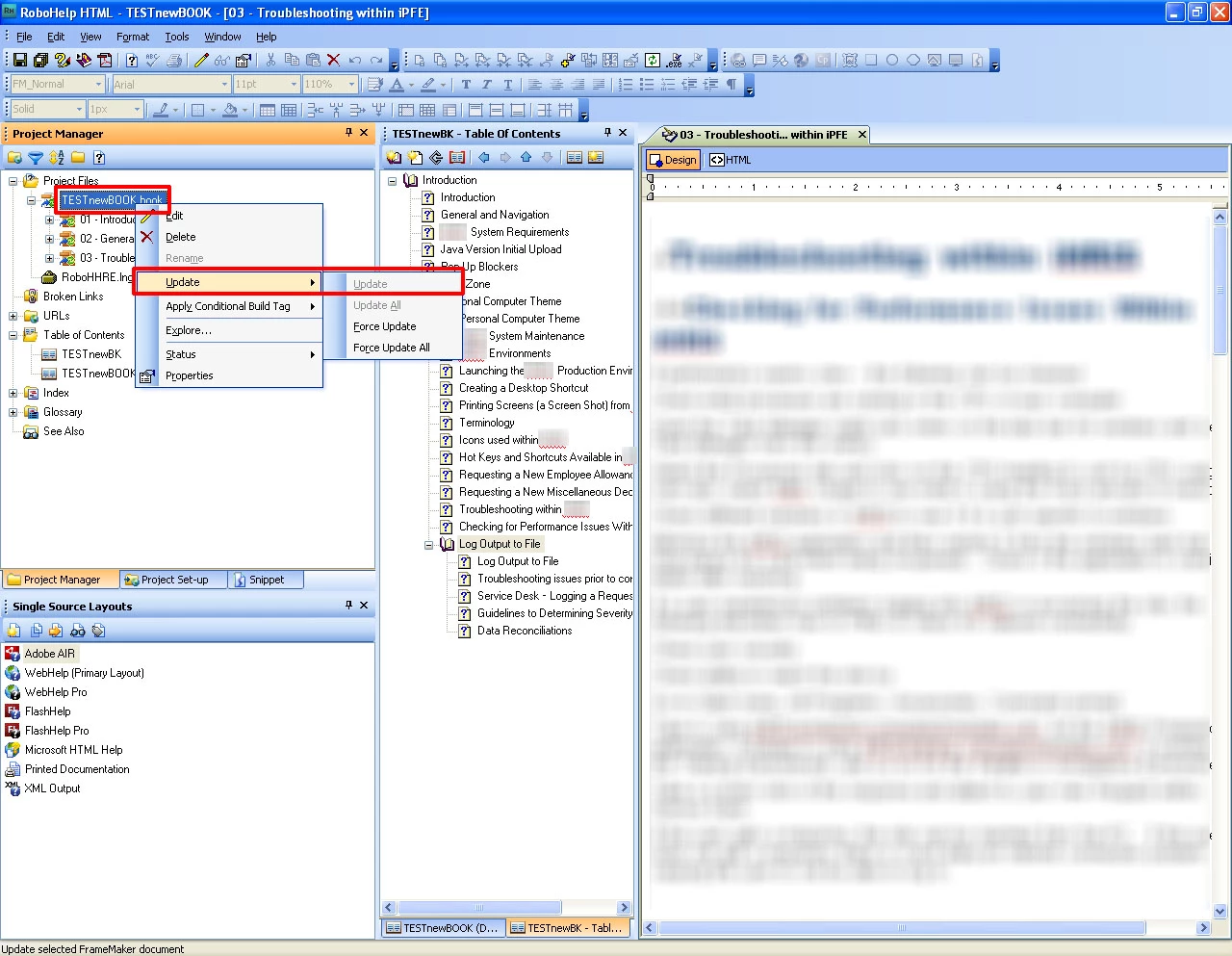
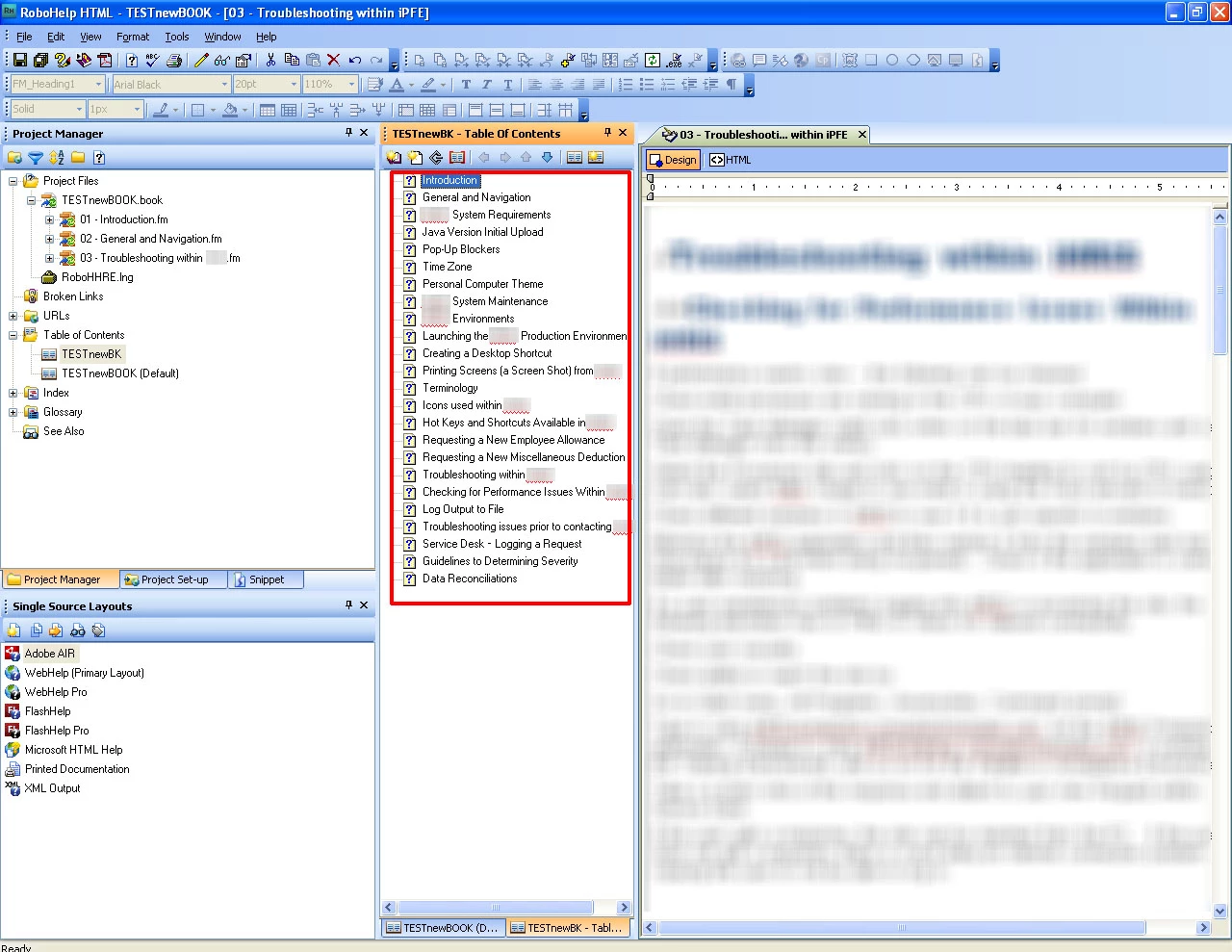
12. Once the book is updated, MY ALL THE BOOS (the red books) created in table of contents are GONE. And the table of contents become    

     completely FLAT  as in image03
After doing some more research, I came to know that we can have the desired book structure imported by playing around with tags and indenting. Please refer to the following extract :

How is TOC converted

In case Import/Add FrameMaker file – FrameMaker’s TOC only references the FrameMaker documents, headings are retrieved from each FrameMaker document, not the FrameMaker’s TOC file (only the styles on which the TOC is to created are read from here)

The styles in your FrameMaker TOC determine which headings become books, sub-books, or pages. The most important element in determining the level is the left-most indent, then font size and font weight (inline styles do not convert). Headings that have indented items under them will be books.

For example:
If you created a TOC for a FrameMaker document or book, an associated TOC file is also created. Make sure the TOC file is located in the folder with the other documents you are importing. RoboHelp will ask you if you want to include it in the import (you can only import one TOC per session). If you select a TOC file to import and then you choose “No” when RoboHelp prompts you to include it, it is converted to a page in the TOC.

The contents of FrameMaker TOC files are not used (only the styles are used)

Strategies for converting TOCs

  • Set up and apply styles in FrameMaker documents before you import them.
  • Create your TOC in FrameMaker.
  • RoboHelp’s TOC is based on the styles in the FrameMaker TOC file.
  • Headings you want as main books should have heading levels beneath them that are indented, or have smaller fonts or no bold.
  • Headings you want as sub-books should appear under main headings and have heading levels beneath them that are indented, or have smaller fonts or no bold.
  • Headings you want as pages should not have more heading levels beneath them, and should be indented, or have smaller fonts or no bold.

To elaborate the above points, In RoboHelp the parent child relation of the generated TOC are defined based on

  • Firstly, the indentation with respect to each other (like say H1 has 1″ and H2 has 1.5″ then H1 will be parent of H2), all other parameters being same.
  • Then the font weight (a style having bold will be parent of the style having regular font weight), all other parameters being same
  • Then the font size is taken into account the style with the bigger font size would be parent of the style having smaller font size all other parameters being same.

So the combination of above can be used to define the hierarchy of the TOC file that is to be created in RoboHelp and don’t apply any other external formatting in the TOC file in FrameMaker and if you have to then create two TOC’s one for RoboHelp (online outputs) with no formatting and other one for the Print output with all the formatting

Ashish Gupta
RoboHelp Engineering Team

I am still not able to figure out something concrete. And i am completely stuck at this point. Any help would be appreciated.

Regards,

Adobe Guy!

This topic has been closed for replies.

3 replies

Participant
April 6, 2011

Hi,

I am also having trouble with auto-generating a TOC, but in RH9 from a linked book in FM10. I cannot even get the "flat" TOC that you end up with. At the moment, I would consider even that a minor triumph. So far, my "converted" TOC in RH9 is obstinately completely blank.

The TOC is correctly generated in FM10. I have a lot of experience with FrameMaker, so I am certain the TOC in FM is correct. It is RH9 that is new to me. One of the main reasons for moving to RH9, as part of TCS3, is to avoid the expense of continuing with WebWorks. Until I hit this problem with the TOC, it seemed like a good move.

I have tried various suggestions found online, plus a few of my own twiddles, including:

  • The method of indenting (!) that is supposed to work - I am amazed that this is the way it is supposed to work. Why isn't there a robust option to link heading styles to TOC levels? Or perhaps the "Auto-create TOC" option could be made into a decent wizard to do this properly (the result from this is very poor at the moment).
  • Removing formatting on the TOC styles so that only the indent levels are significant.
  • Increasing the indents to make them more obvious.
  • Using a custom FM TOC just for the help book.
  • As it is a custom TOC, mostly to try and solve this problem, I have also stripped out the additional bits from the TOC that add the heading number and page number, so each TOC entry is now just <$paratext>.
    • Somebody said that changing the font worked for them, but I have had no luck with that either.
  • Changing the mappings of the heading levels to RH Heading 1,2,3, then back to [Source]. Did not really expect this to work, though.
  • Various other fiddling, such as removing the TOC, re-adding it, changing the default TOC in RH9, multiple forced updates, etc, etc.

I am somewhat disappointed by the amount of difficulty in getting this to work (or not work so far).

At least the index is converting correctly (hope it does not break after saying that).

Incidentally, all the TCS3 apps are fully up to date. I have checked several times for updates, just in case Adobe fixed something...

So if a solution to this appears, I will be mighty happy to hear about it.

Regards,

Andy.

Deb Sauer
Inspiring
April 8, 2011

I also had an empty TOC. I right-clicked on the .book file in the Project Files folder, checked Convert FrameMaker Table of Contents, clicked Create new associated TOC, entered a TOC name, and clicked OK. Then I right-clicked the .book file and selcted Update > Update. Now I have a TOC with entries. I generated the webhelp.

However, when I open the help, the message "Internet Explorer cannot display page" appears where the home topic should be. When I select a topic from my TOC, it appears, but the CSS is not applied, and all the content for the TOC book is in one big topic instead of beng parsed into individual topics.

I am using TCS 3 (RH9, FM10).

The CSS is in the project. I apply it to a custom master page.

I imported the setting file from a working TCS2.5 project.

Any ideas?

Participant
January 7, 2011

I believe that when you LINK your FrameMaker book into RoboHelp, you should NOT make any edits (including adding an associated TOC) while in RoboHelp. Every time you do an Update, RoboHelp will overwrite what you've done with the latest version of your FrameMaker files. If you want your TOC to have a particular structure, you should set that up in FrameMaker, not RoboHelp.

Peter Grainge
Community Expert
Community Expert
January 7, 2011

Long day and I just saw two apps needing an update. Thanks for correcting me.


See www.grainge.org for RoboHelp and Authoring tips

@petergrainge

Use the menu (bottom right) to mark the Best Answer or Highlight particularly useful replies. Found the answer elsewhere? Share it here.
Jeff_Coatsworth
Community Expert
Community Expert
January 7, 2011

No sweat - I didn't think you were a TCS guy ;>)

Jeff_Coatsworth
Community Expert
Community Expert
January 7, 2011

Are you totally patched up on both sides FM9 p255 and RH8.0.208? I gave up on linking because it can't handle FM books within books, but I seem to remember there's a "Force Update All" command or something like that.

Participant
January 7, 2011

Hi there!

Thanks so much for your reply. I am using the following versions :

RoboHelp       :  8.0.0.203

Framemaker   :  9.0p196

Could you give me any link where i can find the update patches for both?

Thanks!

Peter Grainge
Community Expert
Community Expert
January 7, 2011

Help > Updates is the answer for RoboHelp and I imagine it is the same for FM.


See www.grainge.org for RoboHelp and Authoring tips

@petergrainge

Use the menu (bottom right) to mark the Best Answer or Highlight particularly useful replies. Found the answer elsewhere? Share it here.