Yes, Rick they appear the same as they would do in RoboHelp. Do you have something on mind? 
Peter, thanks for sharing some insight! I believe I did understand his point. I am quiet new to RoboHelp in general so I can't exactly confirm which one of us is misunderstanding..
Kind regards,
Thanks again guys!
- Haider
Hello again
Okay, so I really just wanted you to understand that what you are seeing inside RoboHelp is nothing RoboHelp is doing to change anything. Now let's talk a bit about this document. One thing I would suggest (and my esteemed colleague Peter suggested) is that you rename this document prior to importing it into RoboHelp. Short file names will lead to short paths (and fewer possible issues) once we enter the RoboHelp universe.
When working with something like RoboHelp, you have all sorts of different files involved that help track your project. I notice that your Word document is using a comma in the file name. I'd strongly suggest avoiding any characters other than 0-9, a-z, A-Z and the underscore ( _ ). Any character other than those is to be considered "special" and will only cause you grief at some future point.
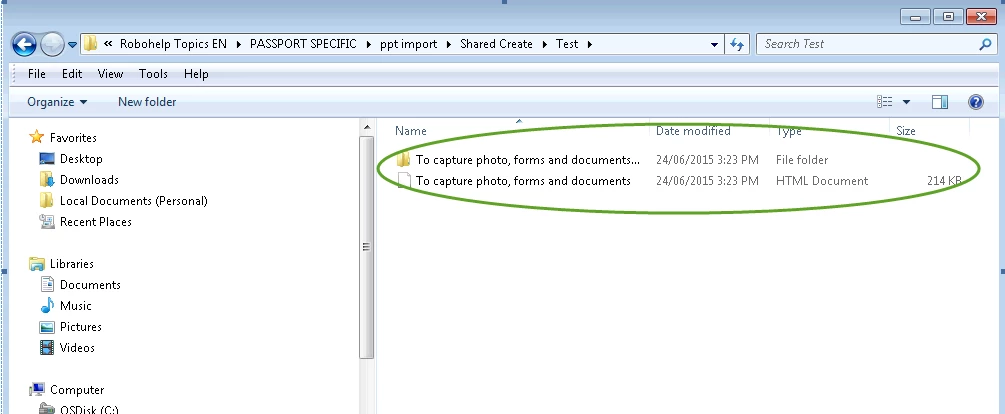
So as you have seen, when Word creates HTML, it also creates these folders. RoboHelp does its best to have your back and prevent you from shooting yourself in the foot. I noticed when I tested by saving as HTML, that more than simple images were placed in that folder Word created. RoboHelp is likely preventing you from changing the name of the folder because of the other files inside. Generally speaking, RoboHelp allows you to name your images as you wish and store them anywhere you like. But this content is a bit special, as it comes from Word.
One way to work past this would be to save your images separately from Word, naming them appropriately, then importing a Word document without the image. Then add the images later. That way you shouldn't end up with the unwanted folders and the images may be stored where you want.
Cheers... Rick



 AdChoices