



No inline css sheet allowed for PDF output? (2020.6.76)
I tried to generate a pdf from a big project. In some topics, the table spacings were completely off, which meant that columns with very little text were very wide while columns with a lot of text were very narrow (and as a result very long because of all the wrapping text).
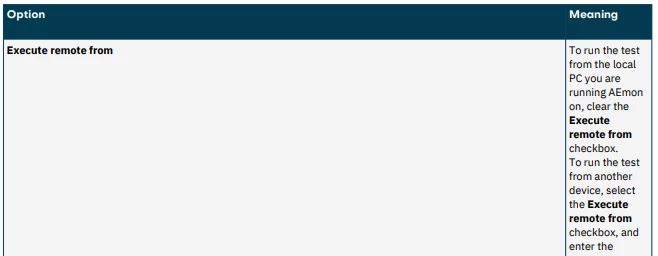
I have pinpointed the problem to another topic that uses a <style> section in its HTML, to override the global CSS for just that topic. That topic contains several very wide tables with many columns, and to align all of these up nicely I have defined widths for all different column numbers in a specific table style. The table style itself is global, but I'm adding widths for this one topic only. But now it seems to affect other topics as well. As far as I know, this shouldn't be the case, but maybe I'm doing something wrong? The widths are not defined in the global CSS, does/should that give an inline style block the right to define it for the rest of the project?
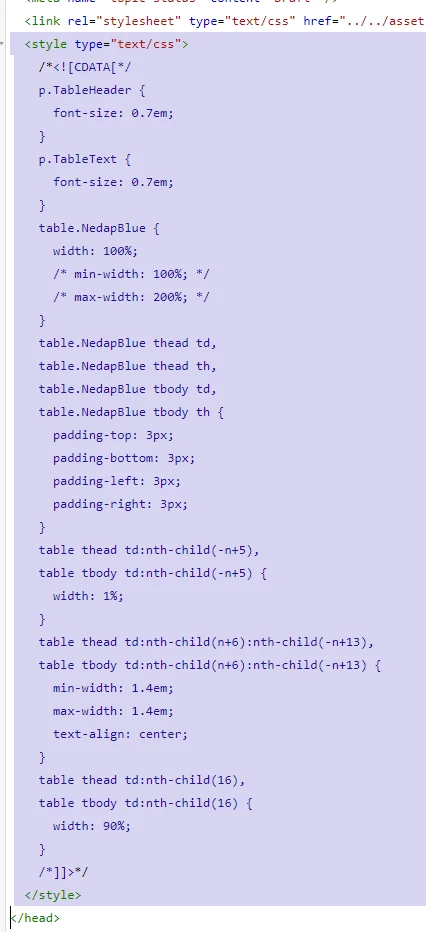
The first thing I noticed is that RH makes the <style> section into a CDATA part, the CDATA wasn't entered, but RH adds this when saving the HTML file.
Anyway, if the <style> section is omitted from this topic (actually, just the nth-child part that sets the column width), the tables in the other topics are fine:
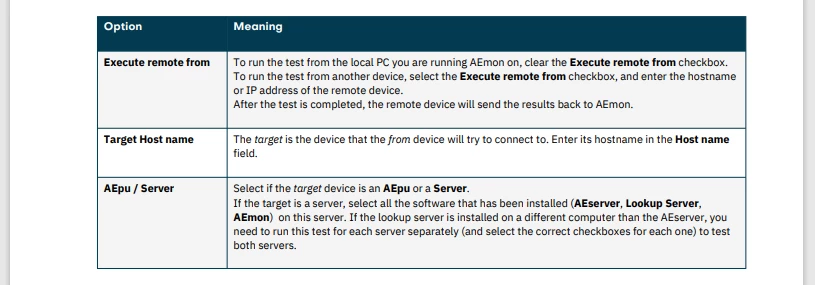
The topic that has the <style> section has many columns:
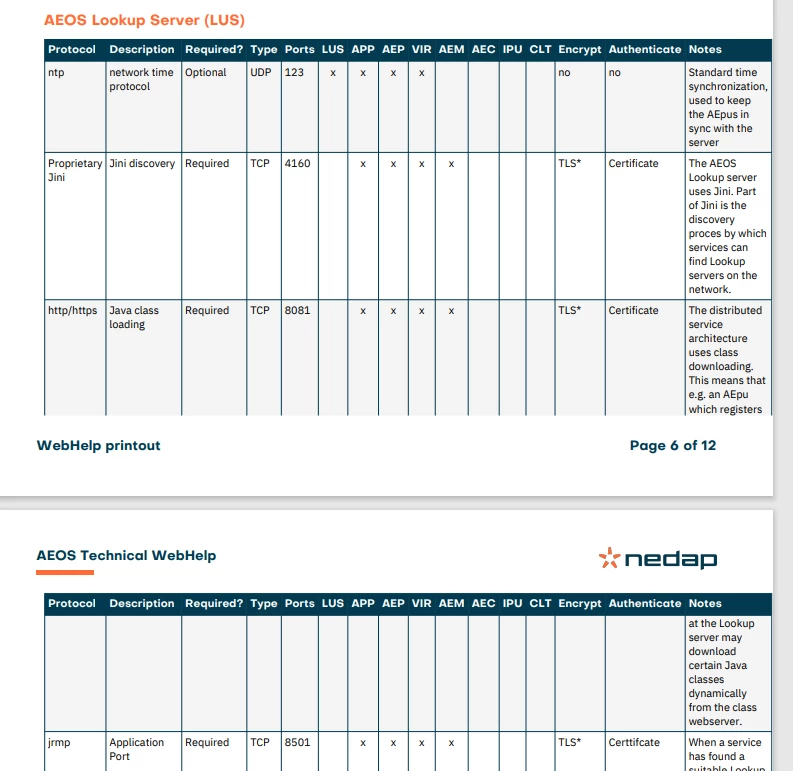
Note that there are still problems with this table because it's simply too big, but I'd rather troubleshoot just this one table than all other tables in the project with it 🙂
Of course it's always possible to define a specific style in the global CSS or to add the inline styles to all tags separately, but that wasn't the idea of using an inline style block.
So, is this a bug, or a feature?

 AdChoices