


Inspiring
February 16, 2023
Answered

No margin for footer only in PDF template

  • February 16, 2023
  • 2 replies
  • 387 views

Hi everyone,

I am setting up a page layout for my PDF output. RH presents me with a predefined A4 sheet with margins. While I need this for my body and my header, I do not want any margins for my footer, as I need to put in an image there which is supposed to go from left to right with no margin on either side. Anybody got an idea how I might be able to do this?

Any tips would be much appreciated!
    This topic has been closed for replies.
    Correct answer Karin Albrecht

    Hi,

    you could try the following:

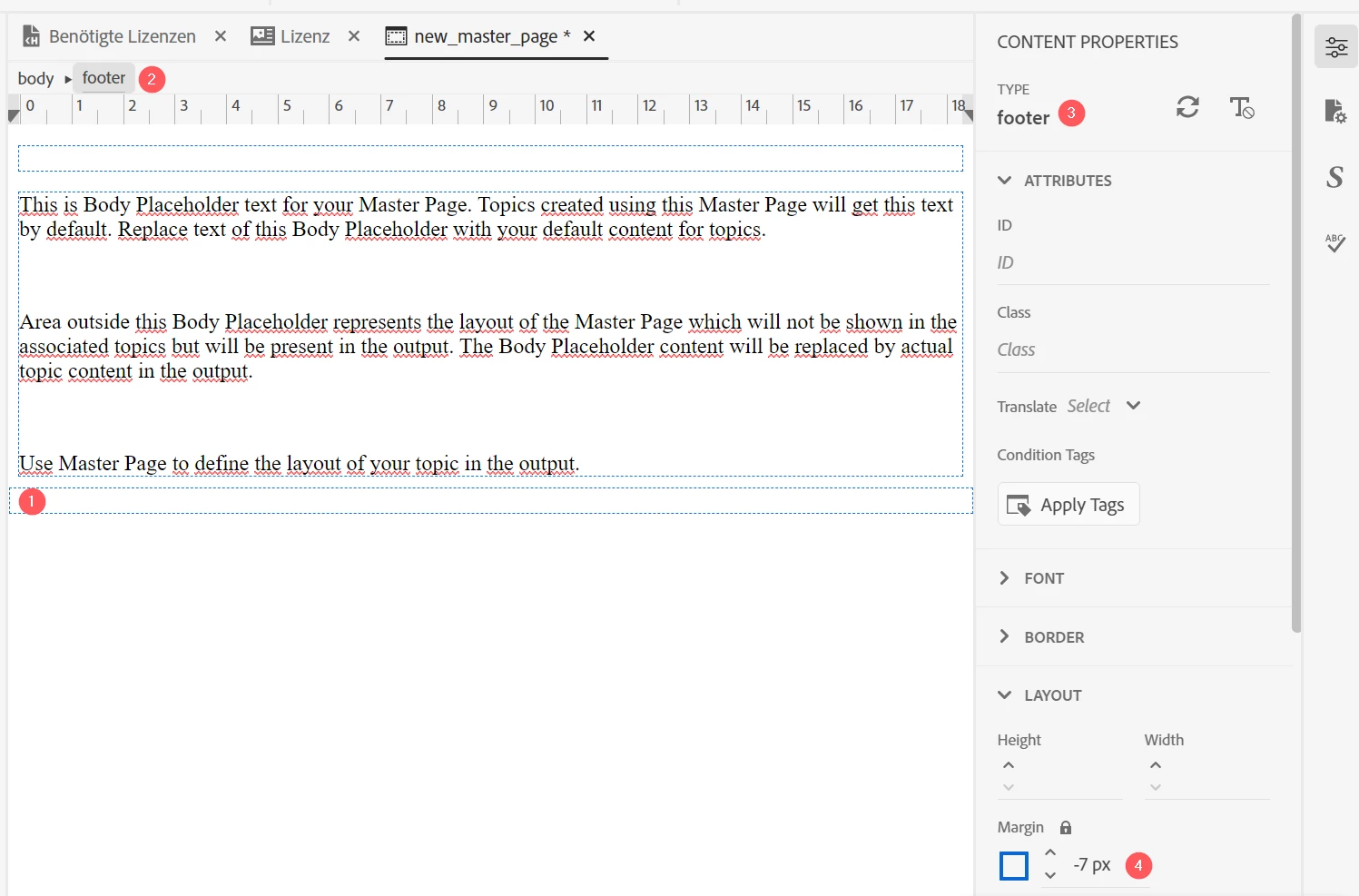
    In the master page you are using for your output, put the cursor in the footer (1). Then click "Footer" in the breadcrumbs to select the whole div (2). It should say "Footer" in the sidebar (3). Then, adjust the margin to a negative value so that it fits your needs (4).


    2 replies

    Karin AlbrechtCorrect answer
    Legend
    February 17, 2023

    Hi,

    you could try the following:

    In the master page you are using for your output, put the cursor in the footer (1). Then click "Footer" in the breadcrumbs to select the whole div (2). It should say "Footer" in the sidebar (3). Then, adjust the margin to a negative value so that it fits your needs (4).


    Inspiring
    February 16, 2023

    Sorry, I'm working on RH 2022.0.346, if that is relevant.