
Inspiring
June 10, 2016
Answered

No scrollbars when search results appear in content section

  • June 10, 2016
  • 3 replies
  • 442 views

Hi,

I am using Responsive HTML5 in Robohelp 2015.

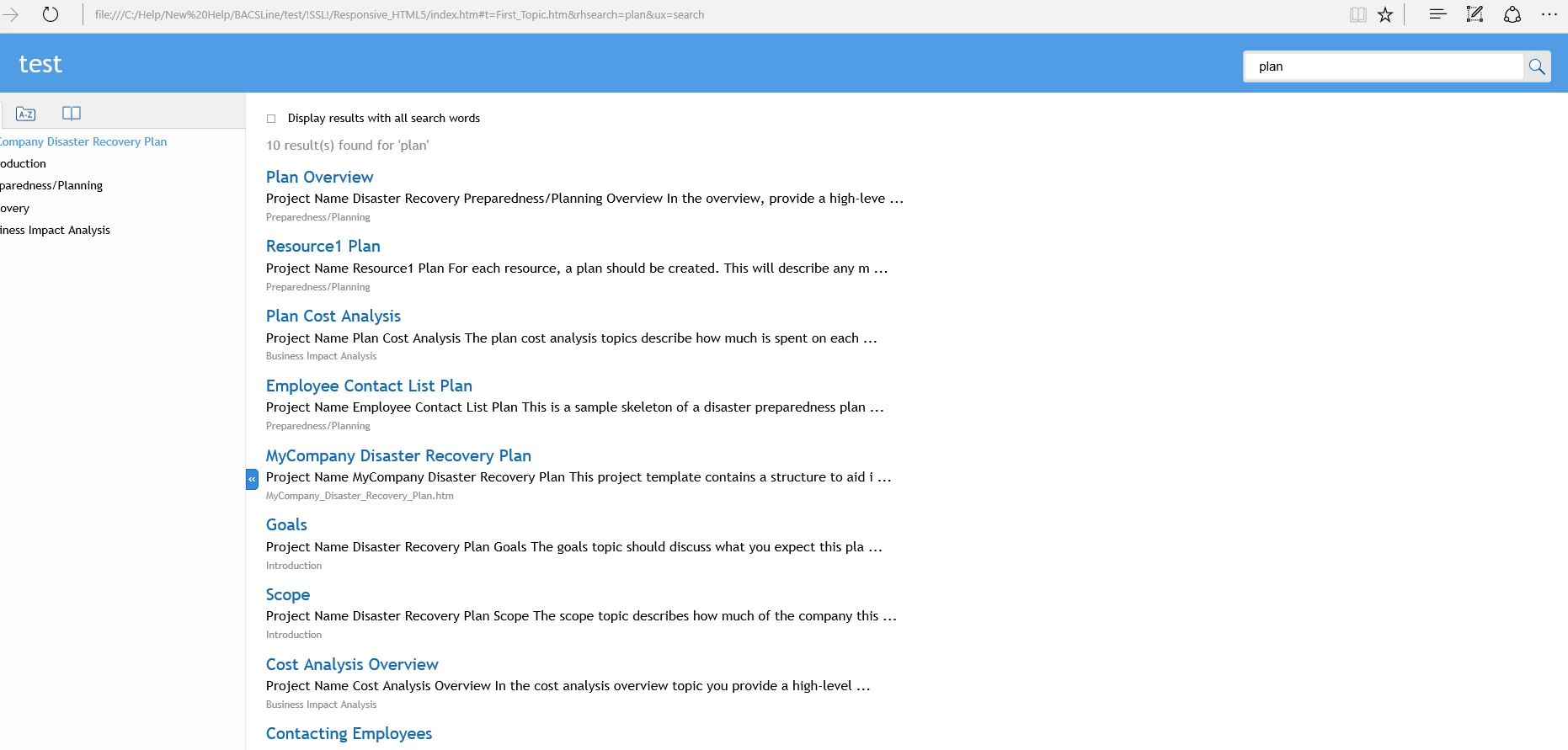
The Azure_Blue layout works fine but when the search results are set to appear in the Content section no scroll bar is shown, so you cannot navigate to the search results that are off the screen. Scrollbars are shown when its set to appear in the sidebar. Tried in many different browsers - same result.

Is this is bug? Do others get this issue?

See screen shot below.

Cheers
This topic has been closed for replies.
Correct answer gc31

The CSS fix mentioned by Willam does resolve the issue.

3 replies

gc31AuthorCorrect answer
Inspiring
June 14, 2016

The CSS fix mentioned by Willam does resolve the issue.

gc31Author
Inspiring
June 14, 2016

OK I will report the bug and try your solution.

Many thanks for replying Willam.

Willam van Weelden
Inspiring
June 13, 2016

Just tested and this is a bug. Please report the issue in the Adobe Bugbase: Home Reference this thread.

You can fix the issue by adding the following CSS to the layout.css file:

body.media-desktop div.search-content.layout-visible {

  overflow: auto;

}