


Participant
September 8, 2022
Question

Not able to remove bold character once applied to a particular word

  • September 8, 2022
  • 2 replies
  • 289 views

Hi,

I was applying bold character to a word in a sentence. I was successfully able to apply the bold character but now I want to remove it. How can I do it?

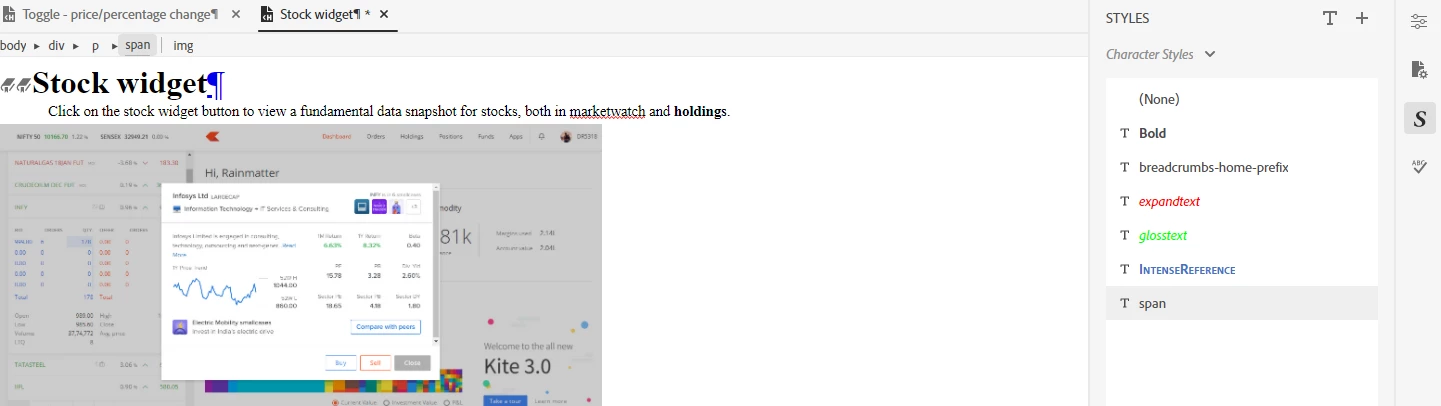
Like in the below screengrab the word " holdings" is in bold character but I want to remove it now.
 

    This topic has been closed for replies.

    2 replies

    Legend
    September 8, 2022

    You could also try to click inside the bold text and then to the right in the tab "Content Properties", click "Clear formatting". 


    Community Expert
    September 8, 2022

    How specifically did you apply the bold formatting? Did you press Ctrl+B to apply bold formatting, or select a style from the Styles panel? For the former, select the text and press Ctrl+B again to remove the bolding. For the latter, you should be able to click inside the bold text and select (None) from the Styles panel to remove it.

    If neither works, let us know exactly what version of Robohelp you're using, including all update numbers.

    Participant
    September 8, 2022

    I have selected the style from the Styles panel. I have selected (None) from the style panel but am not able to remove the bold formatting. I am currently using Adobe RoboHelp 2020.8.34.