
Inspiring
July 11, 2022
Question

One-Trust Cookies banner script gives strange result.

  • July 11, 2022
  • 2 replies
  • 1051 views

Hi,

I added One-Trust script for cookies banner and the output gives some unexpected results.

Main page doen't display the content and in topics there is additional content.

This is the script:

<!-- OneTrust Cookies Consent Notice start for help.english.com -->
<script src="https://cdn.cookielaw.org/scripttemplates/otSDKStub.js" type="text/javascript" charset="UTF-8" data-domain-script="a5bb5a1c-e336-40f5-9902-2413499c0da8"></script>
<script type="text/javascript">
//<![CDATA[
function OptanonWrapper() {}
//]]>
</script>
<!-- OneTrust Cookies Consent Notice end for help.english.com -->
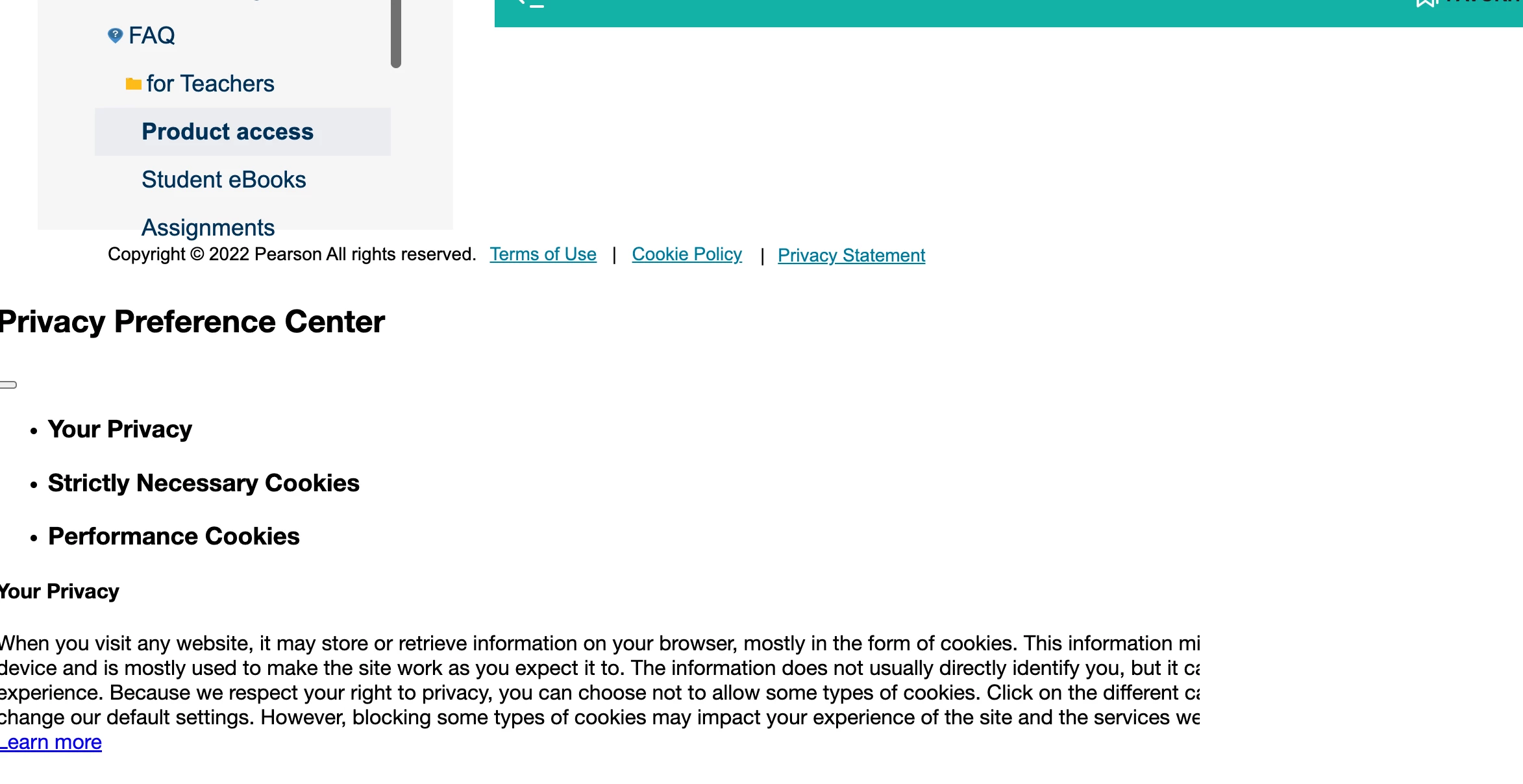

 

Did anyone have a similar issue? Do you see any obvious mistake in the script?

    This topic has been closed for replies.

    2 replies

    Sleant
    Inspiring
    June 26, 2024

    I get the exact same blown up magnifying glass! Did you ever find a solution? This would greatly help us go from html5 to frameless output. Praying you got a solution. Thank you.

    Peter Grainge
    Community Expert
    Community Expert
    July 11, 2022

    I don't know if it is the same issue and I certainly cannot comment on the script. However, I had a similar issue with a script I was given to inject into some topics. I went to the people who provided the script and told them it was not working in topics that were HTML5 and CSS3 compliant.


    They provided a different script. Perhaps you could go back to where you got your script?

    ________________________________________________________

    My site www.grainge.org includes many free Authoring and RoboHelp resources that may be of help.


    Use menu (bottom right) to mark as Best Answer or to Highlight particularly useful replies. Found the answer elsewhere? Share it here.
    AngelikasAuthor
    Inspiring
    July 12, 2022

    OK, thank you Peter, I will 🙂

    AngelikasAuthor
    Inspiring
    July 15, 2022

    Hi @Peter Grainge,

    Along the issue with cookies banner from One-Trust vendor, my website started to not respond - blank homepage, with skin background only.

    After removing the cookies banner completely - this issue remained. One-Trust returned to me that the issue was now on their side. Only when I turned off the GDPR option - website started to work, url: help.english.com

    Wondering what can be the reason and how to make GDPR on again, as it is legal a requirement, and then I will need to implement cookies banner again. I found also that GDPR should be activated to have the cookies banner working, is that right?