
Orange skin display issues with Edge Legacy - home page gap; topic content missing
Hello,
Our clients have recently informed us of several display issues when using the legacy version of Microsoft Edge (non-Chromium). We have created output using the Orange skin. I have tested and confirmed all these issues by creating a new, blank project, using an unmodified Orange skin, and observing the results.
The issues are as follows:
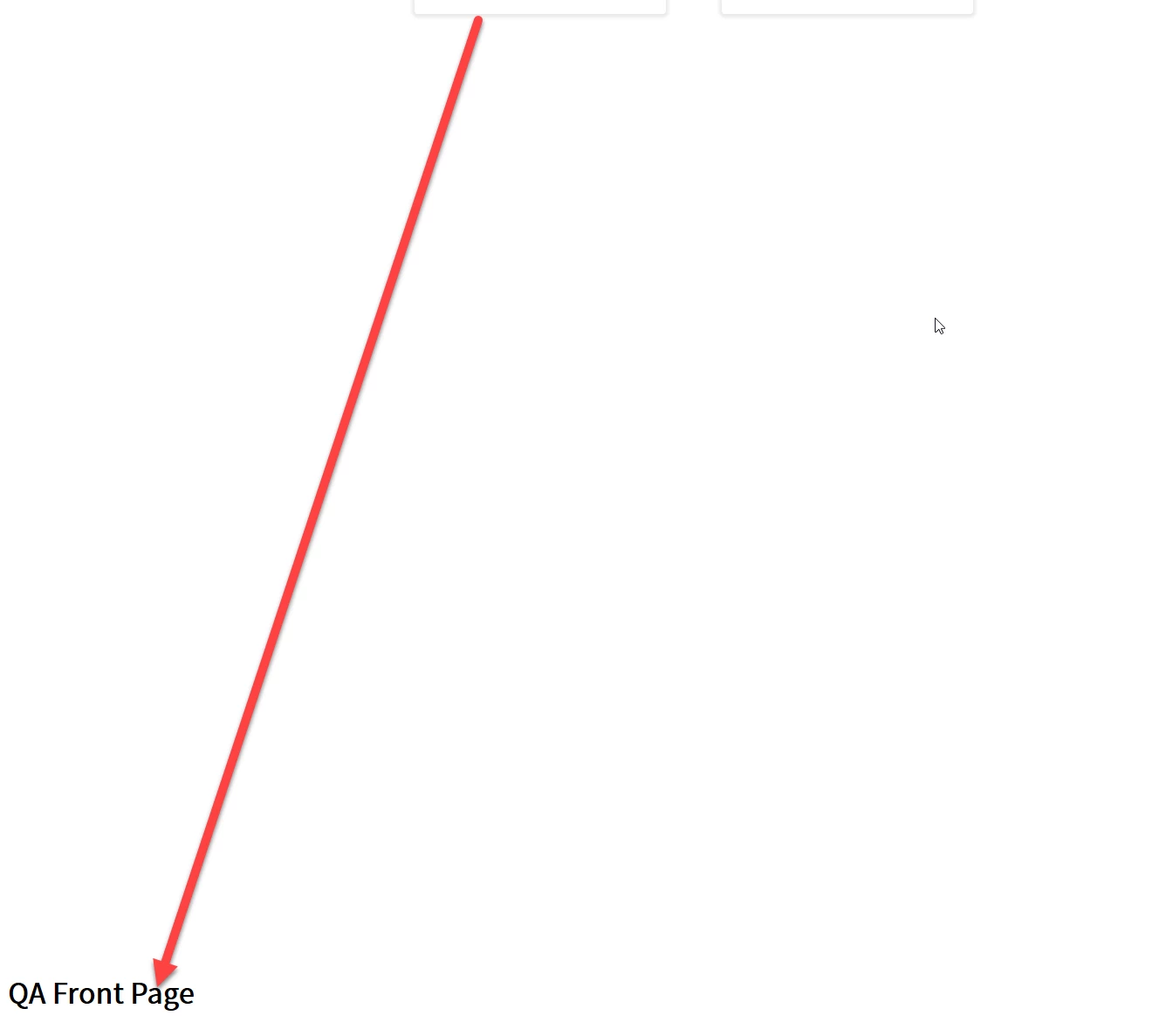
- The Home page displays a large gap between the drilldown tils at the top and any content you select for the home page
- This appears to be due to an incorrect "calc" in layout.css that Legacy Edge interprets incorrectly. In Chrome and FF, it correctly shows as 100% - 29em. Legacy Edge shows it as -29em + 100%
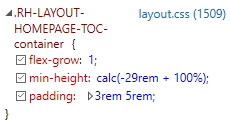
- This appears to be due to an incorrect "calc" in layout.css that Legacy Edge interprets incorrectly. In Chrome and FF, it correctly shows as 100% - 29em. Legacy Edge shows it as -29em + 100%
- The home page footer displays in the middle of the linked topic content, likely due to #1
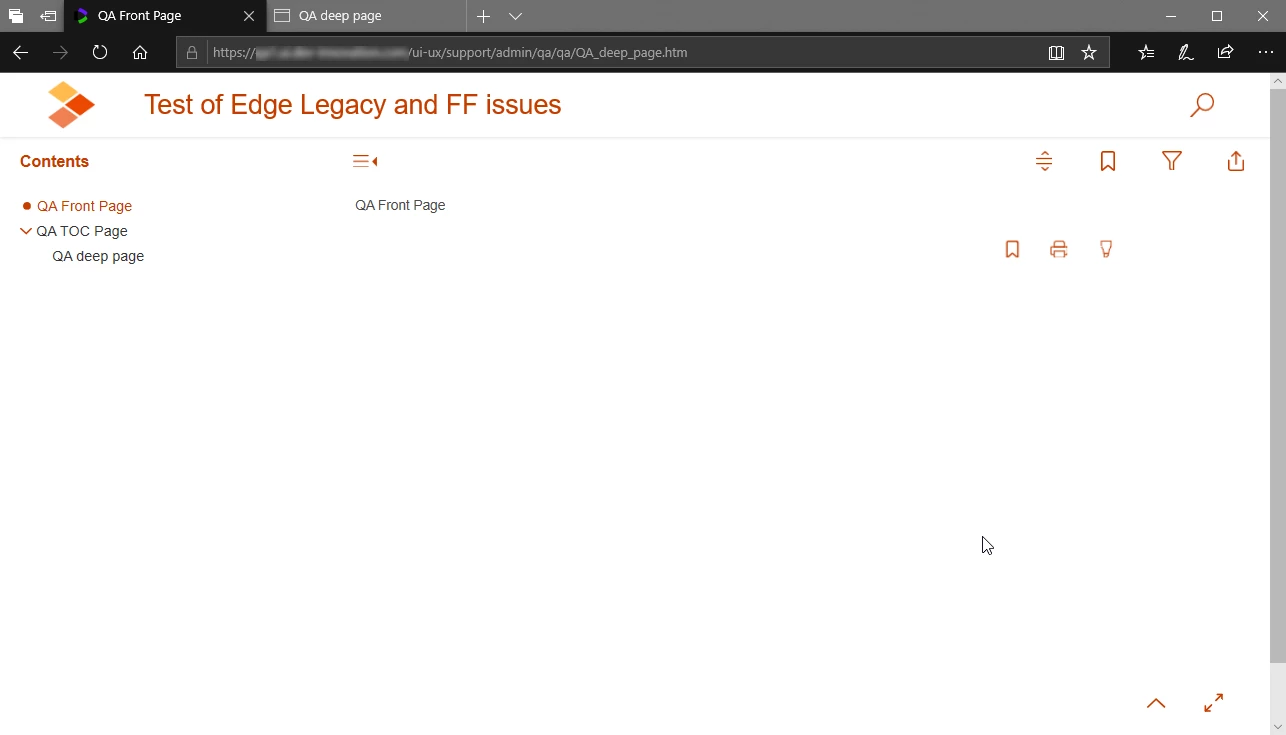
- Content on topic pages does not display. Only the breadcrumb headres for the topic show. This only occurs on a web server environtment; this works as expected locally.
I have noticed that the console in Edge Legacy reports errors with the opening XML tags from RoboHelp, where it considers the question mark in the <?XML tag to be incorrect formatting.
Any guidance on how to resolve these issues would be appreciated. These issues seem new since we upgraded to RoboHelp 2020; we did not have reproted issues in Edge Legacy with RoboHelp 2019.
Please see screenshots attached.
Topic page local
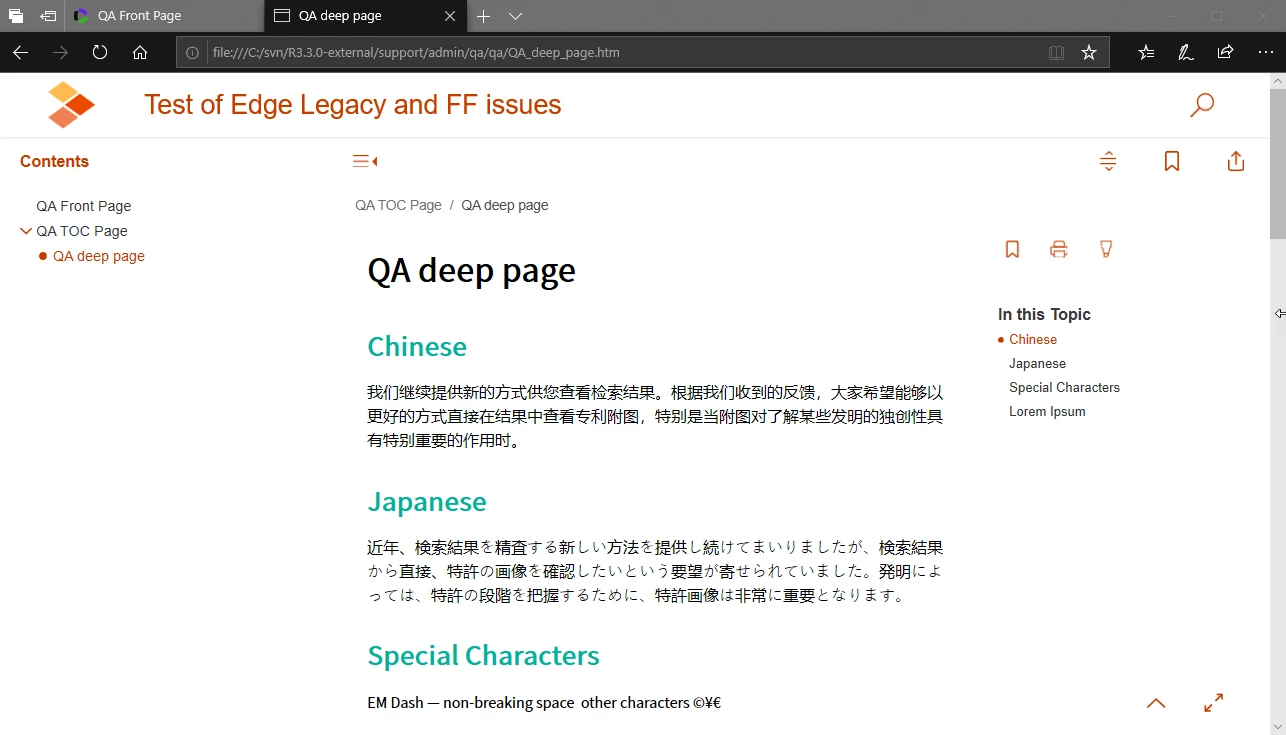
Topic page on server
Large gap between tiles and front page content


 AdChoices