Solution.
Open the CSS in source view and locate the first @217338 only style. Prefix it as I have done with /* and the code for the rest of the CSS will change to the colour shown because that has commented it out.

Next scroll down to where they stop just before the P tag and close that section with */.
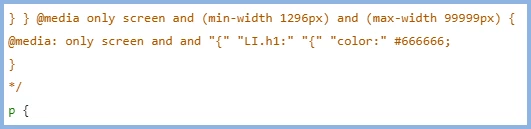
Save that and you will be able to go back to the CSS in author view and you will see your styles.
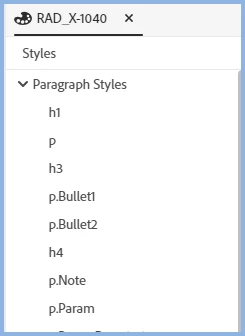
Open a topic and you will also see them there.
I'm guessing those media definitions don't meet CSS3 standards. Check your outputs to ensure they still work OK.
________________________________________________________
See www.grainge.org for free Authoring and RoboHelp Information
Use the menu (bottom right) to mark the Best Answer or Highlight particularly useful replies. Found the answer elsewhere? Share it here.




 AdChoices