


Known Participant
October 19, 2021
Question

Print function in Online Help - RH 2020 Update 6

  • October 19, 2021
  • 2 replies
  • 159 views

Hi all,


I am using the skin- Oceanic, for my Online Help output. On the right, there is a Print icon in the mini TOC. 

I chose a topic that has both images and text and clicked the Print icon. Upon clicking, it displays the print preview as shown below:
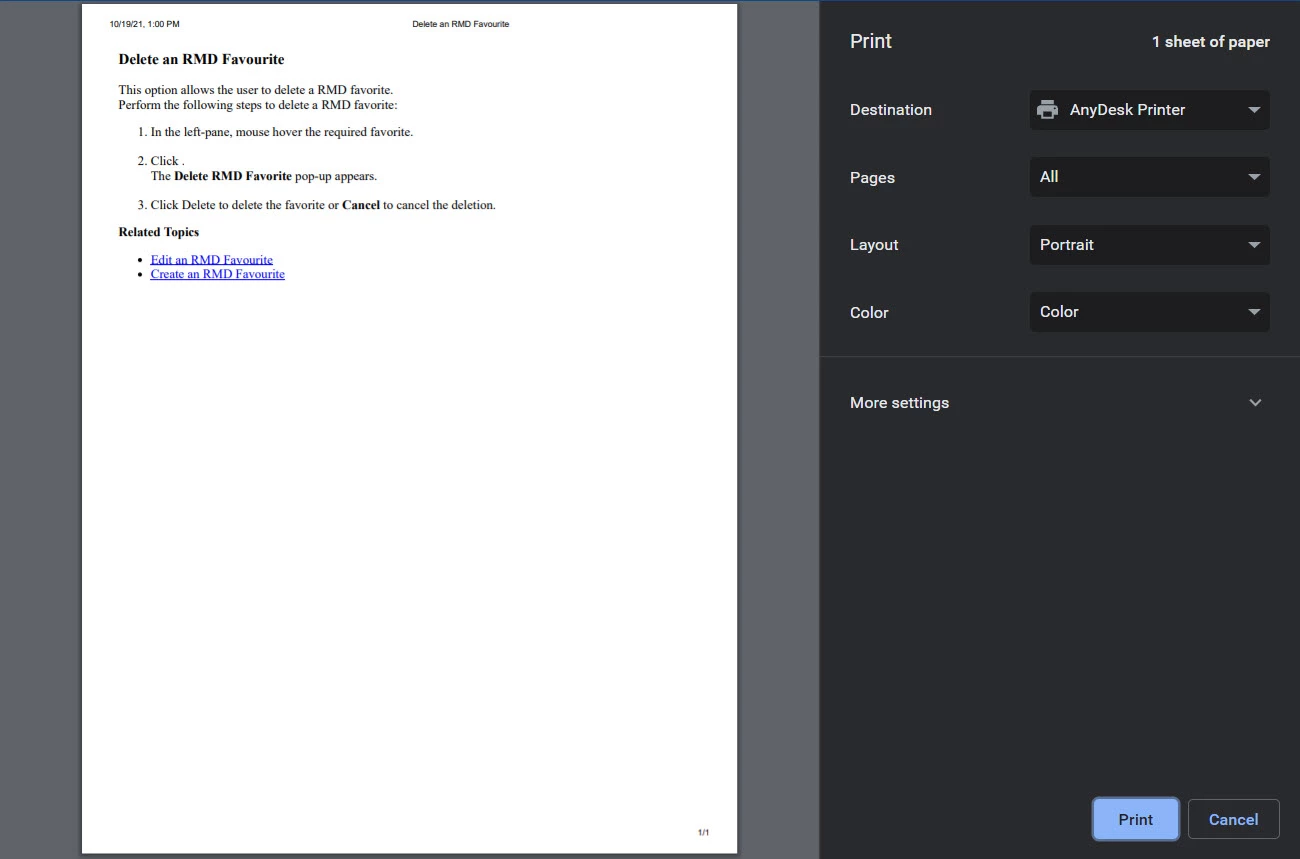


The preview did not pick the font I used in the output nor the images in the topic. Is this the default behaviour of the print function?


I would also like to know whether we can print the subtopics of a particular topic. 

Eg: The TOC is as follows:

Topic 1

    Topic 2
     Topic 3. 

If I open Topic 1 and click Print, will RH allow me to print Topic 1, Topic 2 and Topic 3? 
Or is the default behaviour of the Print is to print only Topic 1?


Can anyone please help me with this?

    This topic has been closed for replies.

    2 replies

    Peter Grainge
    Community Expert
    Community Expert
    October 19, 2021

    In the Skin editor look at the Layout tab. You can add Header Links and create a URL to the PDF.

    ________________________________________________________
    See www.grainge.org for free Authoring and RoboHelp Information

    Use the menu (bottom right) to mark the Best Answer or Highlight particularly useful replies. Found the answer elsewhere? Share it here.
    Peter Grainge
    Community Expert
    Community Expert
    October 19, 2021

    The loss of formatting is a known issue. RH-10027 | Tracker (adobe.com)

    The only way you could print sub-topics is to create a PDF of the required topics and create a link to it from the toolbar.

    ________________________________________________________
    See www.grainge.org for free Authoring and RoboHelp Information

    Use the menu (bottom right) to mark the Best Answer or Highlight particularly useful replies. Found the answer elsewhere? Share it here.
    Divya VAuthor
    Known Participant
    October 19, 2021

    Hi Peter,


    Thank you for your response. 

    "The only way you could print sub-topics is to create a PDF of the required topics and create a link to it from the toolbar."

    Could you please explain how to "create a link to it from the toolbar."?