
Participant
November 7, 2014
Question

Printed Documentation error

  • November 7, 2014
  • 1 reply
  • 627 views

When I click the Next button in the Print Document General - Printed Documentation Wizard, RH10 stops working.

It allows me to Save and Generate but does not allow to click Next.

I get the same error in sample projects too..

Attached is the screenshot showing the crash.
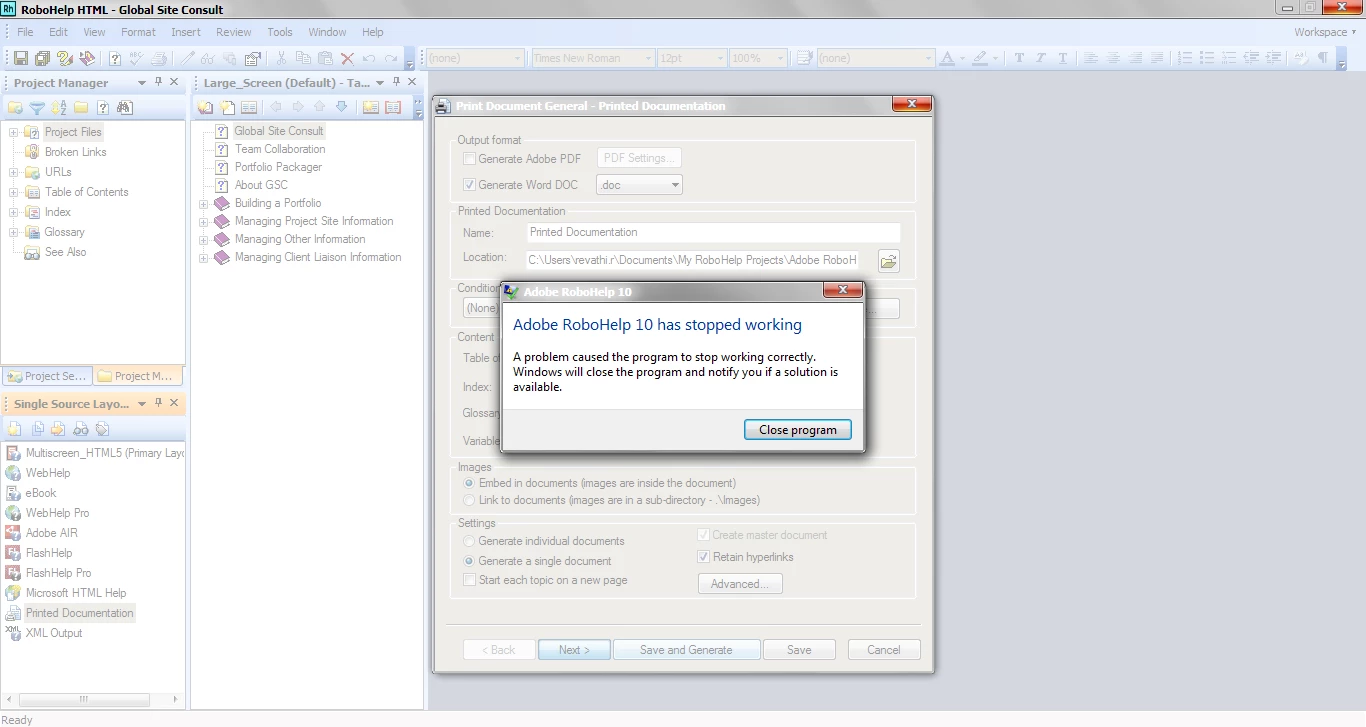
Can somebody tell me what causes this crash?

    This topic has been closed for replies.

    1 reply

    RoboColum_n_
    Legend
    November 7, 2014

    Have you ever been able to produce Printed Documentation? What version of Word are you using? Or could the macro security settings in Word have been changed. See the Word Issues section of the following link helps.

    Print Issues

    vrreviAuthor
    Participant
    November 7, 2014

    Thanks for the response. I had compatibility issues for RH10 and  downgrading to Word 2010 solved the problem. I have been generating PDF outputs. All of a sudden, I get this crashing error.

    I use Word 2010 and macros are enabled.

    RoboColum_n_
    Legend
    November 7, 2014

    What happens if you click Save and Generate rather than Next in that dialog? If that doesn't work, try creating a new TOC and selecting that in the Table of Contents drop down.