

Question
Printed Documentation not working in Adobe RoboHelp 11 HTML 11.0.0.179 "Microsoft® Word has not been started
Hello,
I am using RoboHelp 11 HTML version 11.0.0.179, my operating system is Windows 7 Professional. I am trying to generate either a Word or a PDF file but I am getting the following error: "Microsoft® Word has not been started on this computer. Launch Word and click the 'Start using Microsoft® Word' option before generating Printed Documentation again."
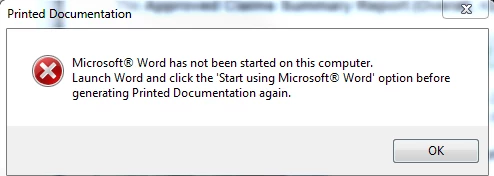
Here is some of the troubleshooting that I did:
- Enable all macros in MS Word 2013.
- I created a blank project and tried to generate Printed Documentation still getting the same exact error message.
Any help or suggestion is very welcome.
Thank you in advance!


 AdChoices