
Participant
January 31, 2015
Question

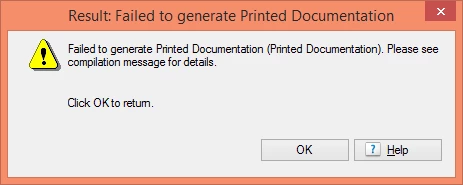
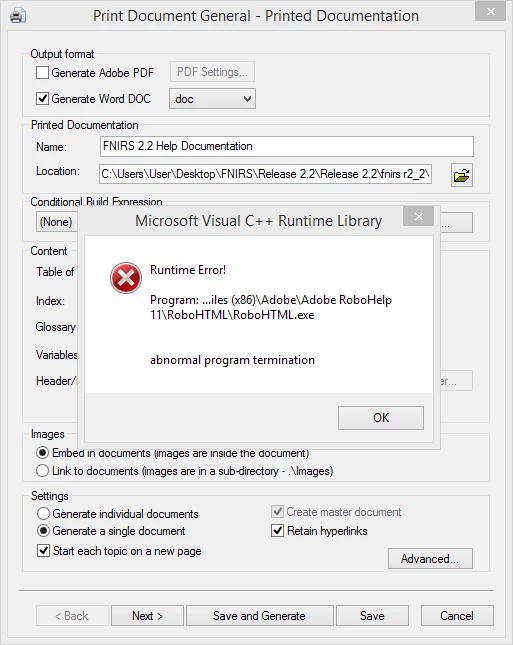
Printed Documentation two errors: Visual C++ error and failed to generate printed documentation

  • January 31, 2015
  • 3 replies
  • 237 views

Hi there, I am new to Robohelp as it has been years. I managed to retrieve the files and open the project on my computer. I tried to troubleshoot and I HAVE enabled macros in word already. I believe the errors are related. I have not successfully be able to generate on this computer with this project. I just installed Robohelp 11 last week and still am on the trial for now (will be buying).

Please help.

Robohelp HTML 11

Windows PC - Windows 8

However, when I try to generate the printed documentation (Generate > PDF output) it starts but them provides this error)
Then when I try to  click on the Printed Documentation it gives me this error
Thank you

Jennifer

    This topic has been closed for replies.

    3 replies

    Participant
    January 31, 2015

    I did see this post from the forum but not sure it's applicable to me. 10. Re: RoboHelp 10: Problems generating Printed Documentation

    Participant
    January 31, 2015

    So far I think it's fixed.

    1) installed an updated version of adobe reader

    2) created a NEW output to .doc

    And it seems to be fine.

    Thanks Rick for your help.

    Participant
    January 31, 2015

    Sorry I forgot to add:

    Windows 8.1

    64 bit

    Windows professional plus 2010

    Captiv8r
    Legend
    January 31, 2015

    Hi there

    What if you try removing the period between the 2? Instead of 2.2 documentation, have it read 22 documentation. Does that change anything?

    Cheers... Rick

    Participant
    January 31, 2015

    Hi Rick,

    Thanks I tried that and it (and even restarted) and it is still throwing me both errors. Could it be permissions/set up? Too long of a file name? It's been years since I have used robohelp but I never encountered an error with output before.

    Jenn