

Problem folder in !SSL! RoboHelp project folder
I have a folder named MSHO... in the !SSL! folder of my RoboHelp project. Inside that folder is the Word document named MSHO...
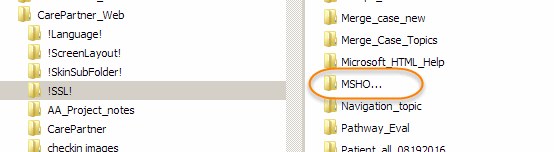
This generated an error message when I moved a copy of the project to a backup drive. Then I tried to delete the MSHO... folder from the !SSL! folder on my local drive, but I get an "Item Not Found" message (see below), and I was unable to delete that folder. I have been able to delete the Word document inside the MSHO... folder.
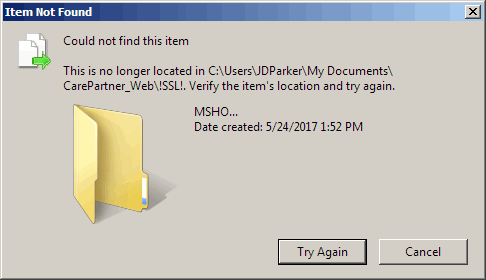
I'm suspecting that the three periods in the folder name are causing the problem. I would like to delete this folder because I need to protect this project: I don't want anything buggy in it.
Thanks in advance for any help. 
Update: I just opened the RoboHelp project, and clicked the Outputs(SSL) tab, and deleted MSHO..., but still the MSHO folder appears in Windows Explorer.
(I am using RoboHelp 2015.)


 AdChoices