


shyam_sagar
Participant
March 30, 2016
Question

Problem upgrading from RoboHelp 7 to 11

  • March 30, 2016
  • 2 replies
  • 348 views

Hi Peter Grainge

I am trying to open one .xpj file in RoboHelp 11 which was originally built in RoboHelp 7, but when I try to do that it asks me upgrade my file. Below are the details.

So when I click on 'Upgrade', it gives me one Error pop-up (See the Error pop-up below).
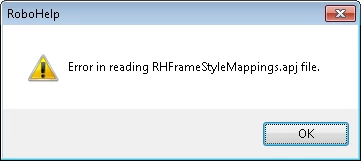
And now when I click on OK it gives another Error (See the Error below)
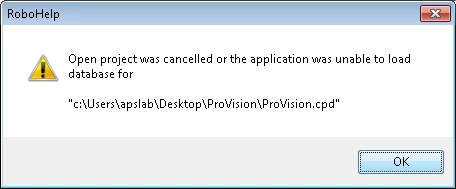
So this is what happening. I am unable to open .xpj file. So could you please give me the solution.Its really urgent.

This topic has been closed for replies.

2 replies

Jeff_Coatsworth
Community Expert
Community Expert
March 30, 2016

Try using the tip in post#12 of this thread - Re: Legacy project vs new browsers

Peter Grainge
Community Expert
Community Expert
March 30, 2016

For urgent matters you should go direct to Adobe as the forums are mostly supported by other users who dip in and out when time permits. It also doesn't help addressing it to a specific person such as me as then others who might have helped sooner will tend to gloss over it. I have branched this question into a separate thread as it has nothing to do with the one you tacked it onto.

The first message is expected and I don't think the second one will cause any problems. It can be copied in from another project.

Have you tried deleting the CPD file and reopening RoboHelp? If it persists having done that, try moving the project out of the Users folder. Post back when you have tried that.


See www.grainge.org for RoboHelp and Authoring tips

@petergrainge

Use the menu (bottom right) to mark the Best Answer or Highlight particularly useful replies. Found the answer elsewhere? Share it here.