
Known Participant
March 31, 2015
Question

Problem with Bullets (RoboHelp v11)

  • March 31, 2015
  • 1 reply
  • 1047 views

Hi --

When I edit a page in RoboHelp v11, the bullets look fine:

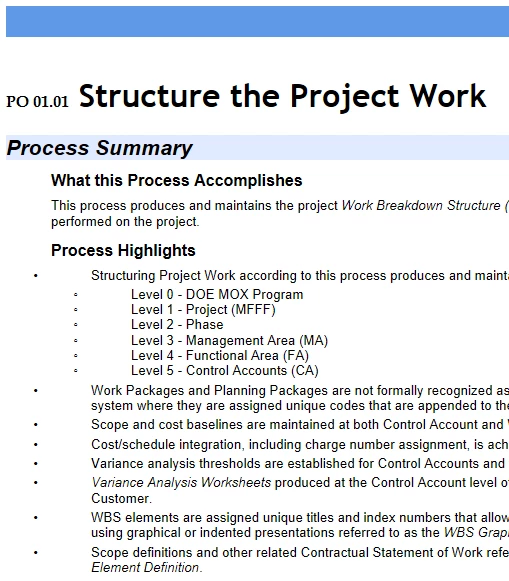
When I view in RoboHelp v11 they appear to the left with more space between bullet and the text:
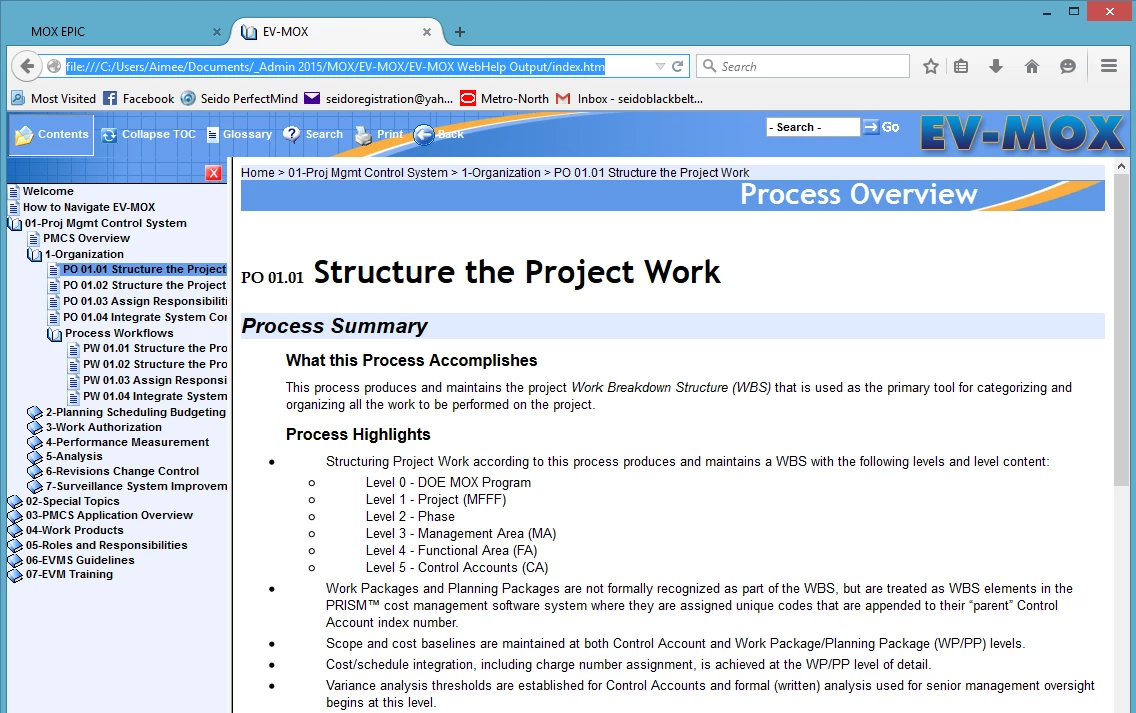
When I export as WebHelp, they also appear to the left and with too much space (in all browsers):
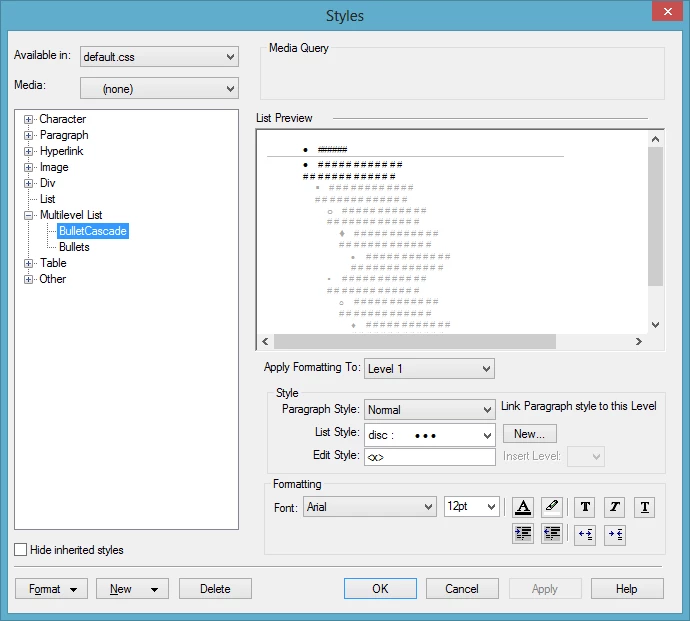
Even when I increased the indent in the style sheet, it did nothing to change the results:
Can anyone help me get the bullets to appear with the proper indentation?

Thanks!

This topic has been closed for replies.

1 reply

Peter Grainge
Community Expert
Community Expert
April 1, 2015

Is it the same in all browsers?

If different, as I suspect it will be, see Item 19 at Snippets (Content Creation).


See www.grainge.org for RoboHelp and Authoring tips

@petergrainge

Use the menu (bottom right) to mark the Best Answer or Highlight particularly useful replies. Found the answer elsewhere? Share it here.
ACGallAuthor
Known Participant
April 1, 2015

Hi Peter -- it is the same in all browsers and I am at a loss as to how to fix it.  When editing the page in RoboHelp it looks fine.  But when I click to view it in RoboHelp or when I create the WebHelp SSL, the bullets are not aligned properly in any browser (as shown in the images above).

This is an old project that was last edited in RoboHelp v8 so maybe something got messed up when I opened it and saved it in v11.

Another weird thing I just noticed is that in the page, the bulleted list has a regular round solid bullet as the first level, then an open circle bullet as the second level.  But in the css it has a square as the second level and an open circle as the third level.

I appreciate any help you can provide!

Willam van Weelden
Inspiring
April 2, 2015

Ah, multilevel lists. A joy, untill they start acting up.

I see you linked the paragraph style 'Normal' to the list. Does that paragraph happen to have a left margin? If it does, that margin is probably the culprit. Try creating a new paragraphs style without a left margin and choosing that for your Mulitilevel list.