Participant
February 23, 2023
Answered

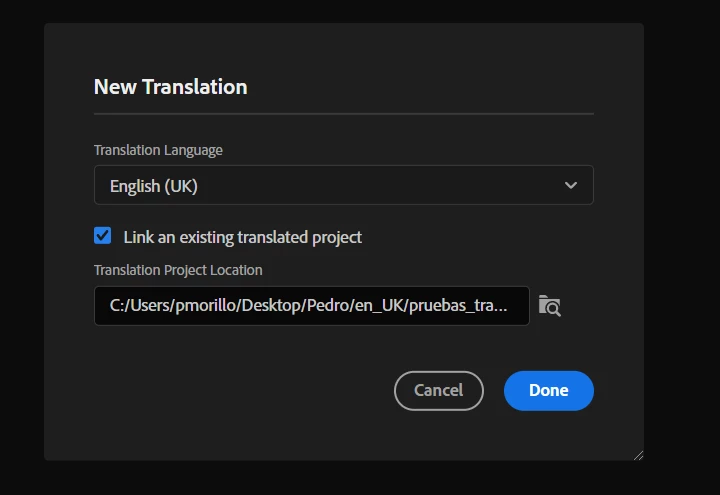
Problem with " Link an existing translated project "

  • February 23, 2023
  • 3 replies
  • 278 views

Hi everybody, im using Robohelp 2022.0.346.

I have a project and the translation project.
when i try to use the "link an existing translated project " option, and  press "DONE" this happens.
The program crash.

Can someone tell me if i have to do an extra step, or have had the same error?.
thanks.

 

    This topic has been closed for replies.
    Correct answer dellinder

    I was experiencing the same issue, until I updated to version 2022.2.22.  After the update, I didn't encounter this error.

    3 replies

    dellinder
    dellinderCorrect answer
    Participant
    May 11, 2023

    I was experiencing the same issue, until I updated to version 2022.2.22.  After the update, I didn't encounter this error.

    Peter Grainge
    Community Expert
    Community Expert
    February 24, 2023

    Try translating without the Existing Project check box selected.

    ________________________________________________________

    My site www.grainge.org includes many free Authoring and RoboHelp resources that may be of help.


    Use menu (bottom right) to mark as Best Answer or to Highlight particularly useful replies. Found the answer elsewhere? Share it here.
    Community Expert
    February 23, 2023

    I don't use translations, so can't provide any guidance specifically related to that. However, you could test if you are running into a path length limitation in Windows.


    About 255 characters is the limit of Window paths. The desktop folder uses up quite a few characters and could protentially be longer if your work environment actually maps your profile to a cloud or network storage location (you can't necessarily see this mapping). Then the deepest folder and topic name in your project added to that, plus whatever additional depth the translation step might add while processing, could easily hit this path limit.


    To test this, take copies of your projects and put them in a folder directly under C. Like C:\Test\. Then try the process again.


    If the test works, I would recommend setting up a permanent location directly off the C drive for your projects. If you aren't using source control for your projects, I would also recommend following a strict manual backup process in this case. Corporations don't like work stored outside network/cloud storage as there is no backup if something goes wrong. So you might need to zip the projects up regularly and store a copy in a network/cloud location in case of some disaster. How often you do this will depend a bit on how much your projects change, for example, but at the end of each day isn't too onerous. But you can backup more or less often as suits your workload.


    If the test doesn't resolve the issue, then I'm sure someone with translation experience will come along with some suggestions.

    Participant
    February 24, 2023

    Thanks for answering, it worked the first time, but then we tried again with differents languages and the same error appears.