

camilaf3199346
Inspiring
February 10, 2020
Answered

Problems when migrating from RH 2017

  • February 10, 2020
  • 3 replies
  • 270 views

I was using RoboHelp 2017 and I've decided to migrate to RH 2019. Besides getting in shock with new interface I clicked Upgrade RoboHelp Classic Project thinking it would be just adapting my project to RH 2019.


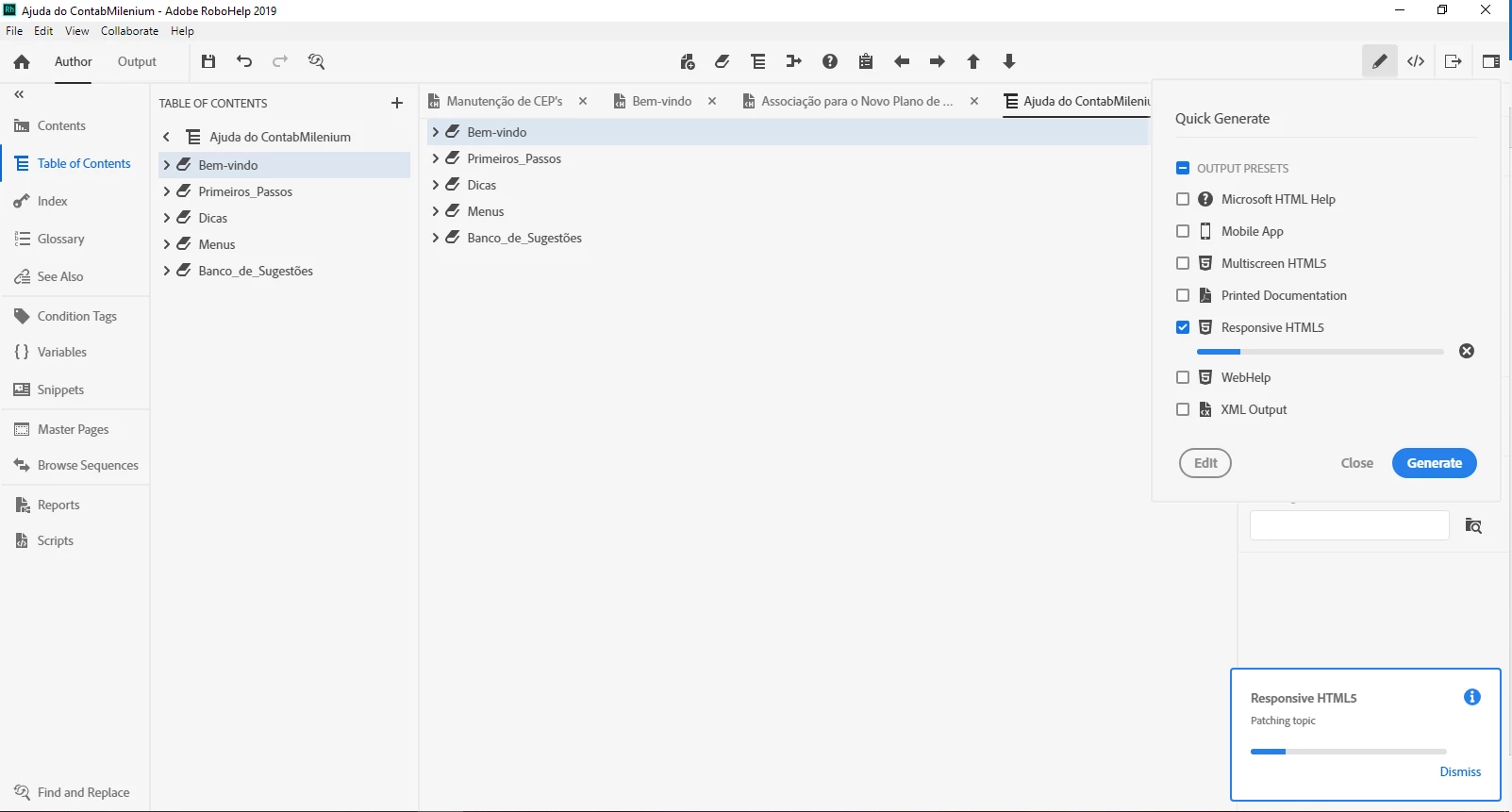
However, when I tried to export to HTML5 my RH has collapsed. It has been freezing in "Patching topic" message for several minutes, so clicking on "Dismiss" was my only choice after 10 minutes waiting. Then it didn't generate my output in HTML5 and it even didn't give me an error message to understand why it happened.


I didn't change any setting on RH 2019, just opened my project and tried to export it to HTML5 format. So I closed RoboHelp and tried it again, but the same happened again and again... 


I hope you can help me, thanks in advance! 
 

This topic has been closed for replies.
Correct answer Peter Grainge

See this thread and the suggestions there. Please try the same steps.


https://community.adobe.com/t5/robohelp/responsive-html5-won-t-finish-generating/m-p/10911738?page=1


www.grainge.org

3 replies

Peter Grainge
Community Expert
Peter GraingeCommunity ExpertCorrect answer
Community Expert
February 10, 2020
Use the menu (bottom right) to mark the Best Answer or Highlight particularly useful replies. Found the answer elsewhere? Share it here.
Peter Grainge
Community Expert
Community Expert
February 10, 2020

Hold up Camila and Jeff.


@Jeff - There's another thread running where someone else is having a similar issue. I will add a link in a moment.


@Camila - First question has to be are you wanting to work with this new format right now or later. Both 2019 Classic, which is more what you are used to, and 2019 New UI are installed. You could use that until you have had time to familiarise yourself with the new UI.


www.grainge.org

Use the menu (bottom right) to mark the Best Answer or Highlight particularly useful replies. Found the answer elsewhere? Share it here.
Jeff_Coatsworth
Community Expert
Community Expert
February 10, 2020

First off - you tried this with a copy of your RH2017 project, right? You need to go this route - RH2017 to RH2019 Classic, then Classic to New UI.