


Known Participant
January 12, 2022
Question

Publishing error using Robohelp 2019 | Responsive HTML5 output to FTP

  • January 12, 2022
  • 3 replies
  • 235 views

I am currently using RH 2019.0.14.

I am trying to publish Responsive HTML5 output to our FTP server. I successfully generated output but when I try to publish it, the following message remains there:
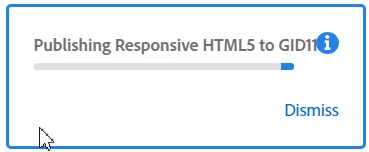
After some time, the Application Error message appears:
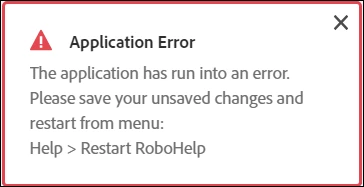
and then the following message is displayed:
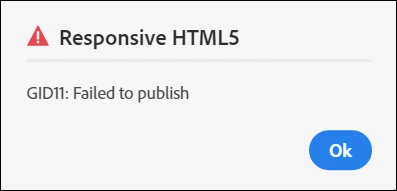
The Publish Log some times displays this error:
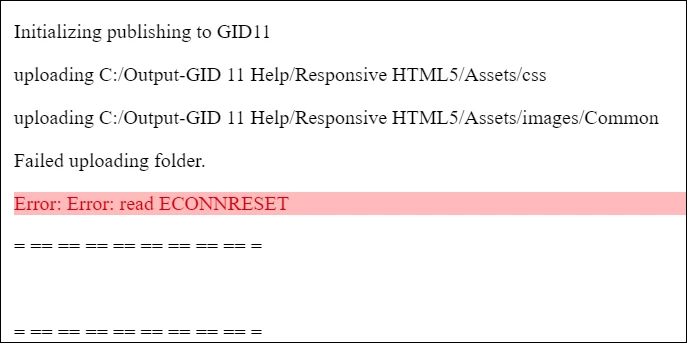
and some times it displays this error:
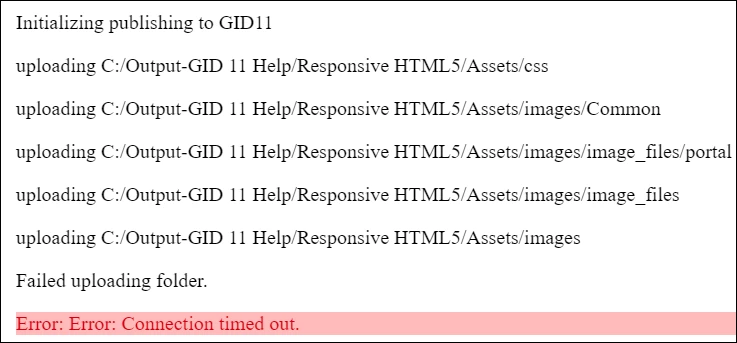
I will appreciate if any body guide me to the resolution of this problem. 


    This topic has been closed for replies.

    3 replies

    Peter Grainge
    Community Expert
    Community Expert
    February 9, 2022

    This is essentially a user to user forum although occasionally Adobe staff will pop in. If you specifically need Adobe support, see https://helpx.adobe.com/contact/enterprise-support.other.html#robohelp for your Adobe Support options. The email link tcssup@adobe.com is recommended as it reaches a team dedicated to Technical Communication Suite products including RoboHelp. They will screenshare if necessary.

    ________________________________________________________
    My site www.grainge.org includes many free Authoring and RoboHelp resources that may be of help.


    Use the menu (bottom right) to mark the Best Answer or Highlight particularly useful replies. Found the answer elsewhere? Share it here.
    Jeff_Coatsworth
    Community Expert
    Community Expert
    January 12, 2022

    Another tack - was this working before & now doesn't? If so, that indicates that something has changed in your connection to the destination. Of course there's always the "generate it local & manually copy it up to the webserver" path if you are facing a deadline.

    Known Participant
    February 9, 2022

    I had a detailed discussion with my IT administrator, and he checked everything regarding the setting. 

    I want this feature functional to remove my dependency on the IT guy to upload help projects on our FTP server.

    Peter Grainge
    Community Expert
    Community Expert
    January 12, 2022

    I googled ECONNRESET and got this.

    "ECONNRESET" means the other side of the TCP conversation abruptly closed its end of the connection.


    The second response is along the same lines. It looks like a network issue. Have a word with your IT guys.


    If they cannot help, try Support. See https://helpx.adobe.com/contact/enterprise-support.other.html#robohelp for your Adobe Support options. The email link tcssup@adobe.com is recommended as it reaches a team dedicated to Technical Communication Suite products including RoboHelp. 

    ________________________________________________________
    My site www.grainge.org includes many free Authoring and RoboHelp resources that may be of help.

    Use the menu (bottom right) to mark the Best Answer or Highlight particularly useful replies. Found the answer elsewhere? Share it here.
    Known Participant
    February 9, 2022

    I checked with our IT administrator and according to him, connection is being established successfully. We spent quite some time to find out the root cause but no success yet. 

    I will appreciate if some network expert from Adobe contact me and help in resolving the issue.