

Publishing to Sharepoint
Hi all,
Firstly, the basic info. We're using RoboHelp 8 and publishing to Sharepoint 2010. Upgrading either of these is not an option, sadly.
I have been publishing to Sharepoint from a HTML project for years without issue, but now am trying to migrate one of our other projects to be published on SP and the user keeps getting the same issue which causes the Publish to fail...
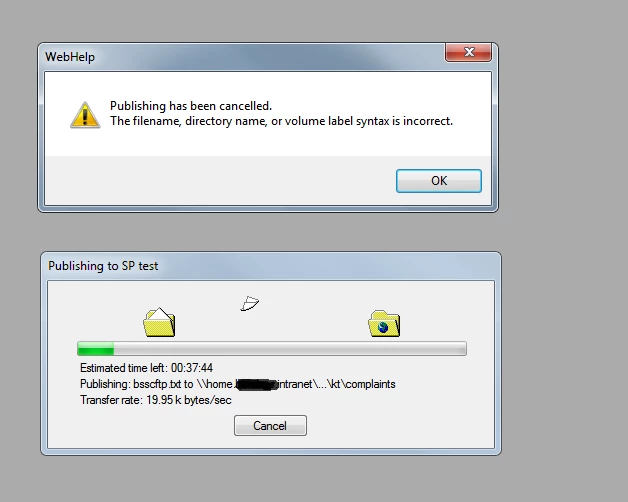
I have ruled out a few issues including fixing filenames with & symbols (Sharepoint doesn't support them) and I've elevated this user to "Full control" of the target Document Library (effectively admin level permissions), but it still keeps failing part way through. If I publish the same from my PC then it works fine though. The only difference is that I have "site admin" permissions on the Sharepoint site, rather than just having permissions on the Library.
I did another test on another RH project to a different Doc Library on the same site, with a different user, and they were able to publish without any issue - hence I believe the SP permission level is fine and there may be some other issue I'm not able to figure.
I cleared all the files out of the SP library and then got my test user to try again, it got a little further but still failed (as shown above). It always seems to stop at the bsscftp.txt file. I've read some posts about that file on the forum and it seems to be generated as part of the Publish process by RH. Again this hasn't caused any issues for my other projects.
Any suggestions please?!


 AdChoices