


Participating Frequently
December 14, 2021
Question

Recreating a style sheet

  • December 14, 2021
  • 3 replies
  • 172 views

My team is planning to upgrade from RH2019 Classic to RH2020. We haven't used RH2019 new UI because our project does not convert to the new UI style. We have a style sheet that is multiple generations of RoboHelp old, so I want to recreate it in RH2020. I have two questions:


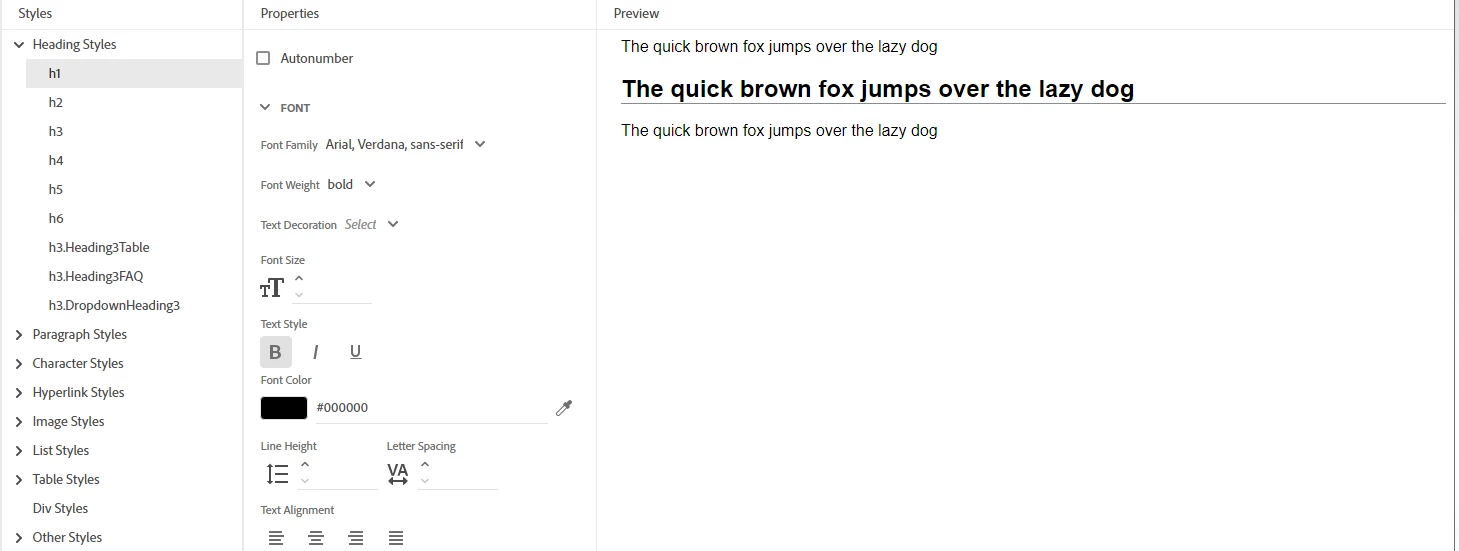
1.) The default css in RH2020 has blank spaces. For example, the Font Size, Line Height, and Text Alignment are all blank. But they obviously have a size/spacing in the preview. Where is this information coming from?
 

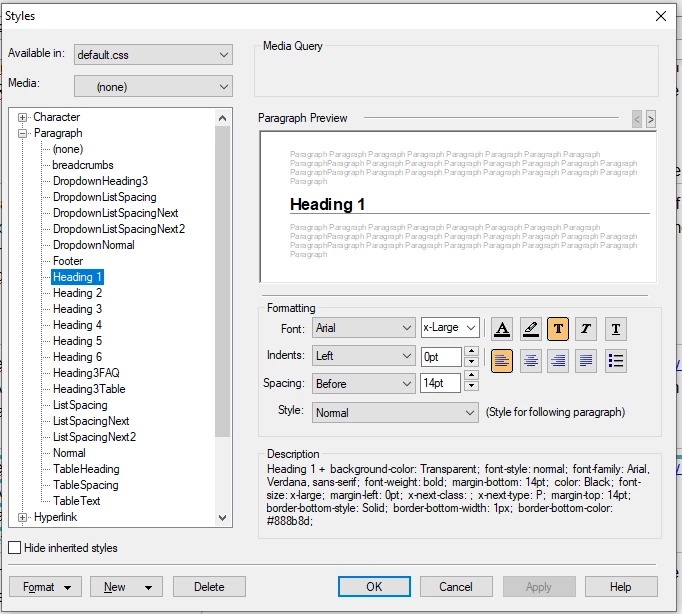
2. The old style sheet in RH2019 Classic has strange sizes. For example, this is our H1 in the project. Is there anything that tells me what size "x-Large" is?
 

This topic has been closed for replies.

3 replies

Peter Grainge
Community Expert
Community Expert
December 21, 2021

There are a number of fields where the size set does not show until the first time you change the value. If you prefer you can enter the value but as long as they are working to misuse a phrase "if it aint broke, there's no need to fix it"

________________________________________________________
See www.grainge.org for free Authoring and RoboHelp Information

Use the menu (bottom right) to mark the Best Answer or Highlight particularly useful replies. Found the answer elsewhere? Share it here.
Community Expert
December 20, 2021

W3 Schools is pretty good for learning. They have a Try It feature. 

https://www.w3schools.com/css/

Community Expert
December 14, 2021

1. I don't have a concrete answer for this. Some might be inherited from the body tag? And possibly they have a preview stylesheet to apply some defaults like the browsers do? Or maybe some of it comes from the skin stylesheet unless overridden? 


Also, I would generate and check what things look like in multiple browsers, to confirm which settings you do need to manually set for specific styles. The Preview might be a WYSIOO (What You See Is One Option) preview rather than a real life preview, as so many things related to the web are.


2. x-large is based on a font specified elsewhere (possibly in the browser?) so the answer is "it depends".  You can read more here: https://developer.mozilla.org/en-US/docs/Web/CSS/font-size

Participating Frequently
December 20, 2021

Thanks! I am learning I have quite a bit to learn about css while I work on this.