


Related Topics List Getting Reformatted
I'm anticipating this is a bug, but just want to see if anyone else is experiencing this and/or has a better way of formatting the Related Topics lists.
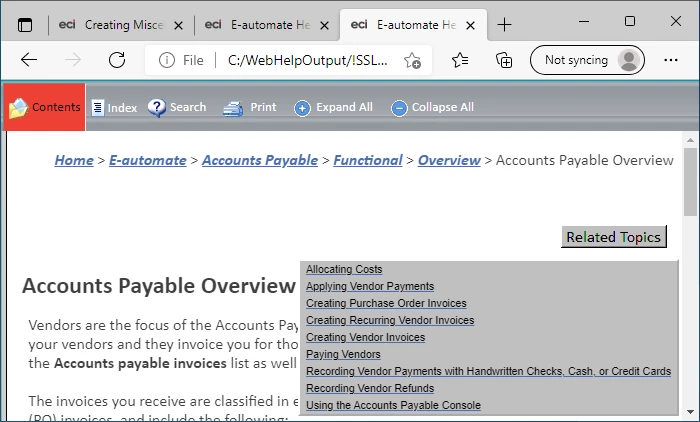
Using WebHelp generated with RH 2019 Classic, our Related Topics were accessible via a button, and the list looked liked this:
I am now using RH 2020.6.76 and generating frameless help. By default, the system now displays the Related Topics like this:
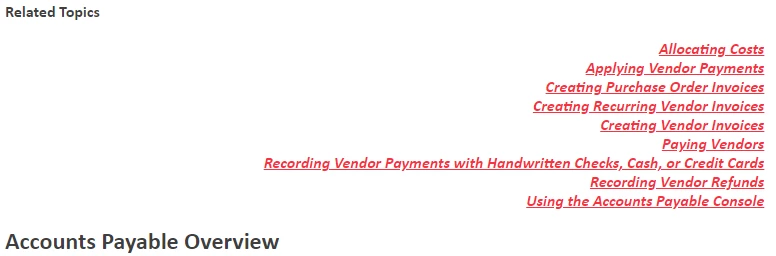
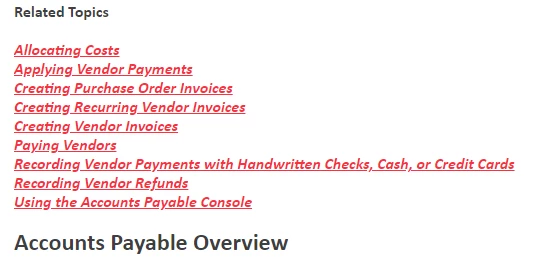
After a while, some of the Related Topics lists started appearing like this:
For the lists where the Related Topics were being right-aligned, I noticed the code view contained this formatting to apply the "text-align: right" style to the list of topics:
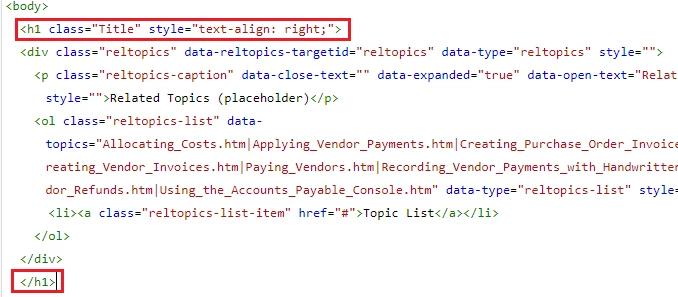
Note that the closing h1 tag appears at the end of the list (as expected). In the lists that were not correctly formatted, the closing h1 tag appeared immediately after the opening h1 tag (causing the right-alignment formatting not to be applied to the topics in the list). When I noticed the difference in formatting, I started manually correcting the lists where the topics were left-aligned (thinking I had inadvertently caused the problem with some of the lists). After a while, I noticed that topics I had corrected to use the right-alignment were again using the left alignment. I fixed the html code in a topic. I clicked the Author (pencil) icon to display the author view. I clicked the Source icon to display the code view and noticed that the system had reformatted the h1 tag to move the closing h1 tag above the list again (with an added br tag):
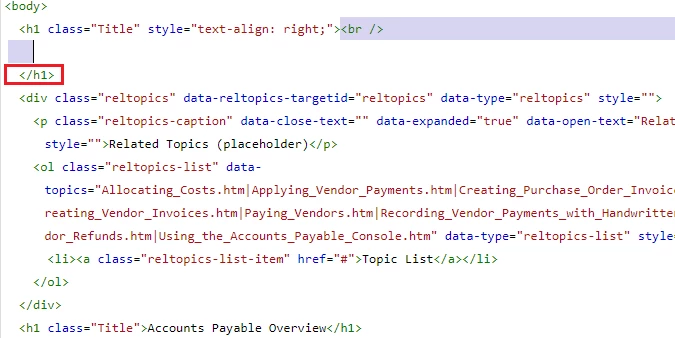
It appears that any time I edit a topic via the RoboHelp UI, RH is reformatting the list to be left-aligned. The result is that I have generated outputs where the list alignment is inconsistent, and I have wasted a lot of time fixing a problem that the RH UI appears to be causing and making worse each time I make updates. Anyone else running into this? Anyone have a better solution that the RH UI will not overwrite? Thanks.
 AdChoices