
Renaming entire project's title bar
Robohelp HTML version 7.00.145
I have successfully caused the completed .CHM window to accurately state the name of our product with which my online help is published.
However, I cannot figure out how to change the title bar of my project as I am WORKING on the project. It doesn't affect the output, but it makes me nervous.
We are releasing two different versions of our product, with completely different version names, in close proximity, and I want to minimize the chances of anybody (including me) getting confused.
The attached screen capture shows the ways that I have NOT succeeded in changing my project name in the Robohelp project interface's title bar.
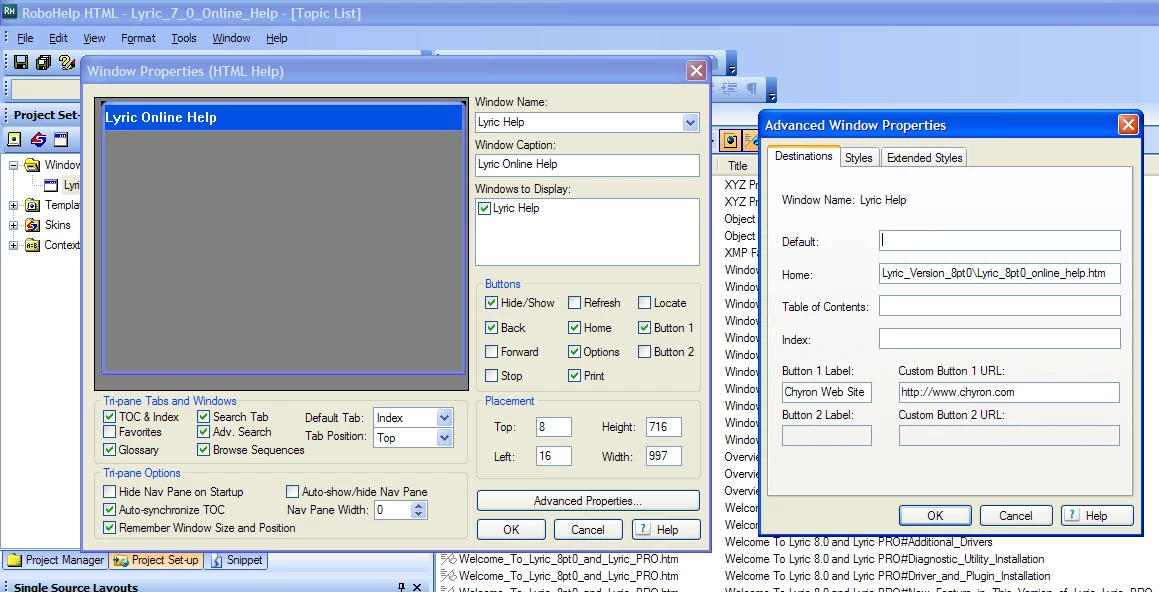
I wish this was larger, but the project title bar at extreme upper left does not match all the places where I have successfully (thank goodness) changed our product name as displayed in the completed .CHM file's displayed windows.
I've looked carefully through Window Properties and its Advanced Properties, as seen above.
I've also looked at Single Source Layout's Options and its Advanced Settings.
Anyone have any ideas?
Thanks,
Lew Yedwab


 AdChoices