Toasteata
Participant
December 13, 2016
Answered

Renaming TOC/Index/Glossary in Robohelp 9

  • December 13, 2016
  • 2 replies
  • 552 views

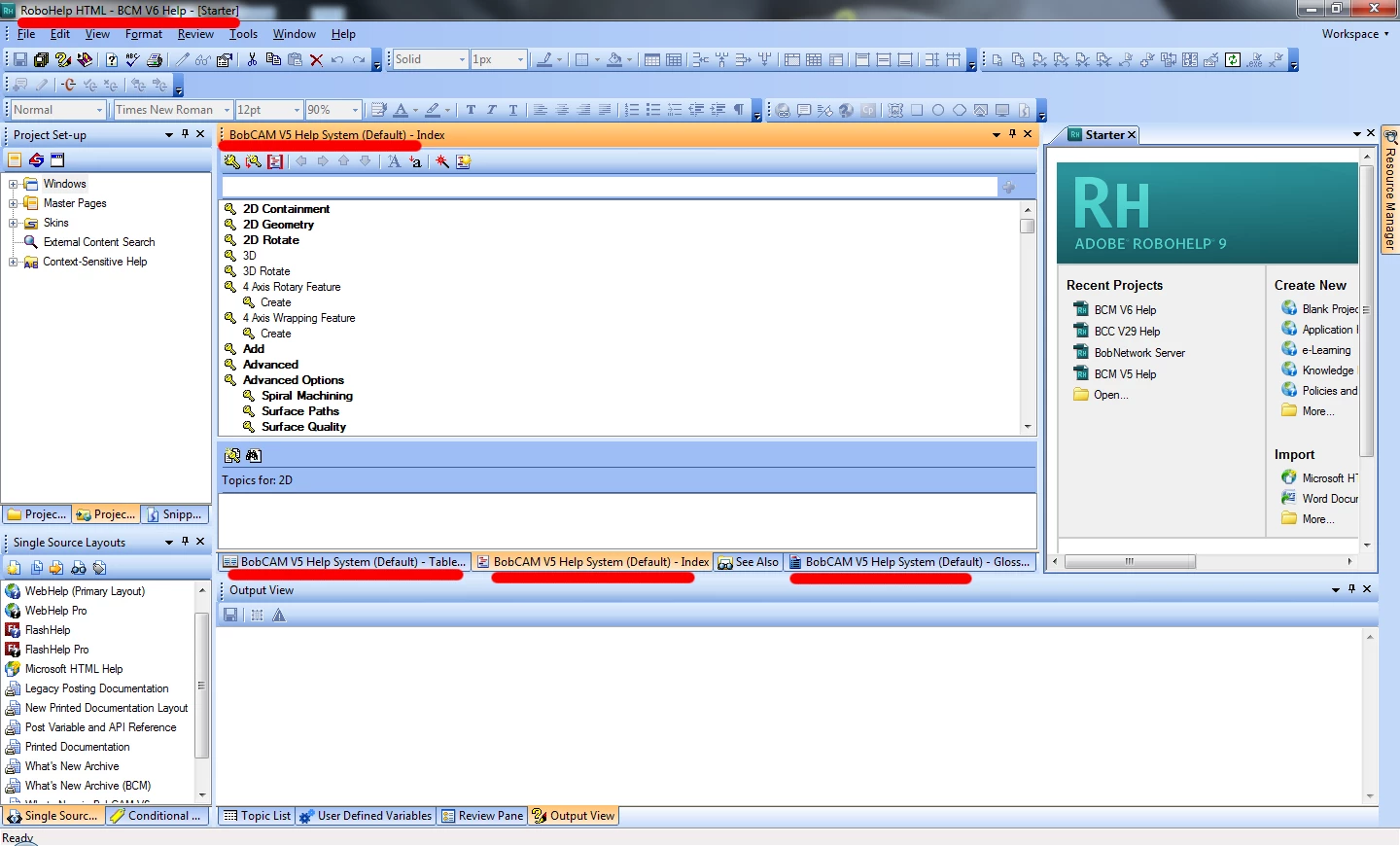
Hey guys! I'm having an issue trying to rename the panes in my project in Robohelp 9. I have the project itself renamed (as you can see in the top left)... I finally figured out how to rename the window that is output in the .chm (Project Set-up > Local Window > Properties), but I still have all these panes in the project with the wrong name. Does anyone know how to update those?

Thanks in advance!
This topic has been closed for replies.
Correct answer Captiv8r

Hi there

Perhaps try this.

Close the TOC, Index, and Glossary pods.

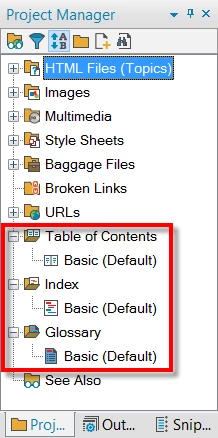
From the Project Manager pod, expand each of these sections.

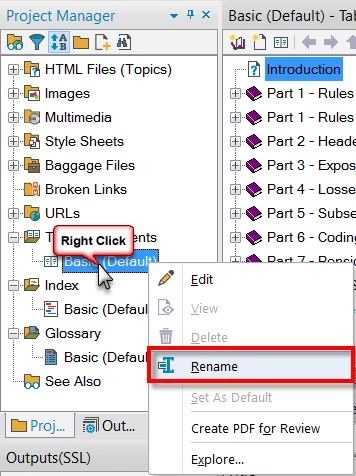
Try Right-Clicking each of them and choosing Rename.

Give that a go and see if it helps you achieve your goal.

Cheers... Rick

2 replies

Captiv8r
Captiv8rCorrect answer
Legend
December 13, 2016

Hi there

Perhaps try this.

Close the TOC, Index, and Glossary pods.

From the Project Manager pod, expand each of these sections.

Try Right-Clicking each of them and choosing Rename.

Give that a go and see if it helps you achieve your goal.

Cheers... Rick

Toasteata
ToasteataAuthor
Participant
December 13, 2016

Duuuuuude.... That was embarrassingly easy. smh....

Thanks a lot Rick!!

Jeff_Coatsworth
Community Expert
Community Expert
December 13, 2016

What's "the wrong name"? You've just got the Starter tab open on the right, so that's what's giving the top window its name of ProjectName - [Starter]; the other tabs are because you've got the ToC, Index & Glossaries open & it's the default one (you can have more than one in existence - RH needs to know which one is going to be used as the default one).

Toasteata
ToasteataAuthor
Participant
December 13, 2016

I didn't realize I could have multiple. Thanks!