Inspiring
October 18, 2011
Question

resolving broken links in RH8

  • October 18, 2011
  • 1 reply
  • 905 views

I have two broken links in RH8 project which I have been trying to resolve but still get the message:

When I try to resolve the topic references referred to in the message above, I find that there are many, many of them. Some I have attempted to resolve and they do seem to go away. The problem is there are at least 20 more. Can I resolve them in bulk or do I have to resolve each one?
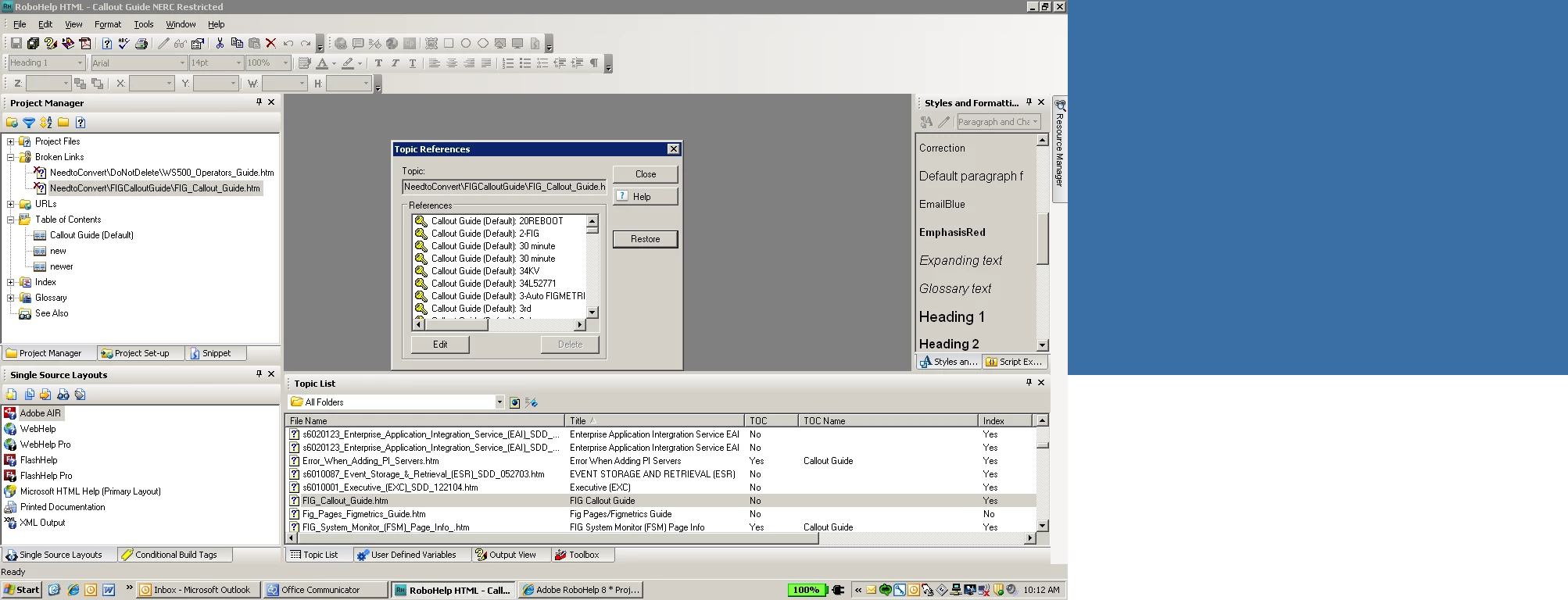
Also, I have read that whatever is listed in an fpj shows what is in the project. However, how can you view what is listed in the fpj and do I need to?

This topic has been closed for replies.

1 reply

Community Expert
October 19, 2011

From the screenshot it looks like most of the references are index entries. You could probably open the .hhk file in a text editor and do a find and replace to correct the path for the problem topics. As always, take a backup in case you do it wrong and need to go back to an earlier version.

There are multiple fpj files in a project - one for each folder. They reference all the files and folders that RH knows about in the folder (but not images, at least not in RH6-8). I don't think editing these will be any use in your case.

Amber

Peter Grainge
Community Expert
Community Expert
October 19, 2011

Are those two topics still in your project or are they topics that have been deleted, or maybe the filename has been changed outside of RoboHelp?

Those index entries are linked to those topics and RoboHelp is telling you those topics do not exist in the project.


See www.grainge.org for RoboHelp and Authoring tips

@petergrainge

Use the menu (bottom right) to mark the Best Answer or Highlight particularly useful replies. Found the answer elsewhere? Share it here.