Participant
July 9, 2025
Answered

Responsive HTML 5 Custom Logo - Robohelp 2022

  • July 9, 2025
  • 3 replies
  • 357 views

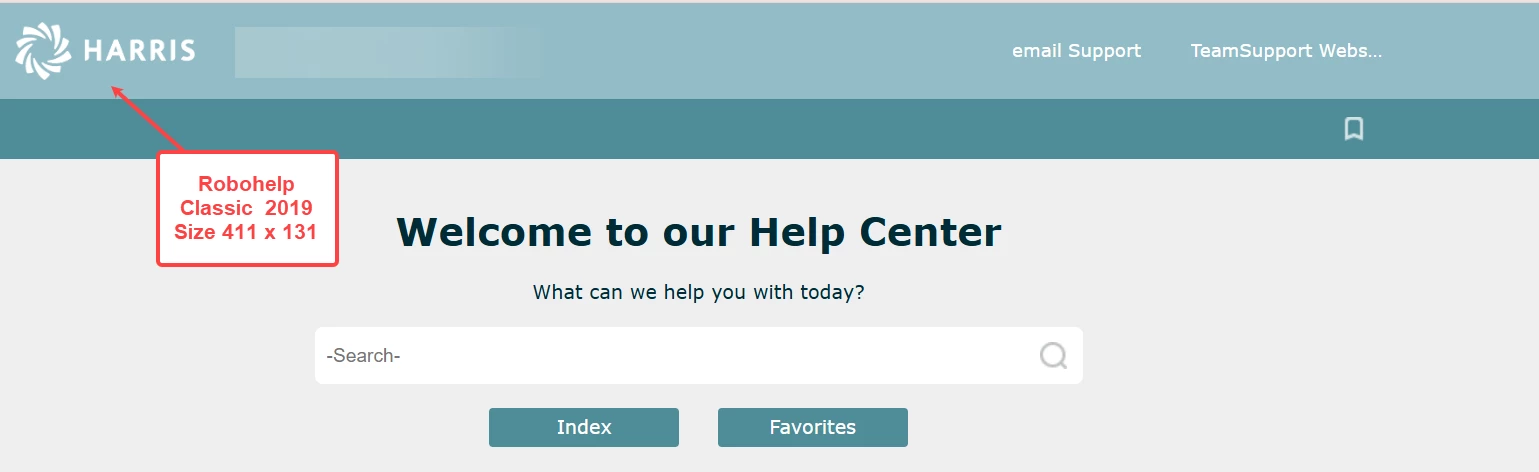
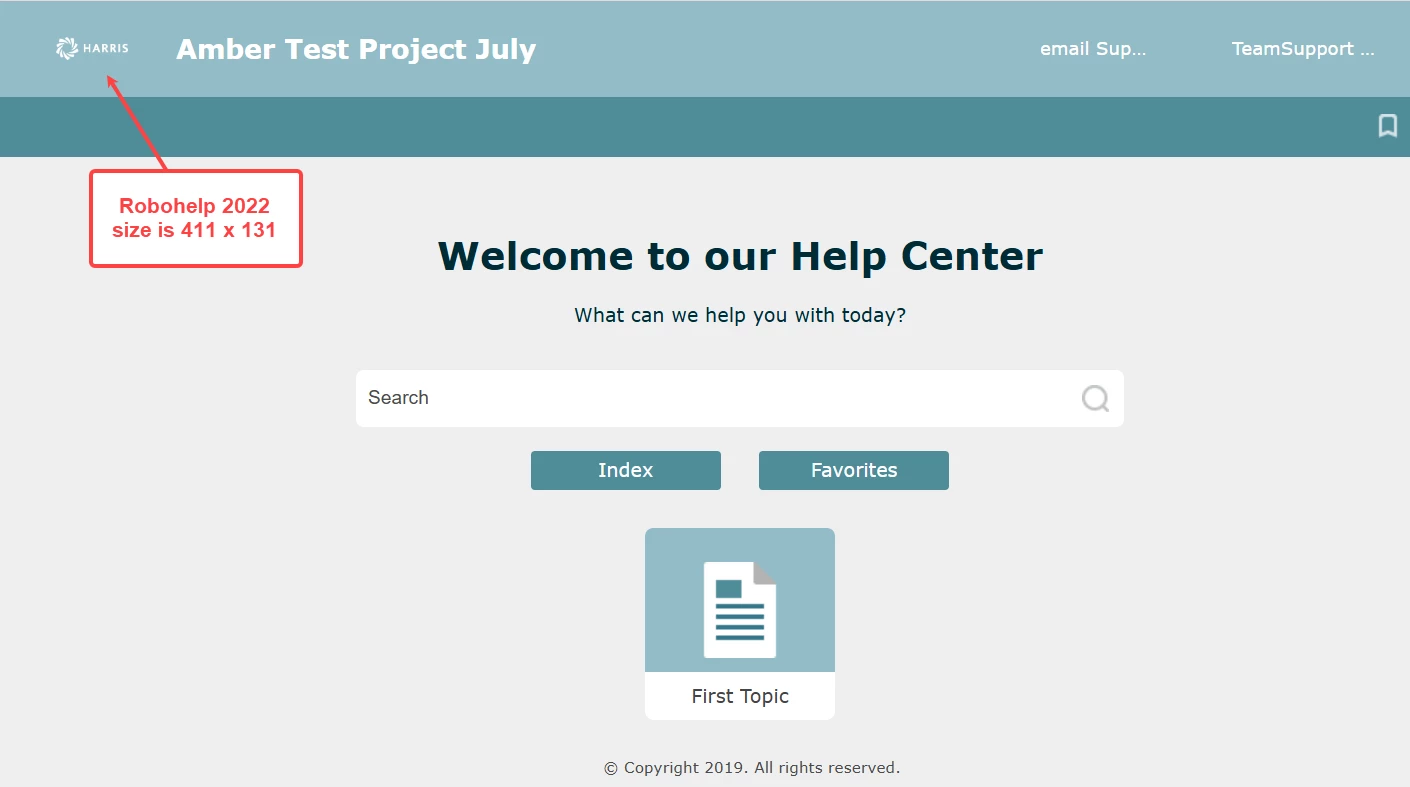
Any suggestions on a setting, file name, location, size that could be causing the logo that appears in the upper left corner to be small? This is when I generate a respsonsive html5 output in Robohelp2022. The file size is the same as what I was using in RH Classic 2019. 


    Correct answer Jeff_Coatsworth

    Would you happen to know if I use the Upgrade Robohelp Classic Project option in RH2022 is there a way to save a copy in Classic as well? I have selected this and the project seems to pull over to RH2022 from Classic 2019 (changing the file type from .xpj to .rhjp) but I do not see a way to still access the project in Classic. The concern is to upgrade a large project, run into issues and lose it. We have projects that are ongoing and have been worked on for several years. 
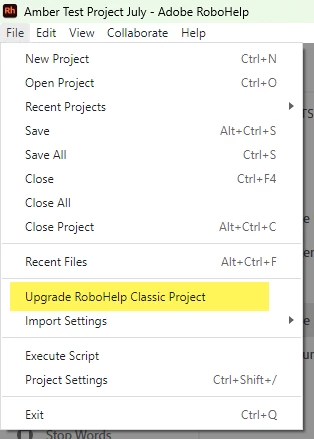


    The Upgrade Classic project leaves the Classic project intact - you can always zip a copy of it up just to be extra safe if you'd like.
    You should be able to launch the Classic version the same as before and open the Classic project. Did you somehow remove the Classic software version?


    3 replies

    Peter Grainge
    Community Expert
    Community Expert
    July 11, 2025

    Open the template editor and try changing these settings. You may also need to adjust the image itself.


    ________________________________________________________

    My site www.grainge.org includes many free Authoring and RoboHelp resources that may be of help.


    Use menu (bottom right) to mark as Best Answer or to Highlight particularly useful replies. Found the answer elsewhere? Share it here.
    Participant
    July 15, 2025

    Changing this width to 125 and saving before generating the output worked. Thank you! I appreciate you getting this to the correct forum and for your help here. 

    Jeff_Coatsworth
    Community Expert
    Community Expert
    July 15, 2025

    Anytime! Easy moderator work. Shoot me a DM sometime & we can swap CSI company stories 😊

    Jeff_Coatsworth
    Community Expert
    Community Expert
    July 10, 2025

    There - I moved you over to the RH forum.

    Matt-Tech Comm Tools
    Community Expert
    Community Expert
    July 9, 2025

    If you're using Rh to publish, then you likely want to post your question over in that forum.

    However, I have 2 thoughts while you're here...

    • Did you update the project into Rh 2022 or rebuild it? 
      • If rebuilt, did you confirm that the logo file is exactly the same file? You may have an image that has a "pasteboard" that's being scaled down, effectively shrinking your logo.
    • Sometimes the skins get updated...if the first item doesn't help, you may need to switch skins or do some CSS fiddling under the hood to get the logo back where you want it.


    -Matt SullivanFrameMaker Course Creator, Author, Trainer, Consultant