Interesting question. One I wasn't sure about so I tested.
I added an Index keyword of "waffle". This text does not appear anywhere else. When searching, "Waffle" was returned. So that tells me that the Index keywords are now also part of the search.
Now I also created a bookmark and named it "cookie". But searching did not return any matches when I entered that term.
There are other ways you can work as well. For example, adding Search Synonyms via the Output tab > Synonyms.
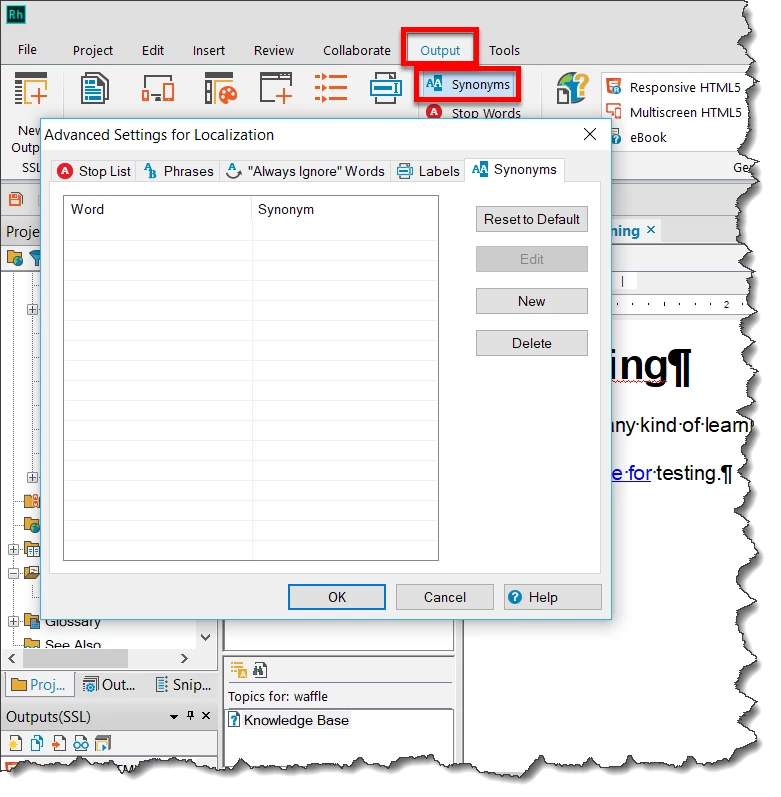
Cheers... Rick 
At the start you asked - How can I make the Responsive HTML5 easier to search? The TOC and Index is frustrating for some of the users. Later you added -The biggest issue we have is that when someone types a keyword, the book title appears, but does not display the main content.
Keywords relate to the Index but your image is for the search. Also the index does not give any preview.
I am concluding your issue is with the search and what shows there is nothing to do with the TOC books, it is, by default, the initial text of the topic. In the configuration of the output you can change that so the whatever you enter in the Topic Comments appears.
Rick has told you how to change the index and I have explained how search works. Hopefully between the two, there is a solution.
See www.grainge.org for free RoboHelp and Authoring information.

 @petergrainge



 AdChoices