
rtkwolf
Inspiring
January 24, 2014
Question

RH 10 generating webhelp viewing with IE11 - Error reading masterData.xml

  • January 24, 2014
  • 2 replies
  • 7813 views

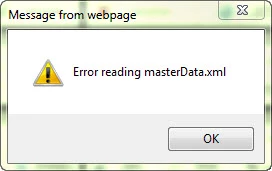
I’m using RoboHelp 10 and generating webhelp outputs for a merged project with 10 child projects. I’m using IE as my default browser. Early this week windows updates and a Java update (version 7 update 51) were installed on my laptop. I generated my merged project (same as I’ve always done and never had any issues) locally on my laptop. When I went to view the project the following error message displayed: Error reading masterData.xml. At that time I noticed that my IE had updated to IE11. I’m making a presumption that this error is due to the updates because last Friday I published my project viewing on IE 10 and did not get the error. As a side note, the project does go thru the complete generating process its just when I go to view the project is when the error occurs. I can close the error message but when I select another topic the error appears again.
I searched the Adobe discussions to see if this is a known issue but I didn’t see anything specific to RoboHelp 10 or IE11. I did not try any of the previous workarounds that I read about in the discussions because they weren’t specific to RH10 or IE11. I did read thread 931964 and Peter Grainge topic on Merging Help but I’m not sure that this is the same issue since I’ve never had this error previously.

Currently on a second laptop I’m in the process of evaluating RoboHelp 11 and did try to generate an output using a copy of the same project from the second laptop and I got the same error. The second laptop also is using IE11. Neither laptops get this error using Firefox (version 26) or Chrome (version 32.0.1700.76) as my browsers. My laptop is a Dell latitude E5530 64 bit OS windows 7 professional service pack 1.

Any help would be greatly appreciated.

This topic has been closed for replies.

2 replies

Ankit Rajpoot
Adobe Employee
Adobe Employee
January 29, 2014

Merged WebHelp outputs should have "MasterData_xml.js" file present in the mergedProjects\<Child> folder. A search for "masterdata.xml" in windows 7 also reveals masterdata_xml.js. But, I can see that rtkwolf's search did not show up any such results.

Peter Grainge
Community Expert
Community Expert
January 29, 2014

I just downloaded a demo merge from my site and upgraded it to Rh11.

http://www.grainge.org/pages/authoring/merging_webhelp/merging_method_rh9.htm#demo

On regenerating I still see the error message.


See www.grainge.org for RoboHelp and Authoring tips

@petergrainge

Use the menu (bottom right) to mark the Best Answer or Highlight particularly useful replies. Found the answer elsewhere? Share it here.
Peter Grainge
Community Expert
Community Expert
January 29, 2014

Ankit

Am I right in thinking the new files for Rh10 are the same as the those that shipped with Rh11? I see the modified dates and times are the same.


See www.grainge.org for RoboHelp and Authoring tips

@petergrainge

Use the menu (bottom right) to mark the Best Answer or Highlight particularly useful replies. Found the answer elsewhere? Share it here.
Jeff_Coatsworth
Community Expert
Community Expert
January 24, 2014

Where is the “masterdata.xml” file located – can it be opened in IE or Notepad; how is it all behaving under Firefox?

Have you checked the security restrictions on running active content? Is Mark of the Web enabled?

rtkwolf
rtkwolfAuthor
Inspiring
January 24, 2014

I did a search and I found 2 results, both are dated 11/05/2012:

C:\Projects\Master Project\!SSL!\Adobe_AIR\BrowserBasedHelp\mergedProjects\RB-ERP Help

C:\Projects\Master Project\!SSL!\Adobe_AIR\BrowserBasedHelp\mergedProjects\RB-ERP Release Notes

Yes they open in notepad, i've attached a screen capture of the properties. I'm not even sure what this file is or does.

I don't have any issues in Firefox.

Yes, the IT person here checked the active content and set it as allow.

Yes the Mark of the Web is enabled.

Jeff_Coatsworth
Community Expert
Community Expert
January 24, 2014

Are you totally patched up on RH10? Because there was an issue initially (I seem to recall) that was including other flavours of SSL outputs when you generated your help. If you’re doing WebHelp, you should only see a WebHelp folder in your \!SSL!\ folder & no other flavours.