

RH 11 Imported Screen Layout Not Displaying in Gallery
Began using a trial of RH11 today and am experimenting with Responsive HTML5. I am trying to understand how to use a newly downloaded/imported screen layout while setting up a new single source Responsive HTML5 layout. I downloaded the screen layout from the Adobe site, which was a single file in a zip file. I unzipped the layout file to the same download folder and imported the extracted file into the Screen Layouts folder in the Project Set-up pod within RH11. Then while working in the Responsive HTML5 Settings window, clicked Gallery and expected to see the newly imported layout as an option there. The layout does not display. The layout name does display under the Screen Layouts folder folder in Project Set-up though.
How do I get the layout to display in the Gallery? I am wondering if I extracted the layout file to the wrong location? Does it have to be extracted to a folder within my project files such as the SSL folder or within the folder to which the RH11 trial software was installed? I assumed the Import process in Project Set-up would copy the layout file to wherever it was needed for it to work in Robohelp.
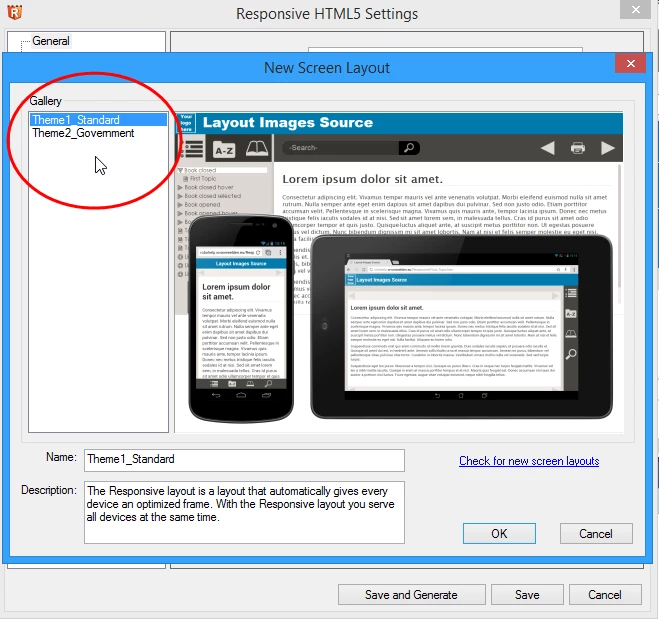
4/3 addition to original post -- adding a picture for reference regarding where I can't get the new layout to show. WIthout it showing here, how would I go about assigning the layout to my single source layout?
Message was edited by: KFarrelly


 AdChoices