
Known Participant
March 27, 2014
Question

RH 11 Lists are all set to 0 after upgrading to TCS 5

  • March 27, 2014
  • 1 reply
  • 932 views

I just upgraded from TCS 3.5 to TCS 5.

I use FM as my source and RH WebHelp as my output.

My numbered lists all start at 0 now.
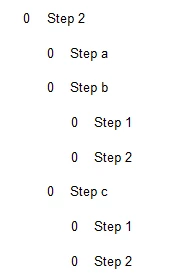
Before I upgraded, In RH 9 (TCS 3.5), I created RH Styles and used the following numbering format:

Format: <x>

Numbering: decimal: 123

Prefix Style: None

I mapped my FM style to the RH Style.

Numbers worked fine:
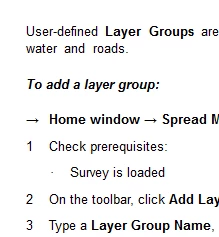
Now, they are all zeros:

When I open a topic and look at the HTML page, it has added this: start="0"
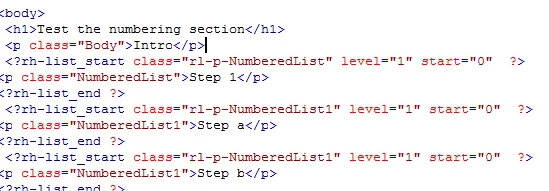
If I delete the start="0" text and then click back on the Design Tab, the numbers appear:
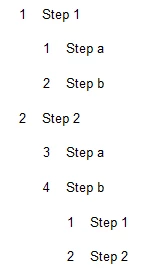
Where is the 0 coming from? I can't find a setting anywhere.

Thanks.

This topic has been closed for replies.

1 reply

Jeff_Coatsworth
Community Expert
Community Expert
March 27, 2014

Are you linking or importing? How are your list para tags being handled in your Conversion Settings?

Known Participant
March 27, 2014

I am linking to the FM Book File.

I make any necessary changes in FM, and do not manipulate the RH files.

My FM tags are:

Example from FM file:   

In RH, I created similar styles:

This worked prior to the upgrade. I'm confused.

Here's the CSS content:

Thanks for your help.

Jeff_Coatsworth
Community Expert
Community Expert
March 27, 2014

Sorry, missed your screenshots there before – how does the HTML behave if you create a fresh topic in a new RH project using those defined number styles? Is it sneaking in the same start=0 thing? If so, congrats, you’ve probably discovered a bug; if not then there may be something messed up in the FM to RH linking. BTW – are you all patched up in TCS5?